
Swell AI
Automates podcast shownotes and articlesTurn episodes into notes, posts, and articles
Highlights
What you can do with it
- Generate shownotes for a new episode
- Turn an episode into a longer article
- Create social posts to promote an episode
How to use it
- 1 Start a free trial on the Swell AI site
- 2 Connect your podcast feed via RSS, Dropbox, or Google Drive
- 3 Pick an episode and let the tool draft shownotes or an article
- 4 Edit the output and publish it where you need
Who it is for
Pros
- Saves time writing shownotes and articles
- Manages multiple podcasts in one place
- Free trial to test the workflow
Limitations
- Full use needs a paid plan after the trial
- Pricing and trial terms can change
- Generated copy still needs review and editing
What Swell AI is
Swell AI is an AI writing tool made for podcasters, organizations, and networks. Its main job is to automate the writing of podcast shownotes and articles, so you are not typing up summaries by hand after every episode. Beyond notes, it can draft in-depth articles, generate LinkedIn and Twitter posts, create time-stamped show notes, and provide a chatbot for your podcast. It connects to sources like Dropbox, Google Drive, and RSS, which lets you manage multiple podcasts from a single dashboard. A free trial is available so you can test the workflow first.
What you can do with it
- Auto-generate shownotes for each episode
- Turn an episode into a longer, in-depth article
- Create LinkedIn and Twitter posts to promote the show
- Produce time-stamped notes for listeners
- Add a chatbot that answers questions about your podcast
- Manage several shows from one dashboard
Who it is for
- Solo podcasters who need shownotes without the manual work
- Networks and organizations running many shows at once
- Marketers who repurpose episodes into articles and social posts
- Teams that want one place to handle podcast content
What to watch out for
After the free trial, continued use sits behind a paid plan, and the pricing and trial terms can change, so confirm current details before committing. The tool drafts from your audio, but the output still needs a human pass for accuracy, tone, and anything you do not want published. Since it relies on integrations like RSS and cloud drives, a broken connection can interrupt the workflow. When quality matters, export a small draft first to confirm the result before producing the final file.
FAQ
What does Swell AI do?
It automates podcast shownotes and articles, plus social posts and a chatbot.
What can it connect to?
It integrates with Dropbox, Google Drive, RSS, and more.
Is there a free trial?
Yes, flexible pricing options include a free trial.
Why it is free
What the official page says: free trial
Free limits, trial length and features are decided by the official site and can change at any time.
Product preview
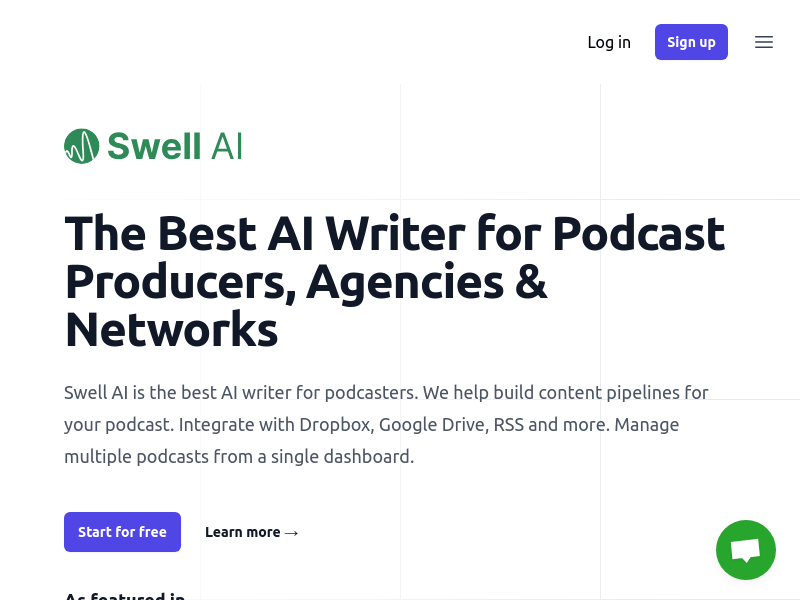
Screenshot archived from the listing page, for preview only.











