
Swayclip AI Video Generator
All-in-one AI video, image, and music workspaceVideo, images, and music in one tab
Highlights
What you can do with it
- A business generates a product promotion video with matching images and music.
- A creator makes short vertical videos for social platforms.
- A film team drafts movie-level clips for inspiration.
- A designer refines product or poster images from a prompt.
How to use it
- 1 Go to swayclip.com and sign up if needed.
- 2 Pick the video, image, or audio tool you want.
- 3 Enter a prompt or upload a reference image.
- 4 Choose a model and set format, duration, and resolution.
- 5 Generate, review, and adjust the prompt or settings if needed.
- 6 Download or export the finished piece.
Who it is for
Pros
- Several models for video, image, and audio in one place.
- No need to switch between separate creation platforms.
- Example outputs and prompts help you learn the workflow.
- Fine control over format, duration, and resolution.
- Free trial mentioned for trying it out.
Limitations
- Commercial use needs a paid plan and credit package.
- Output follows each model's license, so usage rights vary.
- AI video and image results often need prompt iteration.
- Full pricing is not clearly listed, so confirm costs up front.
What Swayclip AI Video Generator is
Swayclip is an all-in-one AI creation workspace that runs in a single browser tab. From a text prompt or a reference image, it can generate video, create and edit images, and turn short instructions into background music. It brings several models together in one place, including Veo, Kling, and Seedance for video, Nano Banana Pro and Flux 2 Pro for images, and Suno for music. You set the format, duration, and resolution on each tool page and stay in the same workspace instead of hopping between sites. The site shows real output examples along with the prompts that made them, so you can study what works. A free trial is mentioned, and commercial use is allowed only under a paid plan and credit package, with output following each model's license.
What you can do with it
- Generate video from a scene description or a reference image.
- Create and refine images for posters, product shots, and concepts.
- Turn short text instructions into editable background music.
- Switch between video, image, and audio models without leaving the tab.
- Study real examples and their prompts to improve your own.
Who it is for
- Content creators who need video, images, and music quickly.
- Businesses making promo clips, when using a paid plan.
- Designers refining product and poster images from prompts.
- Social creators producing short vertical videos.
What to watch out for
Commercial use requires a paid plan and credit package, so do not assume free output can be used in client or revenue work. Generated media follows the licensing of the underlying models, which can differ by model, so check the terms for your intended use. AI video and image results usually need prompt iteration, so budget time to refine rather than expecting a perfect first take. Full pricing is not clearly listed on the page, so confirm plan and credit costs before you start a project. Since the models run online, you will also need a steady connection for longer renders.
FAQ
What is Swayclip?
It is a browser workspace that generates video, edits images, and makes music from prompts or reference images using multiple AI models.
Which models does it use?
Video models include Veo, Kling, and Seedance; image models include Nano Banana Pro and Flux 2 Pro; music uses Suno.
Can I use the output commercially?
Commercial use is allowed, but only when created on a paid plan and credit package, and output follows the underlying models' licensing.
Is there a free trial?
The page mentions a free trial, though full pricing is not clearly listed.
Why it is free
What the official page says: free trial
Free limits, trial length and features are decided by the official site and can change at any time.
Product preview
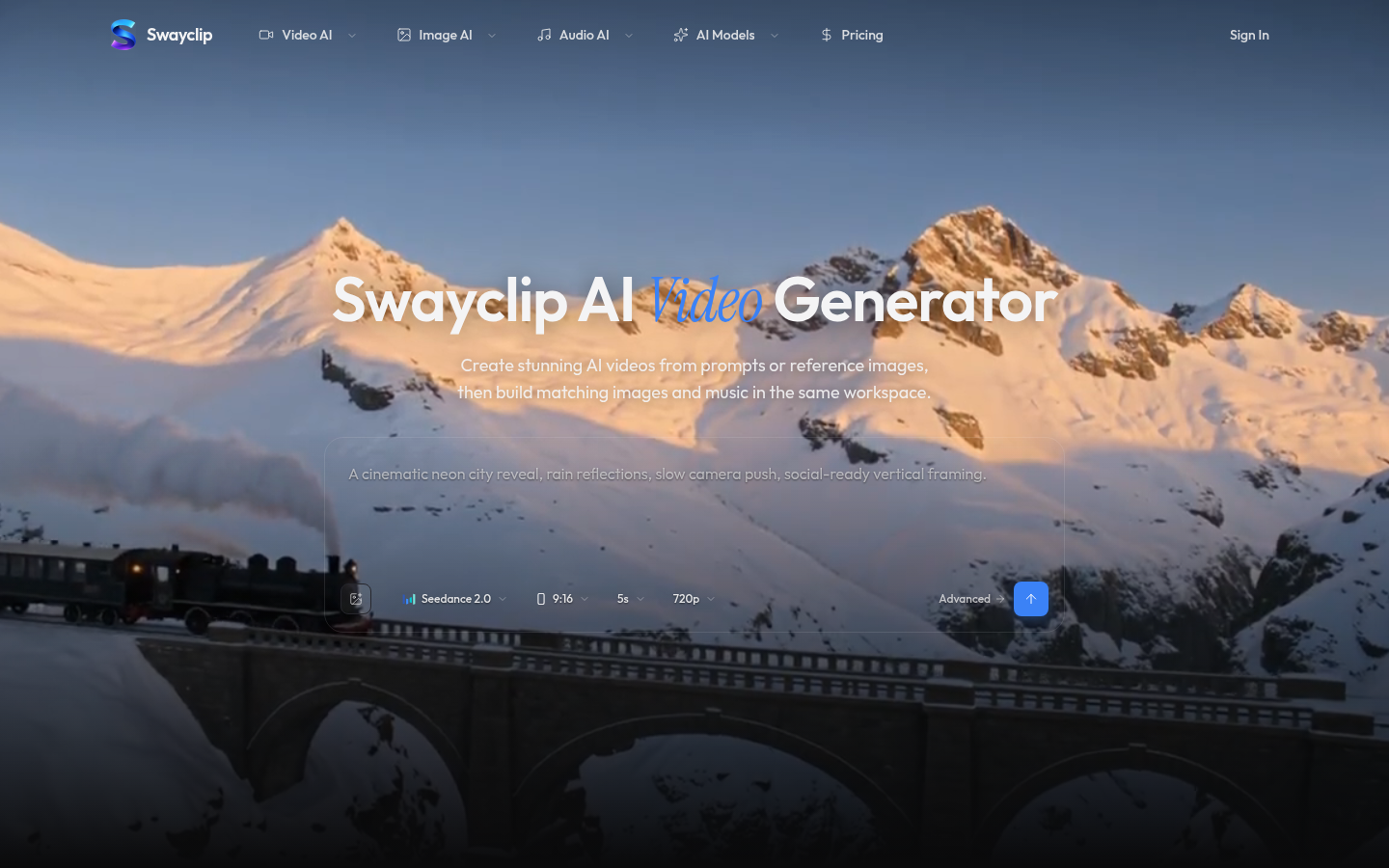
Screenshot archived from the listing page, for preview only.











