Suno Download
Download Suno AI songs as MP3 filesSave Suno AI music straight from a link
Highlights
What you can do with it
- A user saves a favorite Suno song to a phone for offline listening
- A producer downloads AI music as composition inspiration
- A DJ grabs a track for a party set
How to use it
- 1 Find the song on Suno AI and copy its share link.
- 2 Paste the link into the Suno Download website.
- 3 Click the download button.
- 4 Click download again once the song info appears.
- 5 Save the file through your browser.
Who it is for
Pros
- Free with no registration or login
- Works across desktop and mobile browsers
- Simple copy-link, paste, and download flow
Limitations
- Depends on Suno AI share links being available
- Free tool, so access and reliability can change
- Respect Suno's terms and any copyright when using the music
What Suno Download is
Suno Download is a free tool that lets you download music generated by Suno AI as MP3 files. The process is simple: find a song on Suno AI, copy its share link, paste that link into the Suno Download website, and the download starts through your browser. There is no extra software to install and no registration or login required, which keeps it quick. It works across operating systems including Windows, Mac, Linux, iOS, and Android, so you can save tracks on a desktop or a phone. The main audience is listeners and creators who want a local copy of a Suno-generated song for offline listening, sampling, or inspiration.
What you can do with it
- Save a Suno AI song as an MP3 from a share link
- Download through the browser with no extra software
- Use it on Windows, Mac, Linux, iOS, or Android
- Keep tracks offline without an account
Who it is for
- Listeners who want Suno songs saved offline
- Producers collecting AI music for inspiration
- DJs pulling tracks for sets
What to watch out for
It relies on Suno AI share links, so if Suno changes how sharing works, downloads can break, and the free tool itself may change or go offline without notice. Because the music is generated by Suno AI, respect Suno's terms of service and any copyright or usage rules before you use a downloaded track, especially in public or commercial settings. Download only content you have the right to access. Run one full task end to end first, then expand once you are comfortable with the workflow and the result quality.
FAQ
What is Suno Download?
It is a free tool that downloads music generated by Suno AI as MP3 files from a share link.
Do I need to register?
No. It works without registration or login.
Which devices does it support?
It works on Windows, Mac, Linux, iOS, and Android through the browser.
Why it is free
What the official page says: 免费
Free limits, trial length and features are decided by the official site and can change at any time.
Product preview
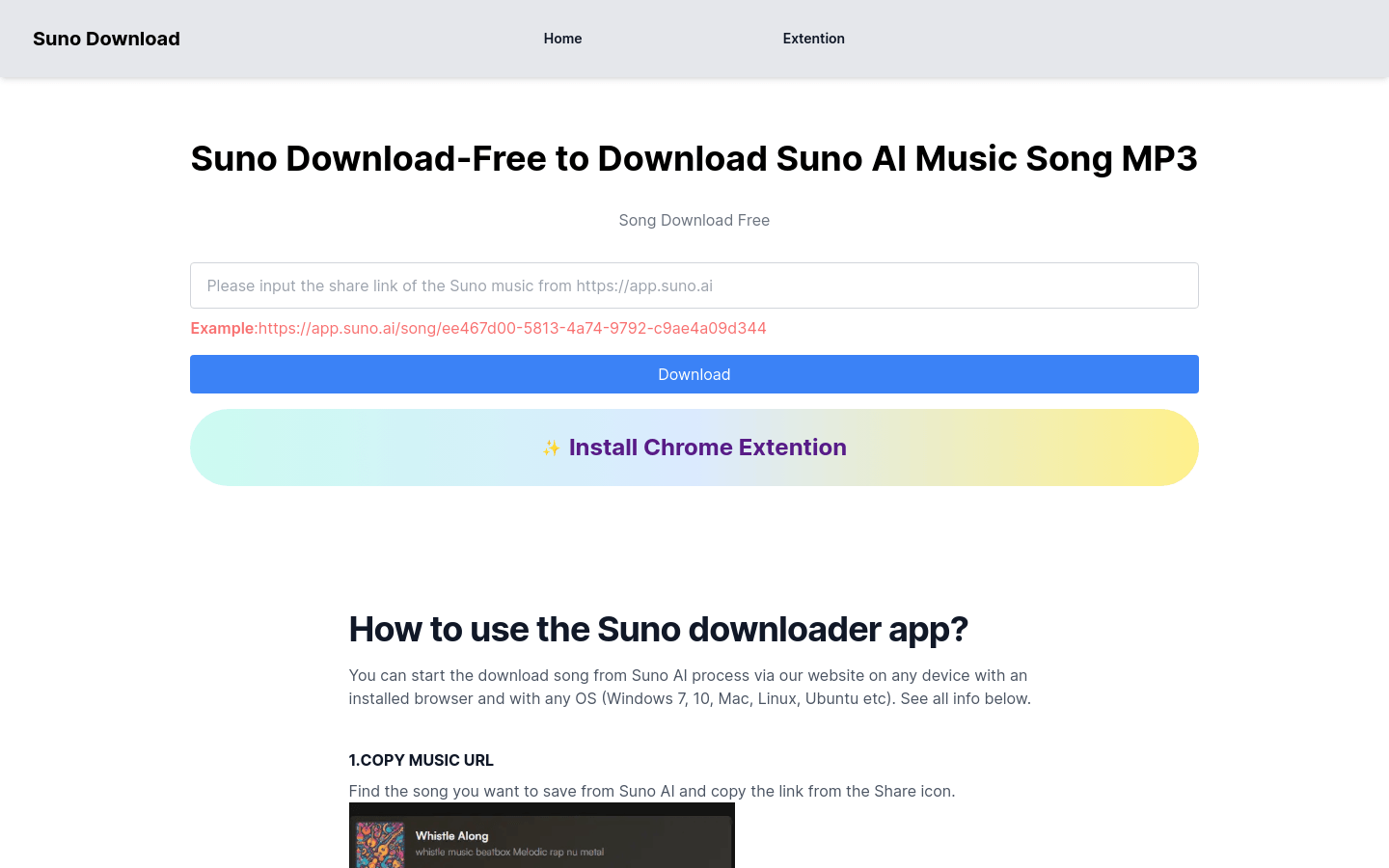
Screenshot archived from the listing page, for preview only.