Suno AI Download
Downloader for Suno AI songsSave Suno AI tracks as MP3 or MP4
Highlights
What you can do with it
- Keep a local copy of an AI-generated song you like
- Collect AI music samples as creative reference
- Study how generated tracks are structured
How to use it
- 1 Open the Suno AI Download website
- 2 Find the song on the Suno AI site and copy its share link
- 3 Paste the link into the download page
- 4 Click download and choose MP3 or MP4
- 5 Play or edit the file after it finishes
Who it is for
Pros
- Simple paste-and-download workflow
- Both audio and video formats are offered
- Free to use with no complex setup
Limitations
- Only download content you have the rights to use
- It is a third-party tool, so it depends on Suno share links staying valid
- Free access and format support can change
What Suno AI Download is
Suno AI Download is a free helper site for saving music that was generated with Suno AI. The workflow is simple: you take a song's share link from the Suno AI site, paste it into the download page, and save the track as MP3 or MP4. The site keeps an FAQ section and a plain layout so users can find what they need without instructions.
What you can do with it
- Save a local copy of an AI-generated song in MP3 or MP4.
- Build a folder of AI tracks for offline listening.
- Collect reference material when you are studying how generated songs are built.
- Share files you already have the right to share.
Who it is for
- Listeners who want their AI-generated favorites stored offline.
- Music producers looking for inspiration and samples.
- Developers and researchers curious about AI music output.
What to watch out for
This is a third-party downloader, not part of Suno. If Suno changes how share links work or blocks outside fetching, the tool can stop working without notice. More importantly, a download is not a license: AI-generated music still carries usage terms, and republishing or selling a track you did not create can create real legal exposure. Only save content you have the right to keep, check the platform terms, and treat the free service as something that can change or disappear at any time. Features and interface details may change between versions, so review the latest notes on the page before you start. For team use, agree on naming and editing conventions in advance to avoid version conflicts or duplicated work.
FAQ
What formats can I download?
The site supports MP3 and MP4 downloads.
How do I start a download?
Copy the share link of the song from the Suno AI site and paste it into the download page.
Can I use the tracks anywhere?
Check the rights first. Generated music still carries usage terms, and downloading does not by itself grant permission.
Why it is free
What the official page says: 免费
Free limits, trial length and features are decided by the official site and can change at any time.
Product preview
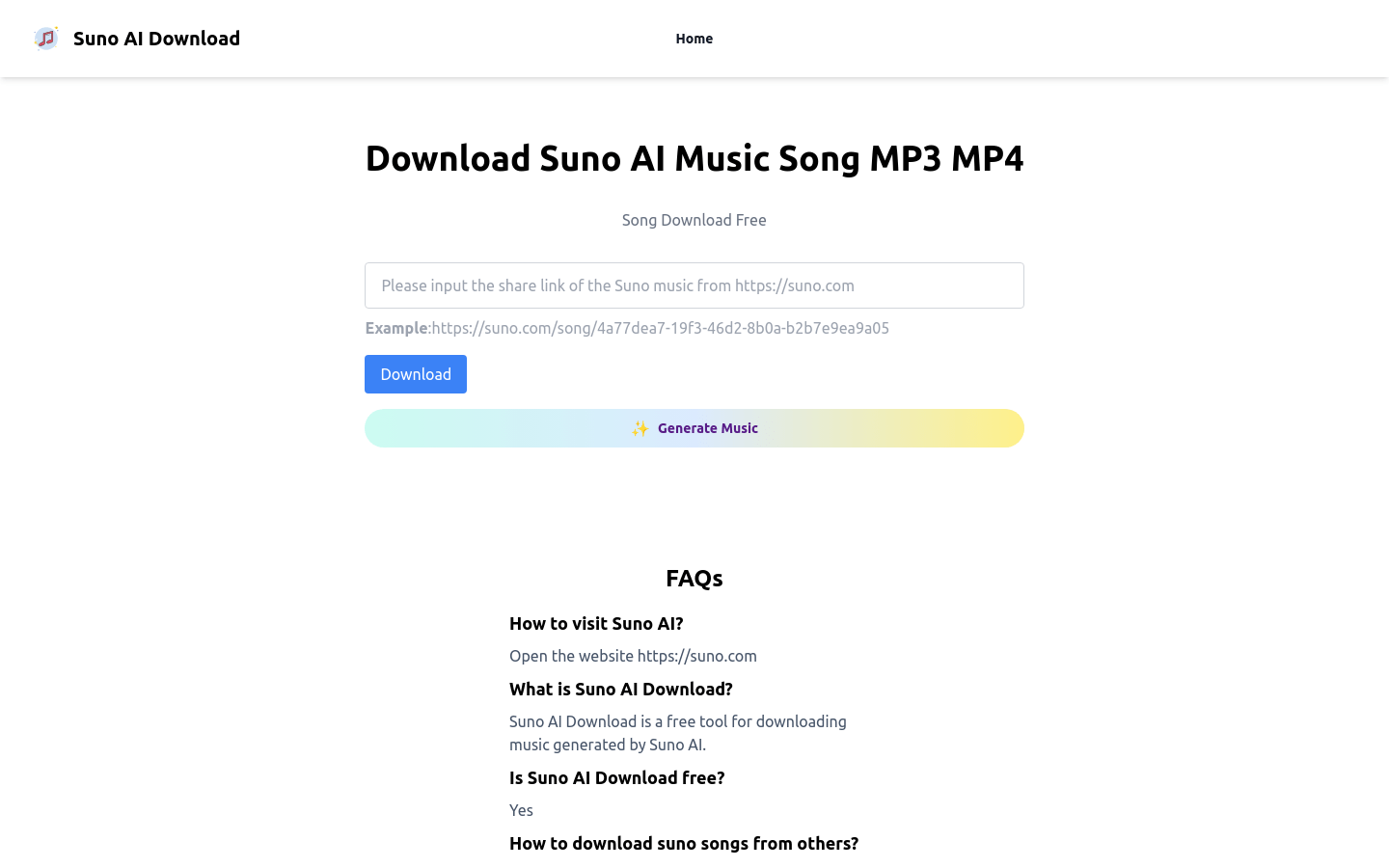
Screenshot archived from the listing page, for preview only.