Sugar Sense
Blood glucose monitoring with family alertsLive glucose, predictive lows, shared care
Highlights
What you can do with it
- A person with diabetes gets warned before a low and acts early
- A parent monitors a child's glucose and receives the same alerts
- A clinician reviews shared trends and time in range to adjust treatment
How to use it
- 1 Install the app from the store for your device.
- 2 Register and sign in, choosing a built-in information.
- 3 Connect a supported monitor or platform.
- 4 Set your high, low, rapid-change, and predictive alert thresholds.
- 5 Invite family or caregivers into the care circle if you want.
- 6 Log meals and activity, and use premium features if you upgrade.
Who it is for
Pros
- Free version covers the core safety features
- Predictive low alerts give warning rather than just a reaction
- Family sharing extends monitoring to caregivers
- Works across phone and watch platforms
Limitations
- It is a monitoring aid, not a substitute for medical advice
- Depends on a compatible sensor or built-in information being connected
- Predictive alerts can be wrong in both directions
- Premium features are what most people eventually want
What Sugar Sense is
Sugar Sense is a glucose monitoring app built by a developer who has lived with type 1 diabetes for twelve years. It reads real-time data from FreeStyle Libre, Dexcom, and Nightscout, then surfaces high, low, rapid-change, and predictive low alerts so you find out before a drop rather than after. Readings show up on the lock screen, in the status display, on a watch, and in home screen widgets, so you do not have to open anything. A family care circle lets trusted people see the same numbers and receive the same alerts, with an optional emergency call. The free version covers charts, trends, alarms, statistics, time ranges, logs, and sharing. A premium tier adds food scanning, pattern insights, complications, and report exports.
What you can do with it
- See live glucose and trends without opening the app.
- Set high, low, rapid-change, and predictive low alerts.
- Share readings and alerts with family or caregivers.
- Log meals, activity, and other context.
- Export reports and read pattern insights on premium.
Who it is for
- Adults managing diabetes who want control over their own thresholds.
- Parents and caregivers monitoring a child or dependent.
- Clinicians reviewing shared trends and time in range.
What to watch out for
This is a monitoring and alerting aid, not a medical device and not a substitute for clinical advice. Treatment decisions, including insulin dosing, belong with a clinician, and alerts can be wrong in both directions: a predictive low that never arrives is as disruptive as one you miss. Everything depends on a connected sensor or built-in information, so a dropped connection means no readings and no alerts, which is exactly when you least want a gap. Premium is where the food scanning, complications, and report exports live, so the free version will feel limited if those matter to you. Finally, sharing health data with family is a real privacy decision; the listing says the app follows data protection rules and encrypts data in transit, but decide deliberately who gets access.
FAQ
Is there a free version?
Yes. The free version includes real-time charts and trends, alarms, statistics, time ranges, logs, and family sharing. Premium adds more.
Can family members see my readings?
Yes. The care circle lets trusted people monitor readings and receive the same alerts, with an optional emergency call.
Is this a medical device?
No. It displays and alerts on data from your monitor. Treatment decisions should be made with a clinician, and alerts can be wrong.
Why it is free
What the official page says: free version
Free limits, trial length and features are decided by the official site and can change at any time.
Product preview
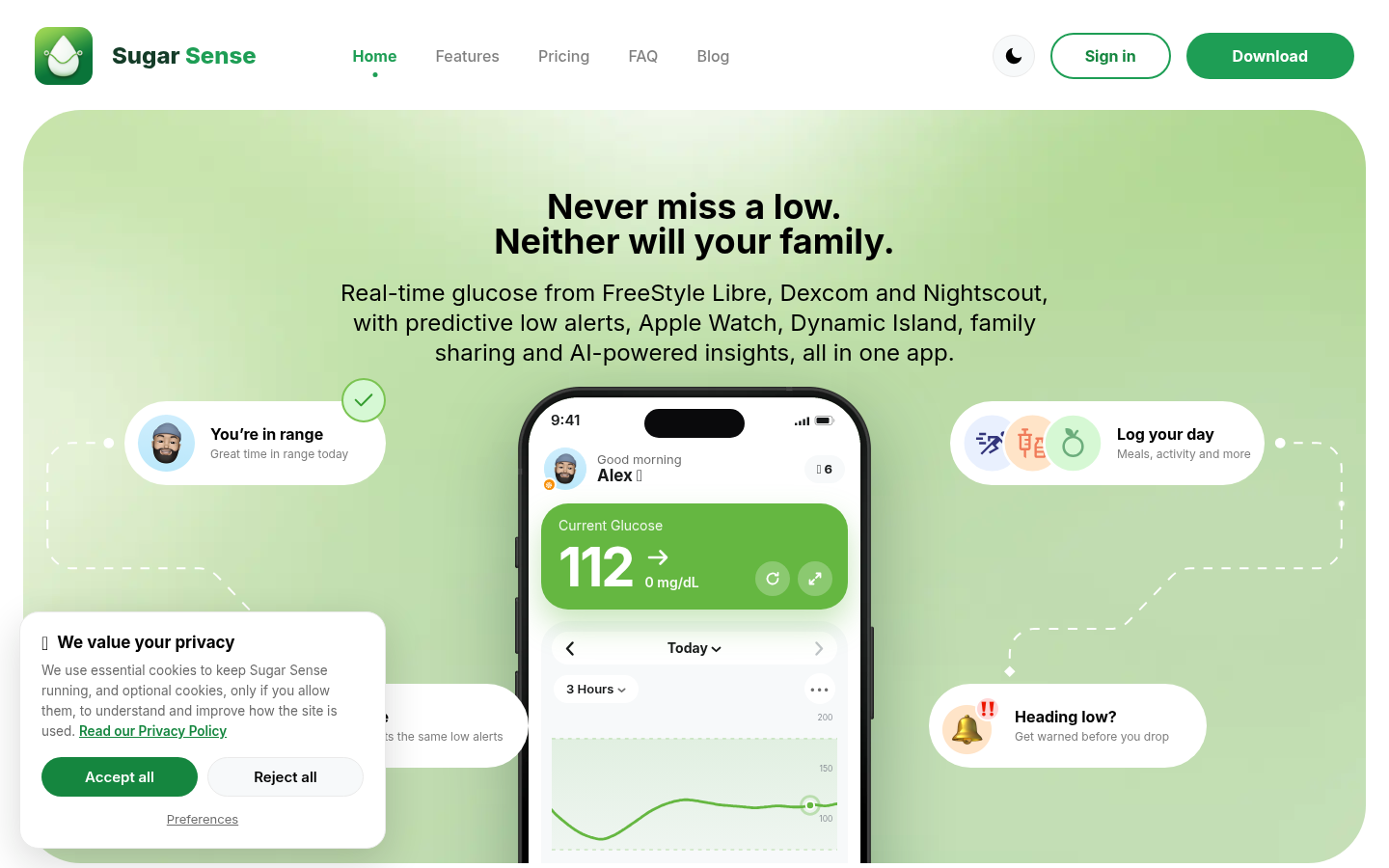
Screenshot archived from the listing page, for preview only.











