STranslate
Translation and OCR tool in one placeInstant translation plus offline OCR
Highlights
What you can do with it
- Translating documents for work
- Converting printed or scanned text into editable digital text
- Integrating translation into an app through the API
How to use it
- 1 Visit the STranslate website.
- 2 Choose either the translation or the OCR function.
- 3 For translation, enter or paste text and select the target language.
- 4 For OCR, upload an image or screenshot and select the language.
- 5 Review the result, then edit or save it.
Who it is for
Pros
- Combines translation and OCR in one tool
- Fully offline OCR for four languages
- Free API option for developers
Limitations
- The free API option may have limits that can change
- Translation quality varies by service and language pair
- Setting up service integrations takes time
- OCR accuracy drops on blurry or low-contrast images
What STranslate is
STranslate is an online tool developed by ZGGSONG that integrates translation and OCR functions. For translation, it supports several input methods including typing text, selecting words, and taking screenshots, and it can display results from multiple translation services at the same time so you can compare them. For OCR, it handles Chinese, English, Japanese, and Korean using PaddleOCR technology, works from screenshots, the clipboard, and files, and includes a silent OCR mode. The tool integrates with more than ten translation services, including OpenAI, Gemini, ChatGLM, Baidu, and Microsoft, and it provides a free API option.
What you can do with it
- Translate text by typing, selecting words, or capturing a screenshot.
- Compare translations from several services in one view.
- Run OCR on screenshots, clipboard images, or files in four languages.
- Use silent OCR for quick recognition without extra dialogs.
- Connect your own translation service keys, or use the API in your own projects.
- Use extra features such as back-translation, global text to speech, and writing assistance.
Who it is for
- Anyone who translates text frequently and wants results from several engines at once.
- Users who need to turn printed or scanned text into editable digital text.
- Developers who want to add translation or OCR to an application through the API.
- People who work with Chinese, English, Japanese, or Korean documents.
What to watch out for
Translation quality depends on the service and the language pair, so machine output still needs human review for important documents. Some translation services require your own API key, and the free API option may have limits that can change. Offline OCR supports a fixed set of four languages, and recognition accuracy drops on blurry or low-contrast images. Check current terms before relying on the service for paid work, and test the OCR on your own file types before building a workflow around it.
FAQ
What does STranslate do?
It is an online tool that integrates translation and OCR. You can translate text by typing, selecting words, or taking screenshots, and run OCR on images, the clipboard, or files.
Which languages does the OCR support?
The site says OCR supports Chinese, English, Japanese, and Korean using PaddleOCR technology, and it can work fully offline.
Which translation services can it use?
It integrates with over ten services including OpenAI, Gemini, ChatGLM, Baidu, and Microsoft.
Is there an API?
Yes, the site says STranslate provides a free API option, and API documentation is available for integration.
Why it is free
What the official page says: 免费
Free limits, trial length and features are decided by the official site and can change at any time.
Product preview
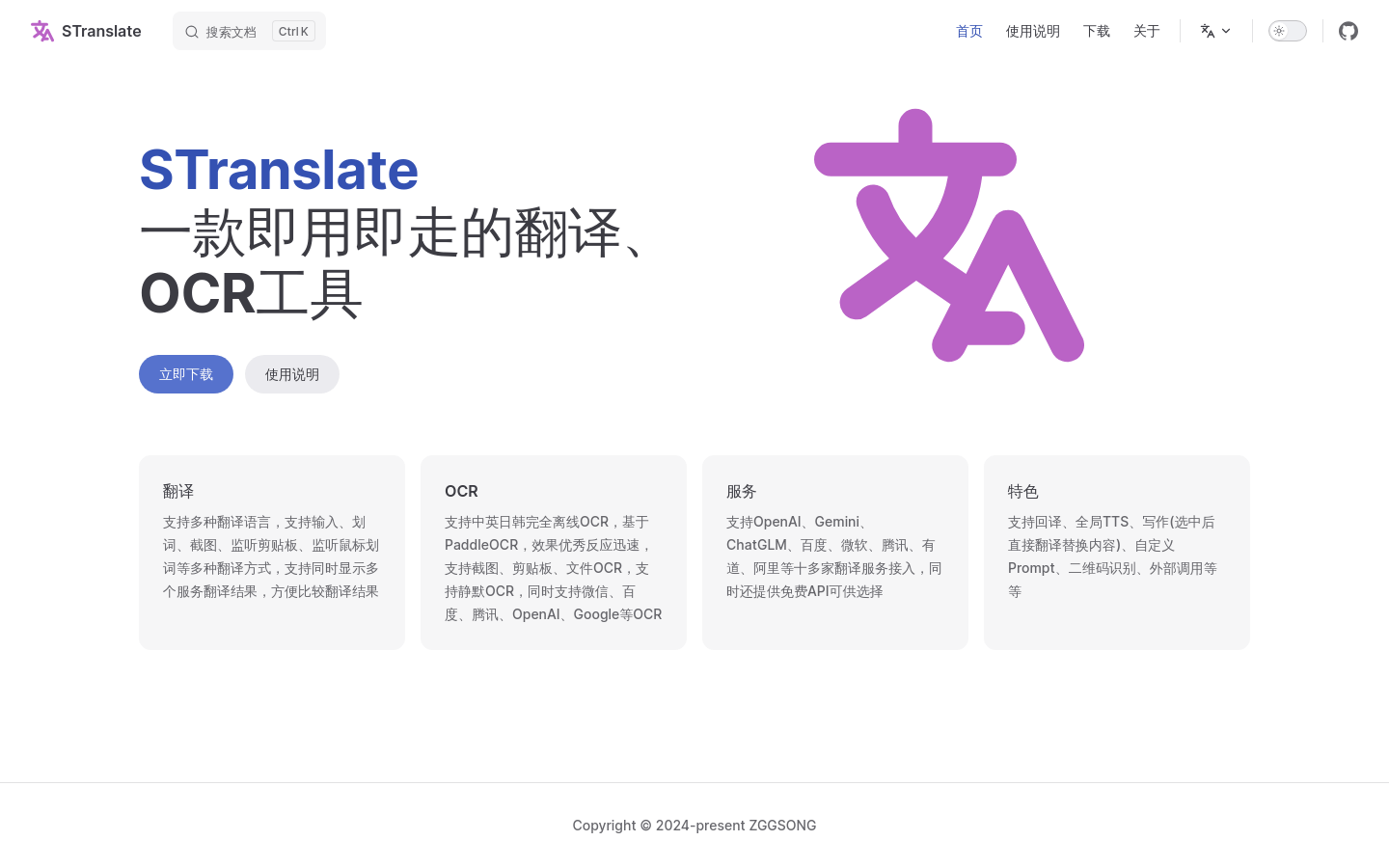
Screenshot archived from the listing page, for preview only.