
Stagehand.dev
Natural language automation on top of PlaywrightDescribe the action, get Playwright code
Highlights
What you can do with it
- A developer writing a test for a web app quickly
- A business pulling prices and reviews from pages
- A QA team describing checks in plain language
How to use it
- 1 Install Stagehand through npm
- 2 Write instructions in natural language
- 3 Run the script and let it convert to Playwright code
- 4 Use observation to check element detection
- 5 Extract the data you need and refine the instructions
Who it is for
Pros
- Free to use
- Lower barrier than raw Playwright scripting
- Keeps Playwright compatibility
- Code generation and observation help debugging
Limitations
- Requires Playwright knowledge to integrate properly
- Natural language is ambiguous, so scripts need debugging
- Free status can change
- Depends on an upstream model being available
What Stagehand.dev is
Stagehand is an AI web automation framework that extends Playwright with natural language. Normally you write browser automation with precise selectors, which is slow and brittle. Here you describe what you want in plain words, such as clicking the login button, and the framework turns that into browser operations. It keeps Playwright's feature set rather than replacing it, adds page observation so elements can be located and verified, supports data extraction and interaction like clicking and typing, and can generate Playwright code from your instructions. Instructions can be written in more than one language. It is developed by the Browserbase team and is currently free.
What you can do with it
- Describe browser actions in natural language.
- Extract data from a page using instructions.
- Interact with elements by clicking and typing.
- Generate Playwright code from what you wrote.
- Check element detection with page observation.
Who it is for
- Developers writing browser automation and tests.
- QA and automation testers describing checks in plain words.
- Analysts pulling structured data from web pages.
What to watch out for
Natural language is ambiguous, and a phrase that reads clearly to you can resolve to the wrong element on a page. Expect to debug and tighten instructions rather than getting a working script on the first run. Because the framework sits on top of Playwright and calls a model to interpret instructions, two dependencies are involved: your Playwright setup and the upstream model service, and either can change or fail. It is free today, and free status for a developer tool can change. If you are automating a production workflow, keep an eye on how the tool behaves when a page layout shifts.
FAQ
Is Stagehand free?
The site says it is currently available for free.
Do I need to know Playwright?
It extends Playwright and keeps its features, so Playwright knowledge helps.
Can I write instructions in another language?
Yes, multilingual instruction input is supported.
Why it is free
What the official page says: for free
Free limits, trial length and features are decided by the official site and can change at any time.
Product preview
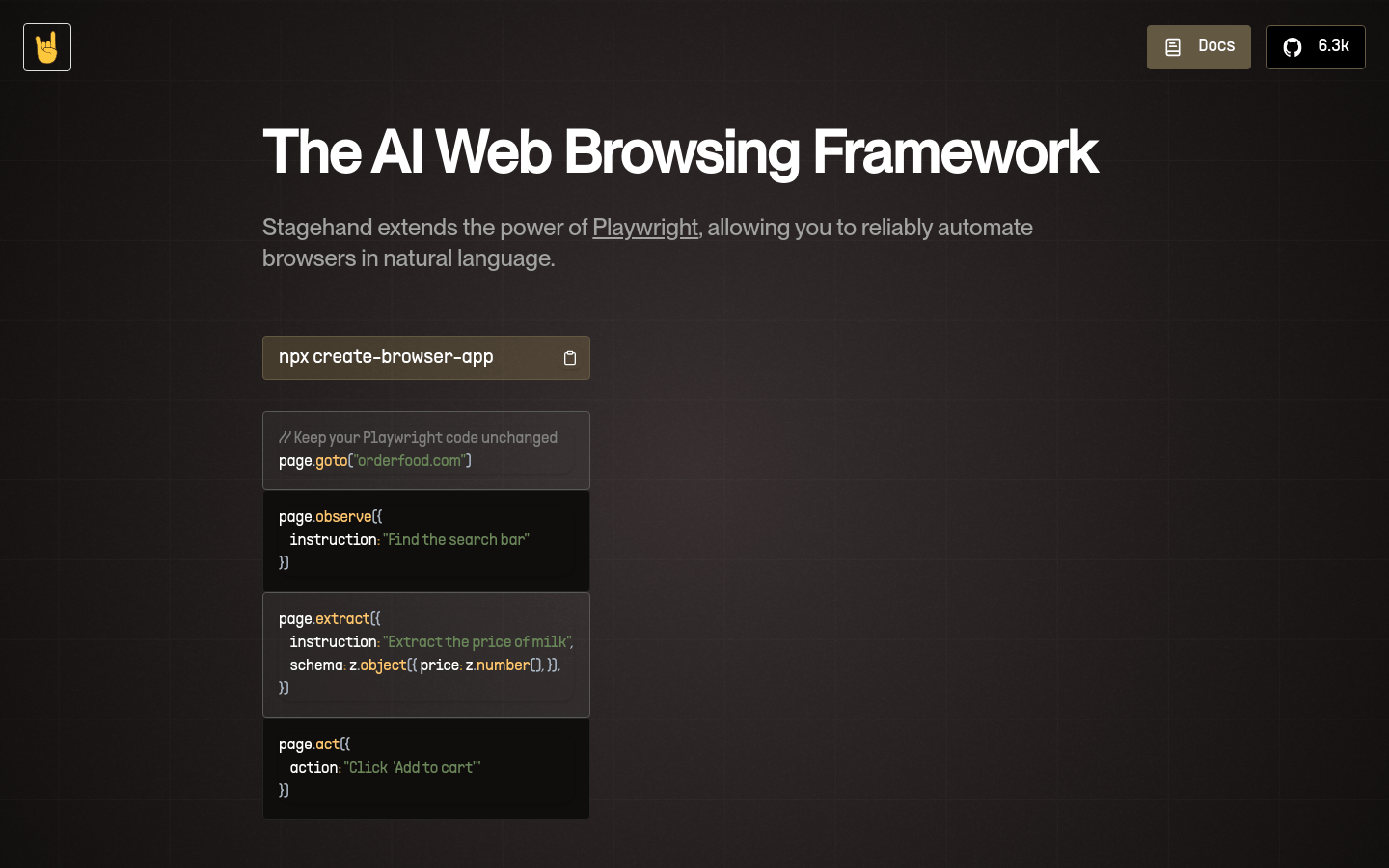
Screenshot archived from the listing page, for preview only.











