Speechimo
Text-to-speech voice generatorRealistic voices for your content
Highlights
What you can do with it
- Add voiceover to YouTube videos
- Create narration for online lessons
- Give a podcast a consistent voice
How to use it
- 1 Sign up and start the free trial
- 2 Type or paste your script
- 3 Pick a voice and generate the audio
- 4 Download and use it in your project
Who it is for
Pros
- Realistic voices without a voice actor
- Fast generation for scripts
- 14-day free trial to test quality
Limitations
- Only a 14-day free trial; then it is paid
- Use only content and voices you have the right to use
- Cloned voices can break platform rules, so use them responsibly
What Speechimo is
Speechimo is a text-to-speech tool that turns text into high-quality, realistic human voices. It is built for videos, podcasts, audiobooks, and similar content, giving you professional voiceovers in seconds without the cost of hiring a voice actor. You type or paste a script, choose a voice, and generate the audio. The service offers a 14-day free trial, after which you pick a subscription plan based on how much you need. It is aimed at creators who want a fast, consistent voice for their projects.
What you can do with it
Here is what you can do with Speechimo:
- Turn a written script into realistic speech
- Add voiceover to videos and lessons
- Give a podcast a consistent voice
- Save the cost and time of booking a voice actor
Who it is for
It suits a few groups:
- Video producers who need voiceover
- Educators making audio for lessons
- Podcast creators who want a steady voice
What to watch out for
The free trial lasts 14 days, after which use requires a paid plan, so costs matter for ongoing work. Use only content and voices you have the right to use; cloning or imitating a real person's voice without permission can break platform and legal rules, and any consequences fall on you. Voice quality varies by language and script, so test before a big project. The service depends on an external provider you do not control, so availability can change. Name and archive exported files consistently so you can find and reuse them, and keep a backup copy of key data. When quality matters, export a small draft first to confirm the result before producing the final file.
FAQ
Is there a free trial?
Yes, it offers a 14-day free trial, then subscription plans.
What is it for?
Turning text into realistic voiceovers for video, podcasts, and lessons.
Do I need a voice actor?
No, the tool generates the voices so you can skip hiring one.
Why it is free
What the official page says: free trial
Free limits, trial length and features are decided by the official site and can change at any time.
Product preview
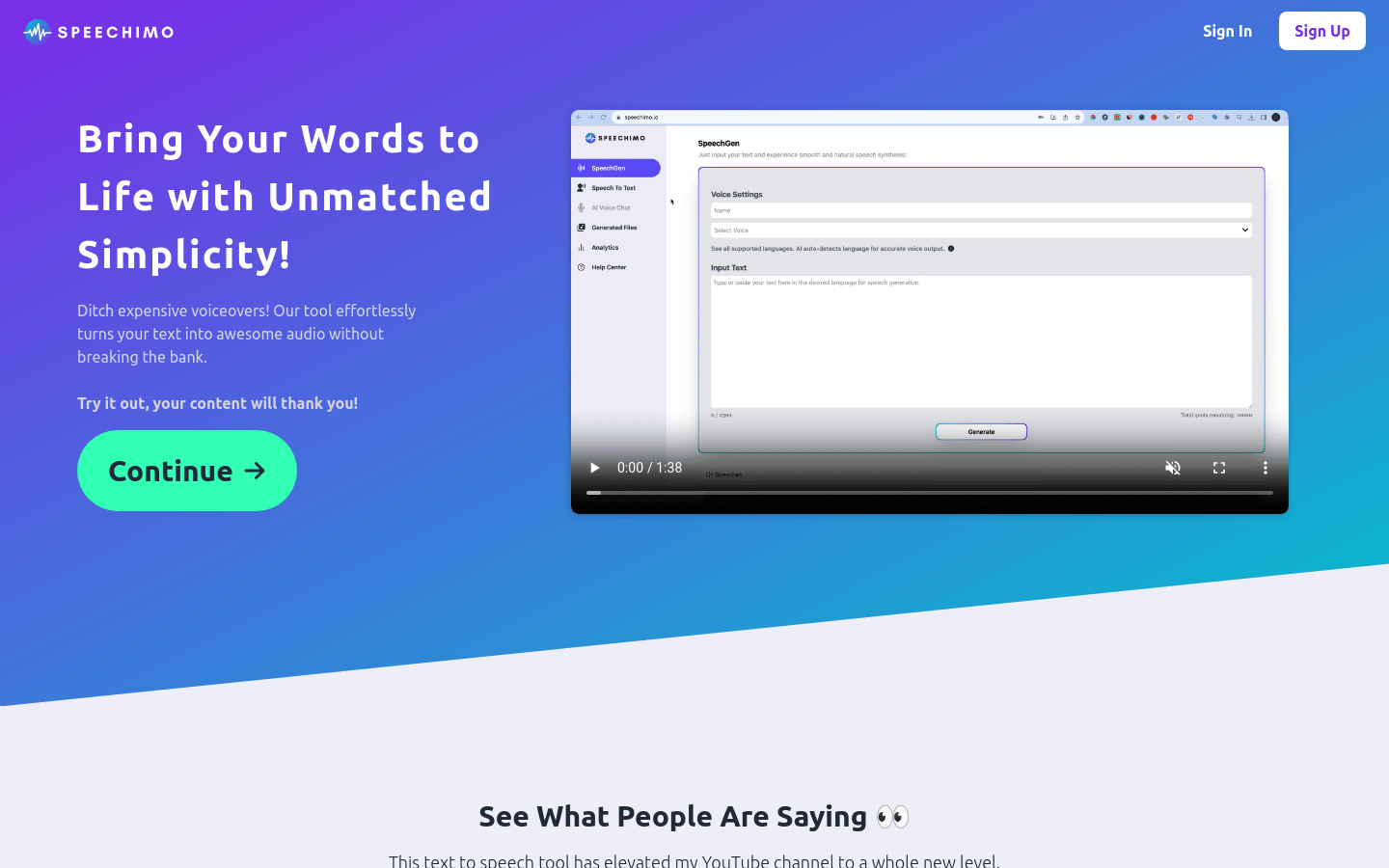
Screenshot archived from the listing page, for preview only.