
Spark Ai
Multimodal AI workspace for teamsOne agent routes every content workflow
Highlights
What you can do with it
- Turning a campaign idea into text, image, or video assets
- Automating repeat content steps for a team
- Keeping creative work for several clients in one workspace
How to use it
- 1 Sign up for the free trial on the Spark Ai site
- 2 Describe your request and let the agent choose the workflow
- 3 Review and adjust the generated text, image, or video output
- 4 Invite teammates and save repeat steps as automated workflows
Who it is for
Pros
- One workspace covers text, images, videos, and animated images
- An agent reduces the work of picking the right tool
- A $0 Starter plan lowers the cost of trying it
Limitations
- Free trial rules can change and paid tiers are billed per person
- Setup and correction are needed before the agent fits your intent
- Covers many media types, so single task users may want a simpler tool
What Spark Ai is
Spark Ai is a multimodal AI productivity workspace designed for marketing teams, content creators, agencies, and product builders. Rather than asking you to choose one narrow tool for every job, it runs each request through an intelligent agent that reads what you need and automatically selects the right workflow, whether that is text, images, videos, or animated images. The goal is to cut the back and forth between separate apps so a single request can turn into the type of content you actually wanted. The page lists a free trial, and it describes an entry level Starter plan at $0 per person per year, so individuals and small teams can start without an upfront charge. Two higher tiers are listed: Professional at $16 per person per year for growing teams and Enterprise at $160 per person per year for large organizations.
What you can do with it
- Route a request to the correct text, image, video, or animated image workflow automatically
- Speed up content creation and marketing campaign ideation in one shared space
- Automate repetitive content and workflow steps for the whole team
- Collaborate with teammates and keep projects in a single workspace
Who it is for
- Marketing teams that need campaign ideas and finished assets fast
- Content creators and agencies that produce mixed media on deadline
- Product builders who want content tasks handled next to their other work
What to watch out for
The free trial and the $0 Starter tier are advertised on the page, but free access rules can change at any time, and the per person pricing for the paid tiers may be revised as the product develops. Since an agent decides which workflow to run, expect some setup and occasional corrections before the output fits your intent. The workspace also spans many media types at once, so if you only need one very specific task, a more focused single purpose tool could be simpler to learn and cheaper to run. Team features and automation also mean you should review outputs before they go live.
FAQ
Is Spark Ai free?
There is a free trial, and the Starter plan is listed at $0 per person per year, but paid tiers add cost and free access can change.
What can the agent do?
It reads your request and automatically selects the matching workflow for text, images, videos, or animated images.
Who is it built for?
Marketing teams, content creators, agencies, and product builders who want content work in one place.
Why it is free
What the official page says: 免费试用免费
Free limits, trial length and features are decided by the official site and can change at any time.
Product preview
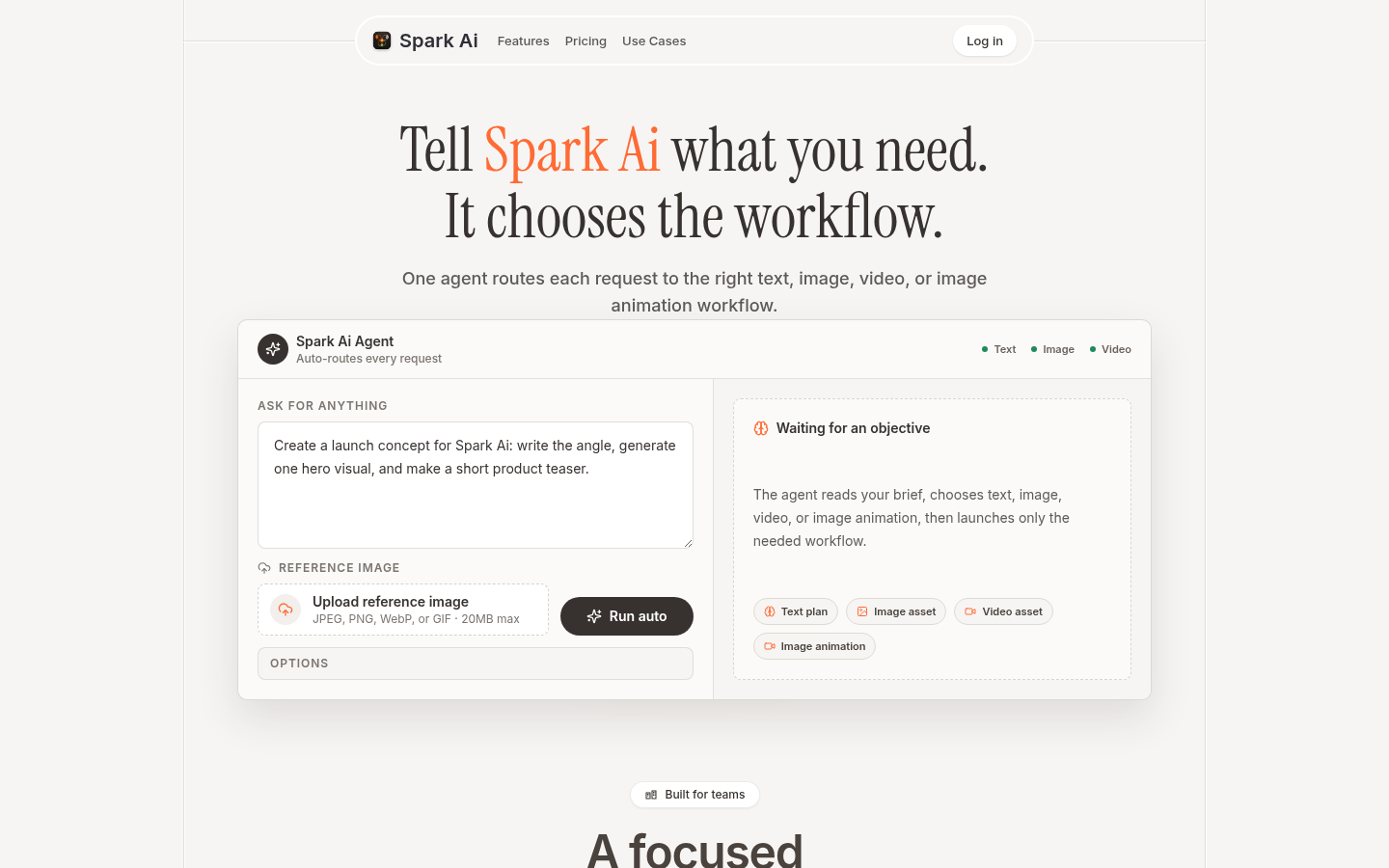
Screenshot archived from the listing page, for preview only.