
SoundBug
Free music arrangement and recording software600 instruments, AI arrangement, made for beginners
Highlights
What you can do with it
- A student builds a class piece from templates and segments
- A teacher makes courseware showing creation techniques
- A hobbyist records original tracks in their spare time
How to use it
- 1 Download SoundBug from the official website for Windows or Mac.
- 2 Open the software and read the built in manual for the basics.
- 3 Download free project templates from the site and import them.
- 4 Choose virtual instruments and effectors, or install supported VST plugins.
- 5 Use AI arrangement or write notes manually, then export the finished track.
Who it is for
Pros
- Large built in instrument and segment library
- AI arrangement lowers the entry barrier
- Free for users
Limitations
- Windows and Mac desktop only, with no mobile version
- Interface and resources are Chinese oriented, which may not suit everyone
- Free status can change, so check the site before planning lessons around it
What SoundBug is
SoundBug is a desktop client for music arrangement and recording, developed by Shanghai SoundBug Technology Co., Ltd. The stated goal is to become music production software that suits Chinese users better, and it is the designated teaching software for the Online Classroom run by the Shanghai Municipal Education Commission. It ships with 600 built in virtual instruments and 10 effectors, plus 600 classic musical segments that can be dropped in with one click to build the foundation of a track. An AI arrangement feature generates music quickly for users with no arrangement experience, and project templates, chord progressions, and rhythm segments provide starting points. The site says the software is free for users.
What you can do with it
- Build a track from classic segments and project templates
- Play and record with 600 virtual instruments and 10 effectors
- Use AI arrangement to generate a starting point without experience
- Install supported VST and VST3 plugins to extend the sound palette
Who it is for
- Teenagers and students learning music in class
- Music teachers creating courseware and demonstrations
- Amateur music lovers recording original tracks at home
What to watch out for
It is Windows and Mac desktop only, with no mobile version, so check that your operating system is supported before you plan a lesson around it. The interface and much of the resource library are Chinese oriented, which may not suit every user even if the software itself can be operated in another language. The site says it is free, but free status can change, so confirm before you build a curriculum on it. Finally, the simplified interface lowers the entry barrier, but it also means advanced production work may push you toward a fuller digital audio workstation later.
FAQ
What is SoundBug?
A desktop client for music arrangement and recording, developed by Shanghai SoundBug Technology Co., Ltd.
What is included?
600 virtual instruments, 10 effectors, 600 classic musical segments, project templates, chord progressions, and rhythm segments.
Is it free?
The site says the software is free for users, aimed at teenagers, music teachers, and music lovers.
Why it is free
What the official page says: 免费
Free limits, trial length and features are decided by the official site and can change at any time.
Product preview
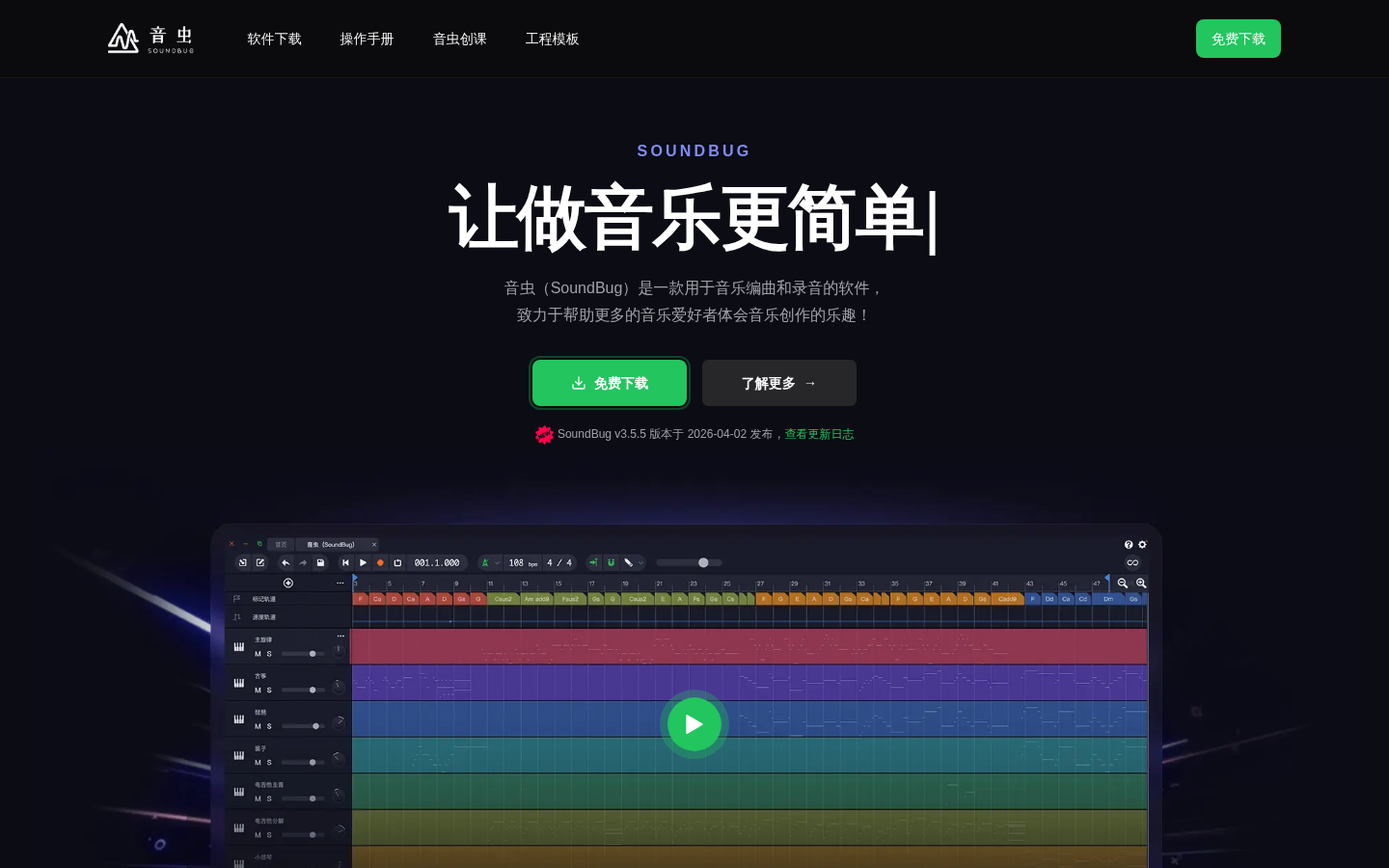
Screenshot archived from the listing page, for preview only.











