SoulGen
Text to image AI art generatorGenerate realistic and anime style images from text
Highlights
What you can do with it
- Create character art from a written description
- Adjust a generated image by adding or removing elements
- Explore anime and realistic styles without drawing
How to use it
- 1 Open the SoulGen site
- 2 Write a prompt describing the image you want
- 3 Choose the style, such as realistic or anime
- 4 Generate the image and review the result
- 5 Edit it by adding, extending or deleting content with text prompts
Who it is for
Pros
- Text prompts replace manual drawing for a first draft
- Both realistic and anime styles are supported
- Post-generation editing with simple text instructions
Limitations
- Free trial limits apply and full use is paid
- Generated people and characters must follow the site rules and applicable law
- Fine detail such as hands and text in images often needs fixing
What SoulGen is
SoulGen is an AI art generator that creates images from text descriptions or prompts, with a focus on realistic and anime style girl images. Instead of drawing, you write what you want and the model produces a picture, and the anime art style can be customised to taste. The tool also supports editing images after they are generated, and lets you add, extend or delete image content using simple text prompts, which means changes can be described in words rather than made with selection tools. A free trial is listed on the site, so the workflow can be tested before paying. The appeal is turning a written idea into a visual quickly.
What you can do with it
- Generate images from a written prompt
- Switch between realistic and anime art styles
- Edit a generated image with text instructions
- Add, extend or delete parts of the picture
Who it is for
- People who want character art from a written description
- Writers and worldbuilders visualising characters
- Hobbyists exploring anime and realistic art styles
- Anyone who would rather edit an image with words than with tools
What to watch out for
A free trial is listed but full use is paid, so treat the trial as a test rather than a permanent option. Generated images of people need to stay within the site's own rules and applicable law, and you are responsible for how you use and publish what you create. Detail work is where these models still struggle, so hands, text and complex accessories often need fixing after generation. Prompts matter more than any setting, so expect to iterate several times before an image matches what you had in mind.
FAQ
What does SoulGen generate?
It generates realistic and anime style girl images from text descriptions or prompts.
Is there a free trial?
Yes. The site lists a free trial.
Can I change an image after generating it?
Yes. You can edit images and add, extend or delete content using simple text prompts.
Why it is free
What the official page says: free trial
Free limits, trial length and features are decided by the official site and can change at any time.
Product preview
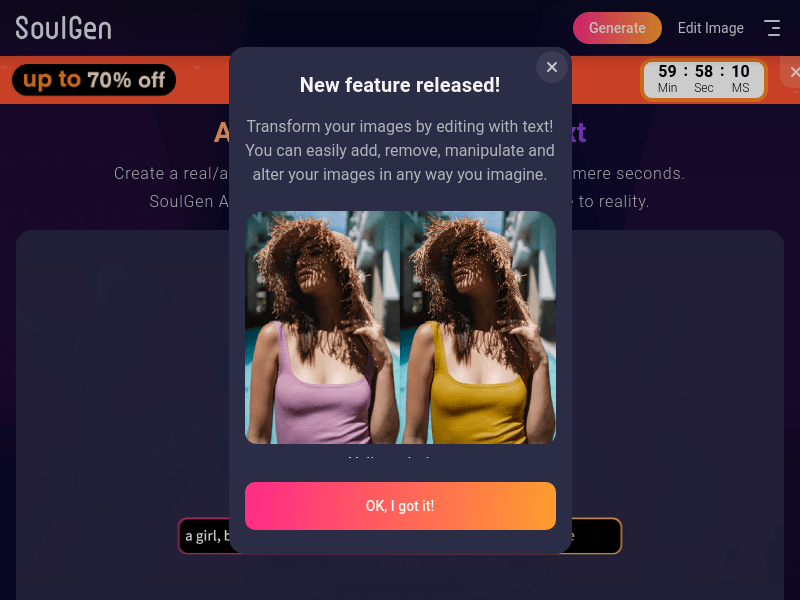
Screenshot archived from the listing page, for preview only.











