
Sora Watermark Remover
Free online Sora watermark removerPaste a Sora2 link and download a clean video
Highlights
What you can do with it
- Clean up watermarked material used in original videos
- Speed up publishing when working with Sora2 clips
- Produce cleaner promotional video from watermarked sources
How to use it
- 1 Open the Sora Watermark Remover website
- 2 Find the Paste Sora URL input box
- 3 Copy the public link of the Sora2 video and paste it in
- 4 Use quick login with Google to get free credits if required
- 5 Start the removal and wait for processing to finish
- 6 Download the video with the watermark removed
Who it is for
Pros
- Free credits available through Google login
- No install needed, it runs in the browser
- Preview before processing reduces wasted credits
- The site says original video quality is preserved
Limitations
- Each removal costs 2 credits, so volume use needs more credits
- Removing watermarks may violate the terms of the source platform, and the responsibility sits with you
- Only Sora2 videos are supported
- Free credit rules and processing quality can change at any time
What Sora Watermark Remover is
Sora Watermark Remover is a free online tool for removing the watermark from OpenAI Sora2 videos. You paste the public link of a Sora2 video and the system detects the watermark, wherever it sits and whatever its size, then removes it. A preview is available before processing, the work happens in the browser with no install, and the site claims the original video quality is preserved. Each removal costs 2 credits, and free credits come from a quick Google login.
What you can do with it
- Paste a public Sora2 video link and start processing
- Preview the video before spending credits
- Remove the watermark and download a clean file
- Use it for original videos, publishing workflows, or promotional material
Who it is for
- Video creators who work with watermarked source material
- Self-media publishers who need fast turnaround on clips
- Corporate staff assembling promotional video
What to watch out for
Removing a watermark is a rights question, not just a technical one. If the footage belongs to someone else or the platform prohibits removal, you may be breaking its terms, and the responsibility sits with you rather than the tool. Only Sora2 videos are supported, so other sources will not work. Each removal costs credits, which limits volume on the free allowance, and credit rules plus output quality can change at any time. Check the preview carefully before you download. Name and archive exported files consistently so you can find and reuse them, and keep a backup copy of key data. When quality matters, export a small draft first to confirm the result before producing the final file.
FAQ
Is it free?
The tool is described as free, and free credits are obtained by logging in quickly with Google. Each removal uses 2 credits.
Which videos can I process?
It targets OpenAI Sora2 videos, identified by their public link.
How long does it take?
The site says the watermark is usually removed within a few minutes.
Is removing a watermark allowed?
That depends on the terms of the platform the video came from and on your rights to the footage. Removing marks can breach those terms, and any consequence falls on you.
Why it is free
What the official page says: free credits
Free limits, trial length and features are decided by the official site and can change at any time.
Product preview
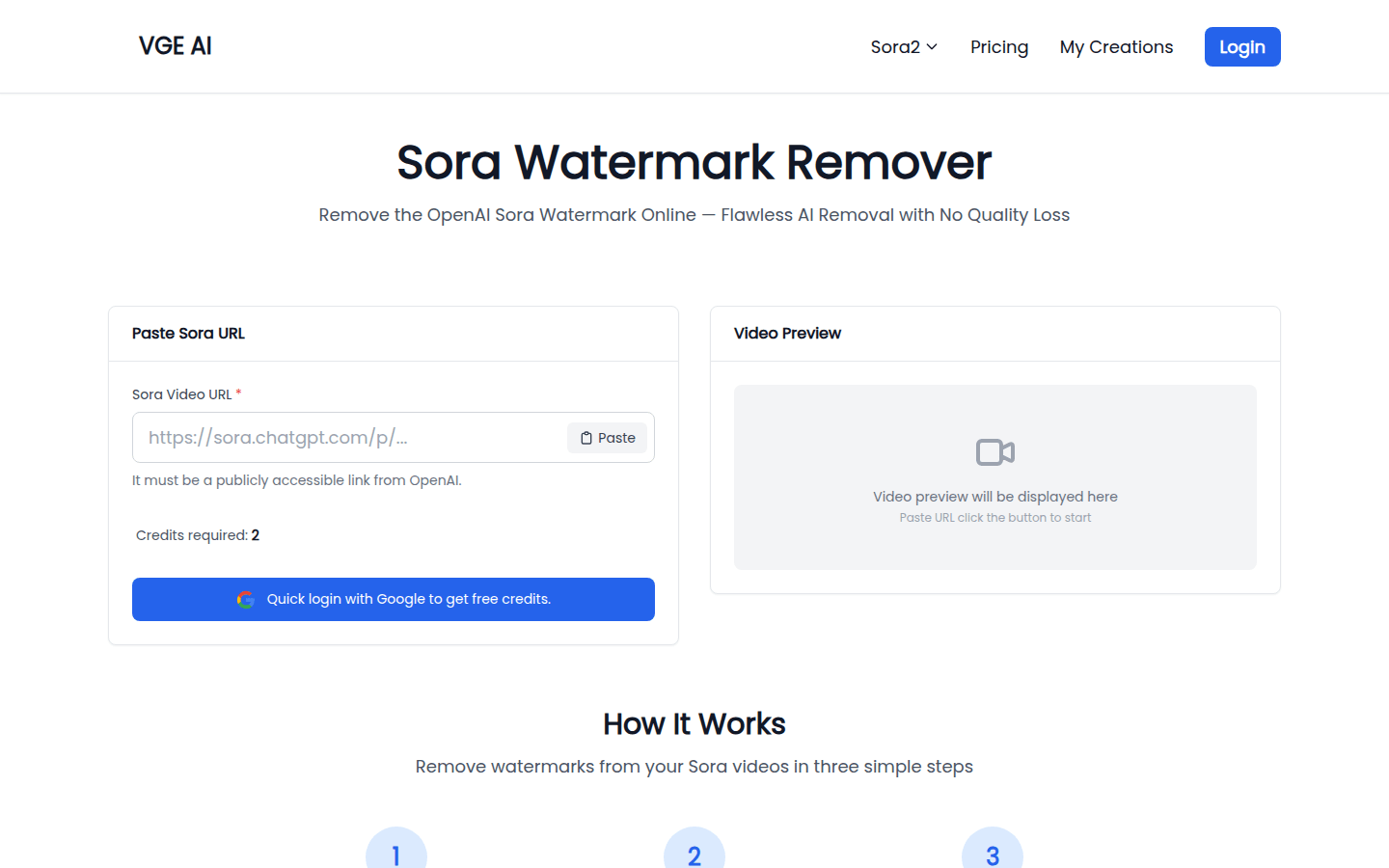
Screenshot archived from the listing page, for preview only.











