
sora 2 app
AI video from prompts8 second videos with native audio
Highlights
What you can do with it
- Creating a short scene with period detail
- Producing a science fiction city sequence
- Making an animated clip with dialogue and sound
How to use it
- 1 Log in to Google AI Studio.
- 2 Open Sora 2 App.
- 3 Write a prompt describing the scene and the action.
- 4 Choose an aspect ratio.
- 5 Generate and preview the video.
- 6 Adjust the prompt and regenerate if needed.
- 7 Download the result if you are on a subscription.
Who it is for
Pros
- Free credits to start with
- Audio is generated together with the picture
- Guided prompts help you describe a scene
- Runs in the browser through Google AI Studio
Limitations
- Free credits are limited, and clean downloads need a subscription
- Clips are short, so it suits short form work rather than long pieces
- It depends on Google AI Studio and the Sora2 model staying available
- Prompt wording has a big effect on the result
What Sora 2 App is
Sora 2 App is an AI video generator that runs through Google AI Studio on top of the Sora2 model. You describe a scene in ordinary language, pick an aspect ratio, and the tool returns a short video, listed as 8 seconds, with native audio, meaning environmental sound, dialogue and atmosphere are created together with the picture. The listing says new users receive 100 credits for free and describes the pricing as a free trial. Subscribed users can download watermark free high resolution versions. The pitch is that people without video production skills can get cinematic looking results, with realistic lighting and smooth camera movement, without learning editing software.
What you can do with it
- Turn a written description into a short video.
- Generate environmental sound, dialogue and atmosphere with the picture.
- Choose between different aspect ratios.
- Preview, adjust the prompt and generate again.
Who it is for
- Content creators who need short clips.
- Marketers producing promo video.
- Students making course or project work.
- Hobby users who want to experiment with AI video.
What to watch out for
The free part is a credit allowance, and the listing ties watermark free high resolution downloads to a subscription, so plan for a paid tier if you need clean output for client work. Clips are short, which suits social posts and quick tests but not long form storytelling, and you will need to join several clips together elsewhere. The service depends on Google AI Studio and the Sora2 model, so availability and quality follow that platform. And as with any generated video, the prompt does most of the work: vague descriptions give vague results, so expect to write and rewrite several versions before the clip looks right.
FAQ
How do I try it?
The listing says new users get 100 credits for free, and the pricing model is a free trial.
Does it generate sound?
Yes, it lists native audio including environmental sound, dialogue and atmosphere.
Where does it run?
Through Google AI Studio, using the Sora2 model.
Why it is free
What the official page says: for freefree trial
Free limits, trial length and features are decided by the official site and can change at any time.
Product preview
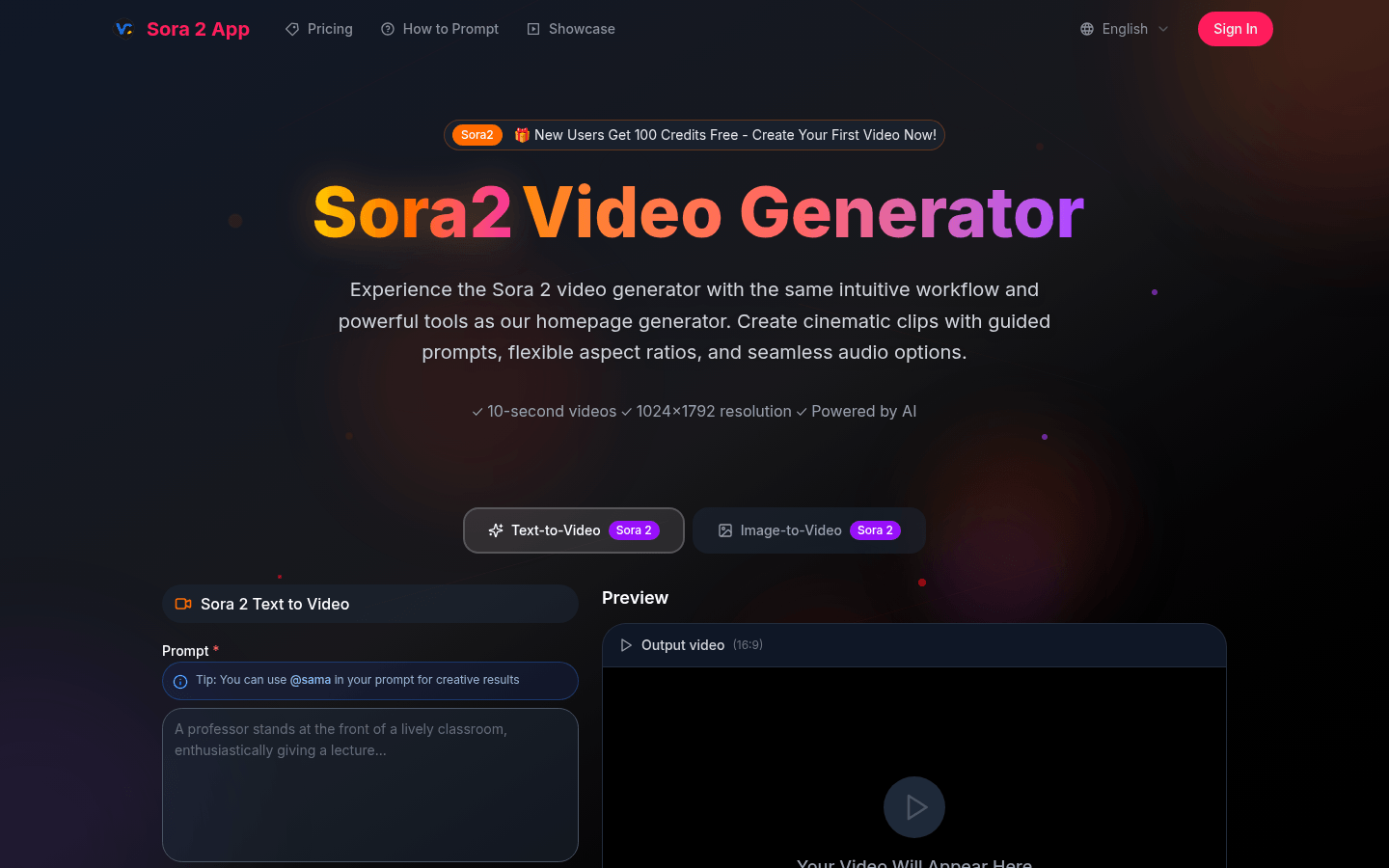
Screenshot archived from the listing page, for preview only.











