Sonura Studio
AI music generator with commercial rightsDescribe a track and generate it in seconds
Highlights
What you can do with it
- Making trap, house, or pop tracks for playlists and social content
- Producing club or festival style sets and atmospheres
- Scoring video openings, soundtracks, and songwriting demos
How to use it
- 1 Open the Sonura Studio site and register an account.
- 2 Start creating with the free credits you receive.
- 3 Type a description such as a trap beat at 140 bpm with a dark melody.
- 4 Click generate, then regenerate as many times as you like.
- 5 Mix and edit the result, export stems, and publish or sell the track.
Who it is for
Pros
- Very fast generation compared with manual production
- Wide genre coverage including sub-genre descriptions
- Commercial rights included, so tracks can be sold
- Stem export gives real editing control
Limitations
- Free credits run out and paid plans may change price
- AI output still needs mixing and arranging skill to sound finished
- Results vary by prompt, so expect trial and error
What Sonura Studio is
Sonura Studio is an AI music creation tool that turns written descriptions into audio. You type something like a dark tech house loop at 124 bpm, and the system returns beats, loops, or complete tracks in a matter of seconds. The stated aim is lowering the barrier to music making, so someone with no formal training and a working producer can both get something usable out of it. Free credits are offered for a trial with no credit card, and paid plans follow once you need more. Everything you generate comes with full commercial rights and no royalty sharing, which is the part that matters if you plan to release or sell the music.
What you can do with it
- Design single notes, vocals, loops, and effects from a written idea.
- Stack multiple tracks into drums, bass, melody, and vocal arrangements.
- Rearrange, edit, and export individual stems for a DAW.
- Share a link so others can remix inside Sonura.
- Regenerate a track as many times as you want until it fits.
Who it is for
- Beginners who want music without years of instrument training.
- Professional producers working through a creative block.
- Artists who need backing beats for lyrics or demo recordings.
- Content creators who want royalty free audio they can publish.
What to watch out for
Free credits are a trial allowance and paid plan pricing can change, so check current terms before you plan a release schedule around it. AI generated music still needs arranging, mixing, and mastering work to sound finished, and the raw output is only a starting point. Prompt quality matters a lot, so expect several attempts before a track feels right. Stem export helps, but you still need a digital audio workstation and some editing skill to make real use of it.
FAQ
Do I own the music I make?
The listing says users have full ownership and commercial rights with no royalty sharing.
How fast is generation?
It is described as averaging under ten seconds per generation.
Can I try it without paying?
Free creation credits are offered for trial and no credit card is required.
What genres does it cover?
It claims support for almost all genres, including trap, house, techno, pop, rock, and jazz.
Why it is free
What the official page says: 免费
Free limits, trial length and features are decided by the official site and can change at any time.
Product preview
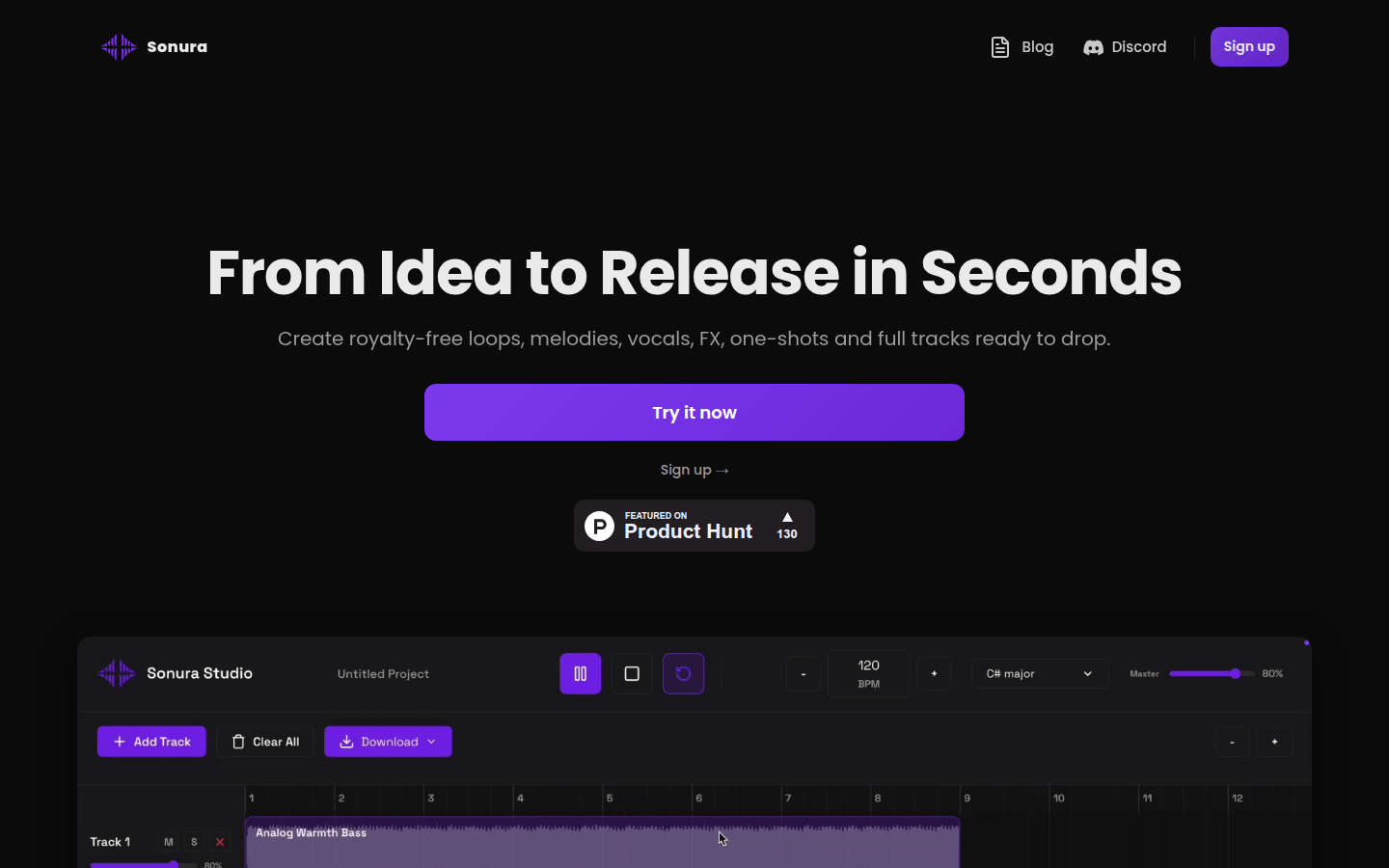
Screenshot archived from the listing page, for preview only.