
SOHU Simple AI
All-in-one AI tool for drawing, writing, and imagesDraw, write, and edit images in one free AI toolkit
Highlights
What you can do with it
- Generate eye-catching images for e-commerce products
- Auto-write social media copy for marketing
- Edit personal photos and make ID photos online
How to use it
- 1 Visit the Simple AI website and register
- 2 Pick a tool such as drawing or writing
- 3 Enter the parameters or requirements
- 4 Edit and adjust the generated content
- 5 Download or share your work
Who it is for
Pros
- Many AI tools in one place
- Basic functions are free to use
- Template library for common design jobs
Limitations
- Advanced features need paid value-added services
- Output quality varies by task and input
- Free features and limits can change
What SOHU Simple AI is
SOHU Simple AI is an all-in-one AI tool platform that provides drawing, writing, and online image processing services. For drawing, it can quickly generate high-quality images for personal needs. For writing, it can automatically produce creative copy to improve efficiency. For images, it offers a range of editing functions such as watermark removal and background replacement, along with a large design material library for tasks like e-commerce and logo work. There is also a user community for sharing ideas. The platform targets all kinds of users, from beginners to professionals, and it provides basic functions for free while offering paid value-added services.
What you can do with it
- Generate images with AI drawing
- Create copy automatically with AI writing
- Edit photos online, including watermark removal and background replacement
- Use templates from the design material library
- Save time on everyday design and content jobs
Who it is for
- E-commerce sellers who need product images
- Marketers writing social media copy
- Anyone who wants to edit photos without design skills
- Beginners and professionals who want several tools in one place
What to watch out for
SOHU Simple AI covers many tasks, but the quality of each one varies, and results depend on your inputs, so expect to edit and refine the output. Basic functions are free, while more advanced features require paid value-added services, and the free limits and pricing can change. Because it bundles many tools, it may not be as deep as dedicated software for any single job, so use it for quick, everyday tasks rather than heavy professional work, and check that you have the rights to any images or text you upload.
FAQ
Is Simple AI free?
It provides basic functions for free and also offers paid value-added services.
What can it do?
It covers AI drawing, AI writing, and online image editing such as watermark removal and background replacement.
Who is it for?
It is suitable for all types of users, from beginners to professionals.
Why it is free
What the official page says: for free
Free limits, trial length and features are decided by the official site and can change at any time.
Product preview
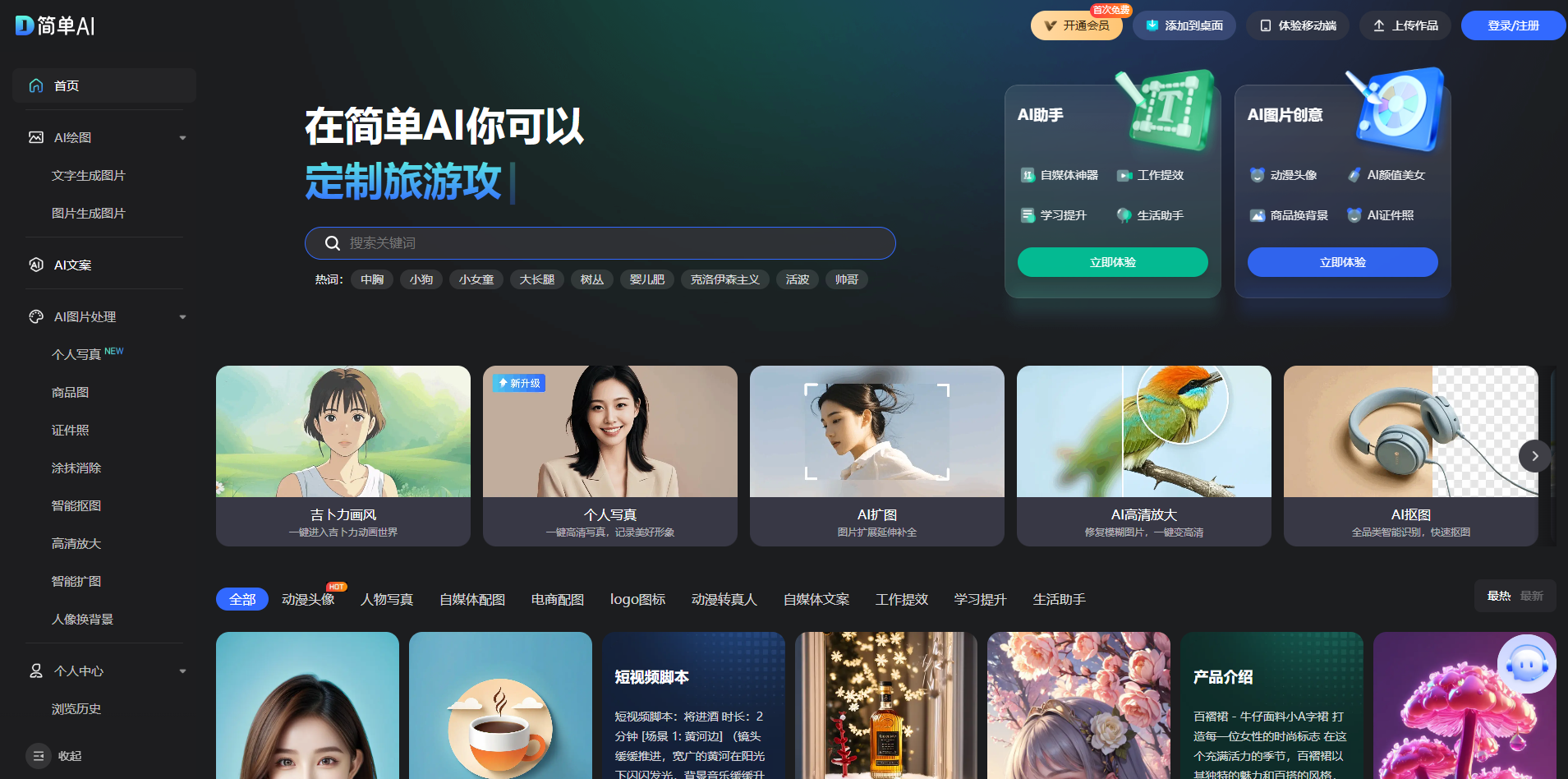
Screenshot archived from the listing page, for preview only.











