
SnippAI
AI screenshot readerPull text and tables out of images
Highlights
What you can do with it
- Copying formulas and tables out of screenshots
- Turning image text into editable content
- Understanding code shown in a picture
How to use it
- 1 Install the SnippAI plugin.
- 2 Open the image you want to process.
- 3 Click the SnippAI icon to start recognition.
- 4 Select the type of information you need.
- 5 Review and edit the processed result.
Who it is for
Pros
- Free to use
- Covers several recognition types in one tool
- Output is directly editable
Limitations
- Accuracy depends on image quality and content
- It is a plugin, so it needs a supported browser
- Recognition limits and free availability can change
What SnippAI is
SnippAI is an AI-powered screenshot tool that reads the information inside an image and hands it back in an editable form. Point it at a picture and it can pull out formulas as LaTeX, extract text, convert tables into Markdown, describe what the image shows, answer questions about the content, explain a code snippet, and identify the main colors. It runs as a plugin, so the workflow stays close to wherever you already are instead of requiring a separate upload step and a download afterwards. The tool is described as free and suited to productivity work.
What you can do with it
- Convert formulas in an image into LaTeX
- Convert tables in an image into Markdown
- Extract text and get a description of image content
- Get an explanation of code that appears in a screenshot
- Identify the main colors used in an image
Who it is for
- Students and researchers who work with formulas and tables
- Developers who frequently read code from screenshots
- Writers and analysts who need image text in an editable format
- Anyone who regularly copies information out of pictures by hand
What to watch out for
Recognition quality tracks image quality. Blurry screenshots, small fonts, unusual layouts, and dense handwriting all raise the chance of mistakes, so anything important should be checked against the original before it is used. Because it is a browser plugin, you need a supported browser and the permissions it asks for, and recognition limits or free availability can change as the project develops. It is also a convenience tool for reading images rather than a substitute for the original source file, so when accuracy truly matters, go back to the document the screenshot came from. Formulas and tables in particular are worth a careful read, since a small misread symbol can change the meaning entirely.
FAQ
What can SnippAI recognize?
Formulas, text, tables, image content, code snippets, and main colors.
What formats does it output?
Formulas become LaTeX and tables become Markdown, with text extracted directly.
Does it cost anything?
It is described as a free plugin.
Why it is free
What the official page says: 免费
Free limits, trial length and features are decided by the official site and can change at any time.
Product preview
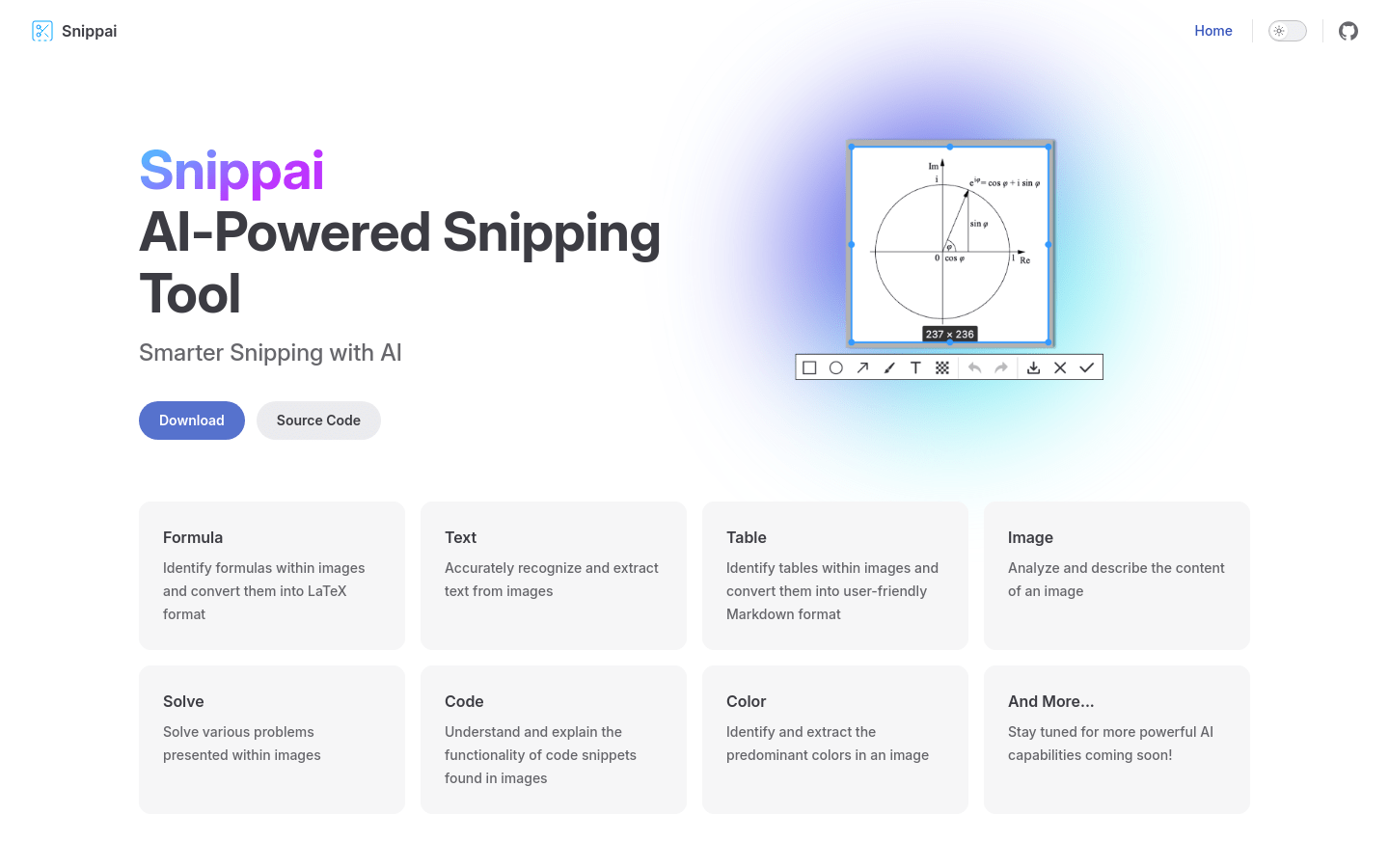
Screenshot archived from the listing page, for preview only.











