
Snipd
AI podcast player with highlightsFind the good part of a podcast and keep it
Highlights
What you can do with it
- Finding a specific quote inside a long episode
- Saving research highlights to a notes app
- Sharing a clip with colleagues or friends
How to use it
- 1 Install Snipd and open an episode
- 2 Search the transcript or read the summary
- 3 Clip the part you want to keep
- 4 Export it to your notes app or share it
- 5 Organise saved snippets by topic
Who it is for
Pros
- Transcript search beats scrubbing the timeline
- Clean export into existing note tools
- A free tier covers core listening
Limitations
- Paid features sit behind a subscription
- Transcript accuracy depends on the show
- Free limits and pricing can change
What Snipd is
Snipd is a podcast player built around the idea that the valuable part of an episode is usually a few minutes, not the whole hour. It searches the transcript of an episode, produces summaries, and lets you clip a snippet to share on social media or export into your note-taking app. Saved clips can be organised so your listening turns into a knowledge base you can search later. The app offers a free version for everyday use and a paid version that adds advanced features and personalisation.
What you can do with it
- Search the transcript of an episode for a specific moment
- Read or listen to a summary instead of the full show
- Clip highlights and share them on social media
- Export notes into your note-taking app
Who it is for
- Researchers and writers collecting sources from podcasts
- Students using episodes as study material
- Regular listeners who want a searchable library of what they have heard
What to watch out for
Transcripts are machine generated, so accuracy varies by show and by speaker, and a search can miss a line that was transcribed imperfectly. Summaries reflect what the model considered important, which is not always what you needed. The useful features, including advanced personalisation, sit behind a paid subscription, and free limits and pricing can change. Sharing clips also means respecting the rights of the show you are quoting. Behavior may vary across browsers and devices, so test before production use and consult the help docs if errors appear. Features and interface details may change between versions, so review the latest notes on the page before you start.
FAQ
What is Snipd?
It is an AI-powered podcast player for discovering, saving and sharing podcast highlights.
Can I search inside an episode?
Yes, AI-powered script search is listed as a feature.
Is there a free version?
Yes, Snipd offers both free and paid versions.
Why it is free
What the official page says: 免费
Free limits, trial length and features are decided by the official site and can change at any time.
Product preview
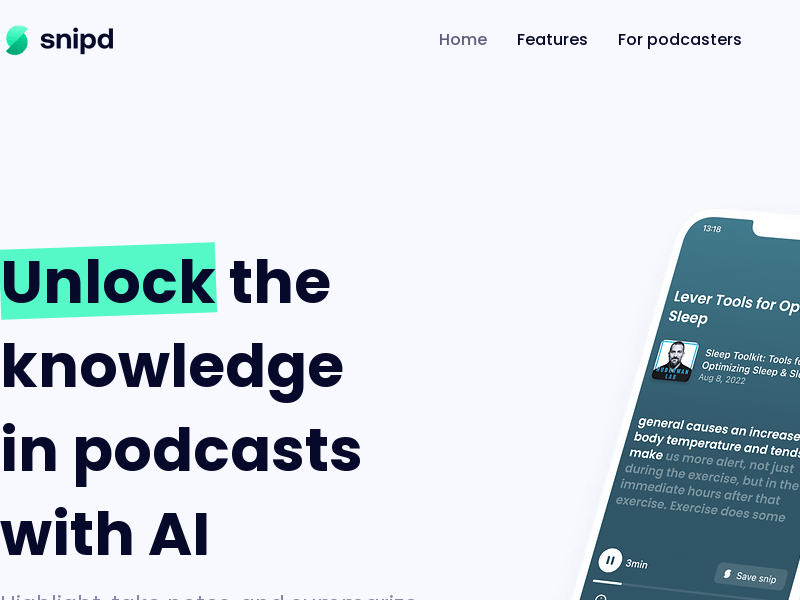
Screenshot archived from the listing page, for preview only.










