
Highlights
What you can do with it
- Turn a single still image into a short cinematic clip
- Storyboard a scene before shooting it
- Produce short branded films for social channels
- Test camera language and lighting ideas quickly
How to use it
- 1 Start the free trial on the site.
- 2 Choose text, image or reference frame input.
- 3 Describe the shot, lighting and camera movement you want.
- 4 Generate a 4 to 12 second clip and review consistency.
- 5 Upgrade to 4K or a higher version if you need more.
Who it is for
Pros
- Consistent lighting and camera language across shots
- Short clips are quick to review and revise
- Reference frame input gives more control
- Free trial available before buying credits or a plan
Limitations
- Clip length is capped at 4 to 12 seconds
- 4K is described as an upgrade, not the default
- Multiple versions and credit pricing make cost hard to predict
- Free trial rules can change
What Seedance 2.5 is
Seedance 2.5 is described as a cinematic-level AI video generator that takes a single line of text or a single static image and returns a fully rendered short film. The technical claim behind that is one shared motion engine, which is used to keep lighting, characters and camera language consistent throughout a sequence rather than drifting from shot to shot. Supported inputs are text, image and reference frames. Output reaches 1080p with a 4K upgrade available, and individual clips run between 4 and 12 seconds. Synchronised audio and multi-shot consistency are listed as advanced features. The product comes in several versions, pricing depends on the version and the credits you buy, and a free trial is offered.
What you can do with it
- Turn one written line into a short rendered film.
- Animate a single still image with consistent lighting.
- Use reference frames to steer camera language and character look.
- Keep characters and light stable across a multi-shot sequence.
- Add synchronised audio to the generated footage.
Who it is for
- Filmmakers and editors who want to prototype shots cheaply.
- Marketers who need short, polished spots for social channels.
- Designers and photographers starting from stills.
- Creators who care about consistency across a sequence.
What to watch out for
Clip length is the first limitation to plan around: 4 to 12 seconds is enough for a beat or a product moment, but not for a full narrative, so longer pieces need stitching in another tool. The 4K path is an upgrade rather than the standard output, which means extra cost. Because there are several versions with different credit prices, it is hard to know your true spend until you compare them side by side, and the free trial is a sample rather than a working budget. Consistency claims also depend on your input: vague prompts and conflicting reference frames will still produce mismatched shots, so review every generation before you use it.
FAQ
How long can clips be?
Between 4 and 12 seconds.
What resolution is supported?
Up to 1080p, with 4K available as an upgrade.
What inputs does it take?
Text, image and reference frames.
Is it free?
A free trial is offered, with paid plans and credit-based pricing depending on the version.
Why it is free
What the official page says: 免费试用免费
Free limits, trial length and features are decided by the official site and can change at any time.
Product preview
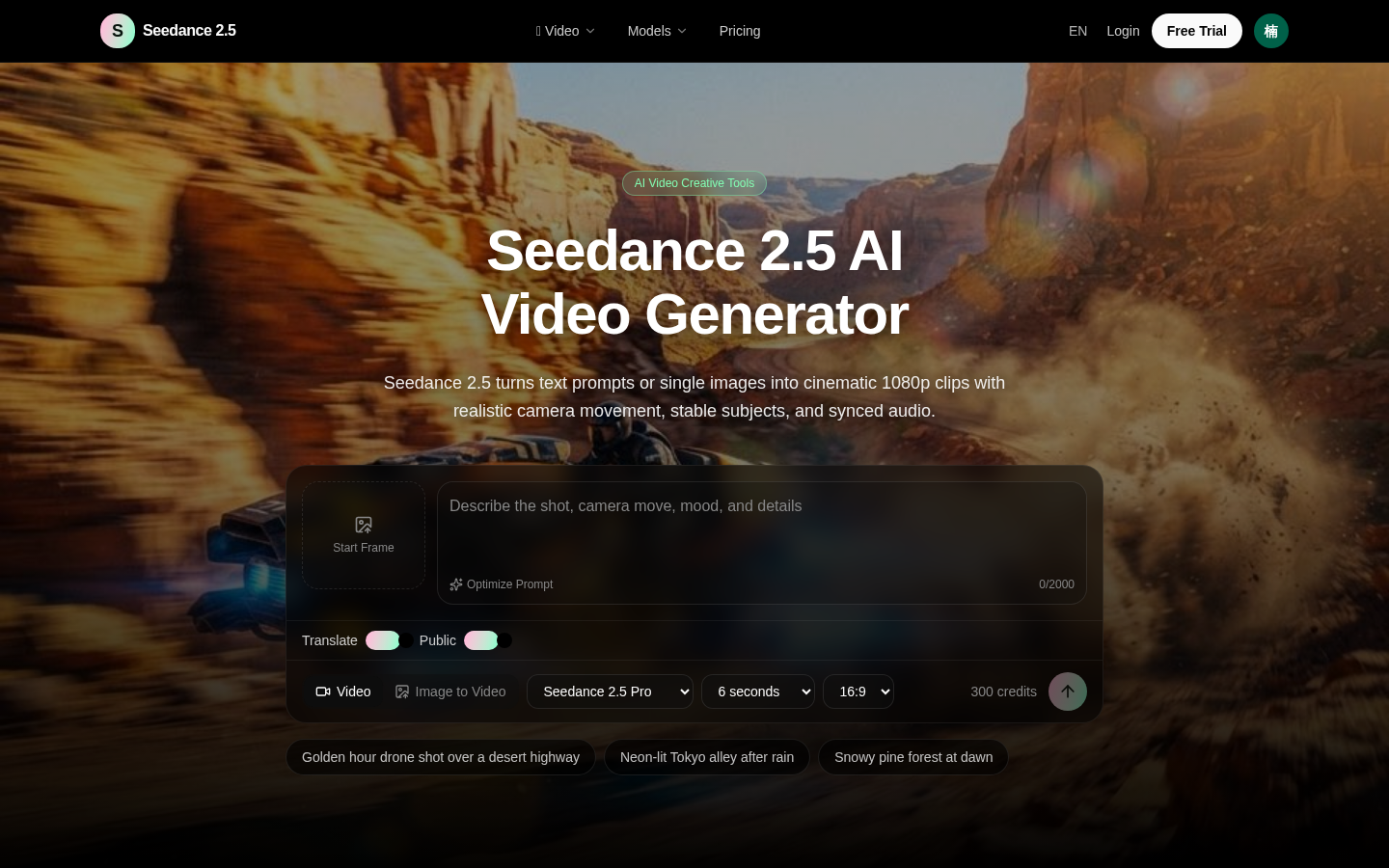
Screenshot archived from the listing page, for preview only.