
Seedance 2.0 AI Video Generator
Text and image to video with multimodal controlsTurn text or images into video with flexible settings
Highlights
What you can do with it
- Turning written scripts into short videos
- Repurposing image assets into animated clips
- Batch producing variations of the same video concept
How to use it
- 1 Open the AI video generator page
- 2 Choose text or image input and add any reference media
- 3 Set style, motion, aspect ratio, and duration
- 4 Generate the video and adjust settings if needed
- 5 Export, or upgrade if you need commercial use terms
Who it is for
Pros
- Several input types make prompts more flexible
- Aspect ratio and duration settings fit different platforms
- A free usage option lowers the entry cost
Limitations
- Free usage may change, and commercial terms sit on paid plans
- Generation quality depends on the references you provide
- Batch workflows need consistent prompt writing
What Seedance 2.0 AI Video Generator is
Seedance 2.0 AI Video Generator is an advanced video creation tool that turns text or image input into finished clips. The site says it was built to meet demand for efficient, high-quality video generation, and its core feature is multimodal input, which means you can work from text, images, audio, and video references instead of a single text box. The tool also exposes settings for style, motion, aspect ratio, and duration, so one idea can be reshaped for different platforms and placements. There is a free usage option, and paid plans add terms for commercial use. The site positions it for teams and creators, especially scenarios that need repeated video generation, such as batch production and template-driven work.
What you can do with it
- Create videos from a written script or from uploaded images
- Combine several reference types to guide style and motion
- Adjust aspect ratio and duration for different placements
- Repeat a generation with small changes to build a set of variations
Who it is for
- Teams that produce videos in batches or on a template
- Creators who work from scripts or existing image assets
- Marketers who need multiple versions of one concept
What to watch out for
The free usage option is a starting point, and free limits may change over time, so plan for a paid tier if video output becomes part of your regular work. Commercial use is tied to paid plans, so read the terms before publishing client material. Results depend heavily on the references and prompts you supply, and batch work needs consistent prompt writing to keep a set of clips visually coherent. Keep a review step in the workflow before anything goes public, and check that the settings you need are available on the plan you are using.
FAQ
Does it accept only text prompts?
No. It supports text, images, audio, and video references as multimodal input.
What can I control in a generation?
You can control the video's style, motion, aspect ratio, and duration.
Is there a free option?
Yes, there is a free usage option, and paid plans include terms for commercial use.
Why it is free
What the official page says: 免费使用免费
Free limits, trial length and features are decided by the official site and can change at any time.
Product preview
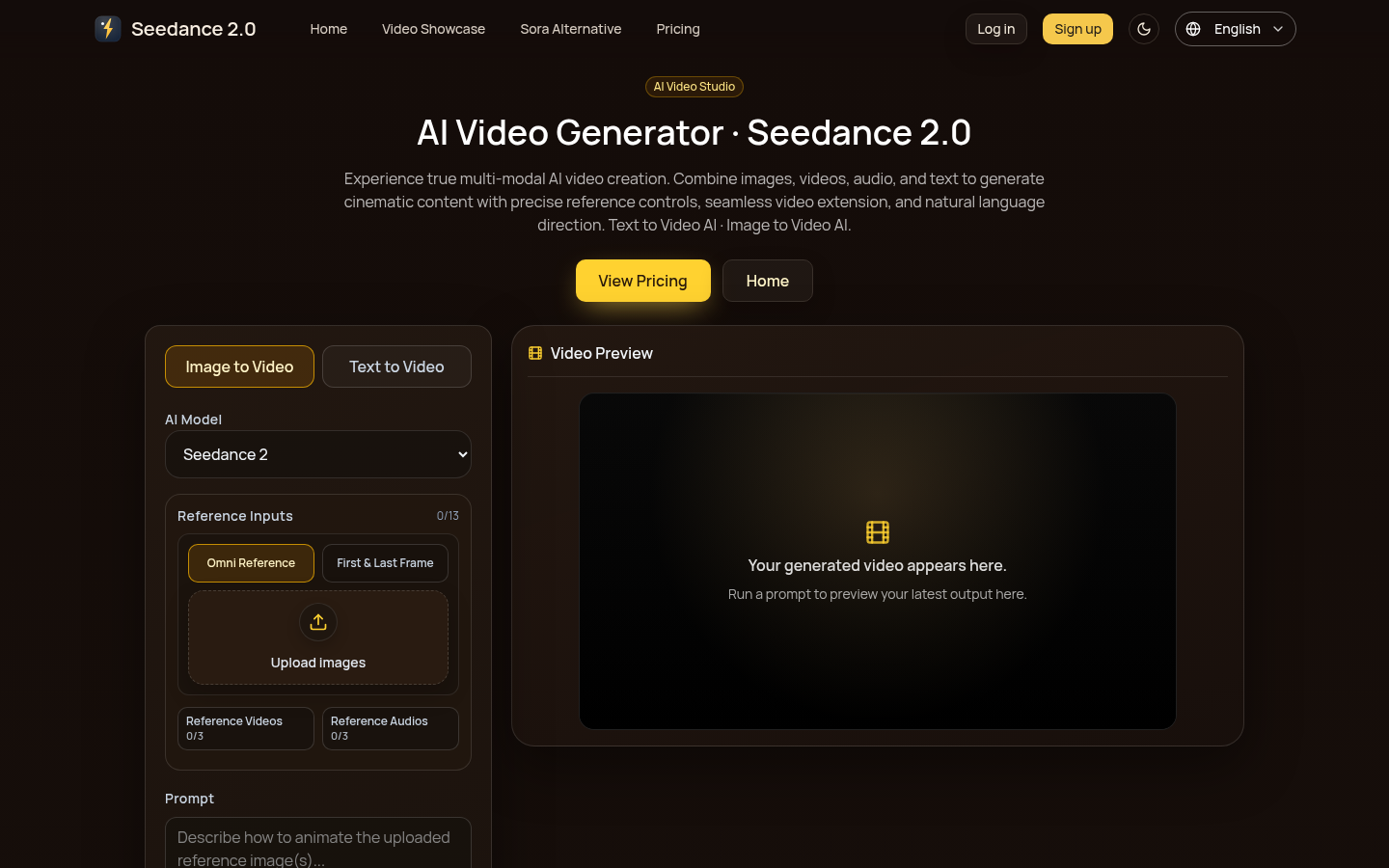
Screenshot archived from the listing page, for preview only.