
See Video AI
AI video, image, and music generatorTurn photos and prompts into video, free to try
Highlights
What you can do with it
- Social media creators turn photos into short promotional videos
- Marketers build product promo videos from images and prompts
- Creative teams prototype novel scenes and character ideas
How to use it
- 1 Visit seevido.com and start the free trial.
- 2 Pick video, image, or music generation.
- 3 Upload a photo or enter a text prompt.
- 4 Set model, resolution, and ratio, then generate.
- 5 Download the finished video or image.
Who it is for
Pros
- Free trial to start
- Fast output for photos and video
- Photo-to-video plus text-to-video in one place
- Photos deleted within 24 hours for privacy
Limitations
- Free trial is limited, and plan pricing can change
- Changing gender, age, and faces raises likeness and consent issues
- Result quality varies with the source photo and prompt
- You upload personal photos, so data terms matter
What See Video AI is
See Video AI, also written as SeeVido AI, is a video, image, and music generation platform that runs on the Seedance 2.0 model. You can feed it a photo or a text prompt and get back a short video, with the AI mapping facial features so the result looks natural. It also lets you change a character's gender and age, build novel scenes, and make emoji-style visuals, which gives creators room to experiment. Processing is quick: photos finish in seconds and videos in minutes. For privacy, uploaded photos are deleted within 24 hours. There is a free trial to start, and monthly and annual plans cover heavier use. It is aimed at social media creators, marketers, and creative teams who want strong visuals fast.
What you can do with it
- Turn a photo into a short video with mapped facial features.
- Turn a text prompt into a video or an image.
- Change a character's gender and age for a new look.
- Build novel scenes and emoji-style visuals.
- Generate images and music alongside video.
Who it is for
- Social media creators who post video content often.
- Marketers making quick product promo clips.
- Creative teams prototyping scenes and characters.
- Hobbyists who want to animate photos from a prompt.
What to watch out for
The free trial is limited, and monthly and annual pricing can change, so confirm current plans before you depend on it. Because the tool edits faces and can change gender and age, you should only use images of yourself or people who have agreed, and avoid making misleading or impersonating content, since any consequences fall on you and may break platform rules. Result quality depends on the source photo and the prompt, so expect to retry for the best output. You are uploading personal photos, so read the data and privacy terms and only share images you are comfortable with.
FAQ
Is there a free trial?
Yes, new users can start with a free trial, with monthly and annual plans for heavier use.
How fast is it?
Photos take a few seconds and videos take a few minutes to process.
What happens to my photos?
Uploaded photos are deleted within 24 hours to protect privacy.
What can I create?
You can make videos and images from photos or prompts, change a character's gender and age, and build new scenes.
Why it is free
What the official page says: for freefree trial
Free limits, trial length and features are decided by the official site and can change at any time.
Product preview
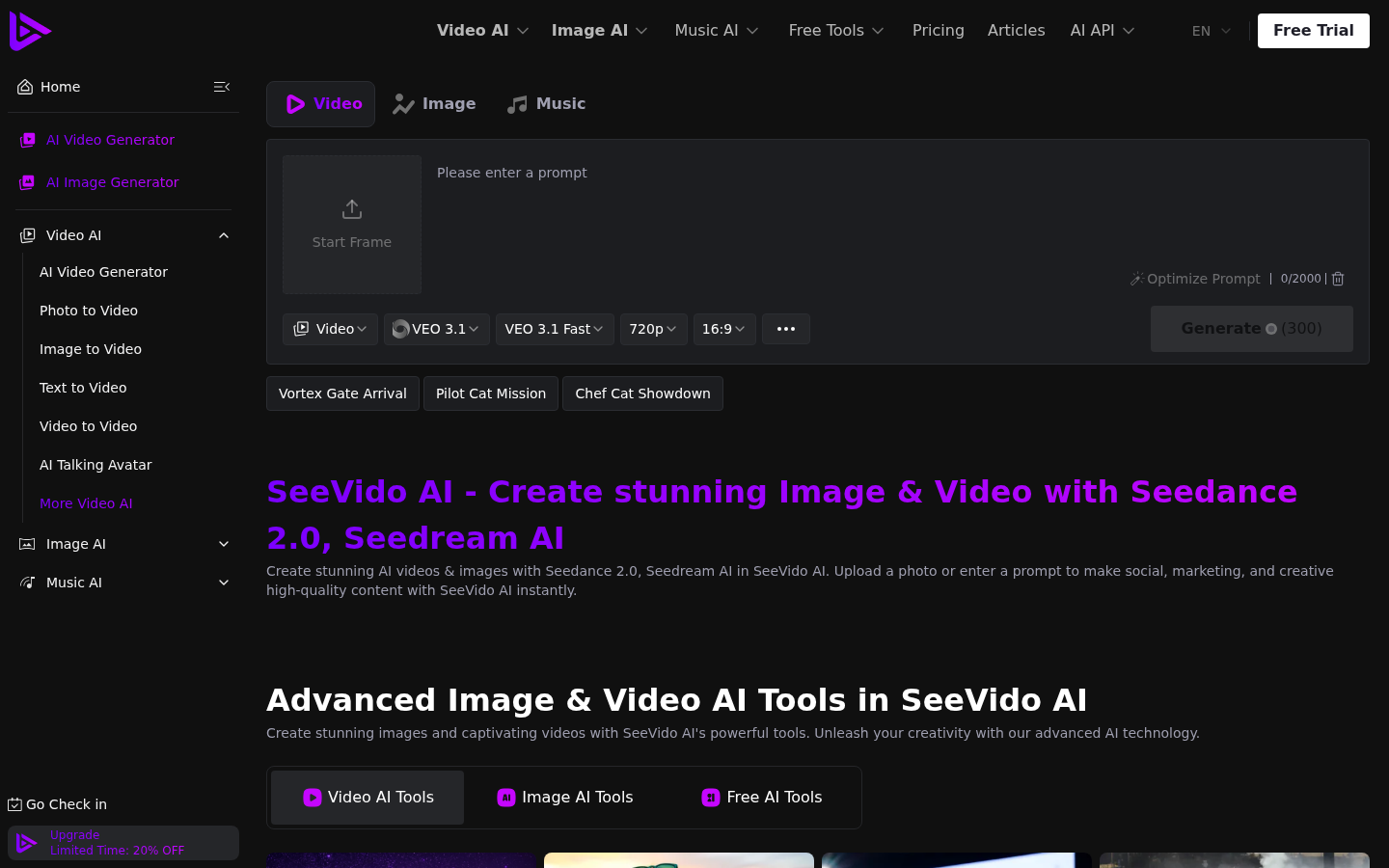
Screenshot archived from the listing page, for preview only.











