
Seadanse
Turn text and images into short videos with motion and built-in music.Seedance 2.5 makes videos from text or images, up to 1080p.
Highlights
What you can do with it
- A creator turns a travel guide article into a social media video
- A marketing team makes a product promo video from images and slogans
- An educator turns course points into teaching videos for online study
How to use it
- 1 Visit seadanse.com and register to claim the free startup quota
- 2 Choose text-to-video or image-to-video
- 3 Enter your text or upload the images you want to animate
- 4 Set motion effects, background music, and resolution
- 5 Generate, preview, then download the video if you are happy
Who it is for
Pros
- Free startup quota for new users to test the tool
- Simple text or image input with no editing skills needed
- Built-in music and motion options save extra steps
Limitations
- Only a limited free quota is offered before likely paid use
- The exact paid model is not detailed on the page
- Output tops out at 1080p, which may not suit every project
What Seadanse is
Seadanse is an online AI video tool built around Seedance 2.5. It converts text and images into videos, so you do not need complex editing skills to produce a clip. You can add motion transfer for smooth movement, use built-in native background music, and pick a resolution between 480p and 1080p. New users get a free startup quota when they register, and the page does not detail the paid model after that. It is aimed at content creators, marketers, social media users, and educators who want a simple way to make videos.
What you can do with it
- Turn written text into a short video
- Animate a still image into a moving clip
- Add motion transfer and built-in background music
- Export at a resolution from 480p up to 1080p
Who it is for
- Content creators turning articles or ideas into video
- Marketers making product promos from images and copy
- Social media users and educators who need quick, simple video content
What to watch out for
Only a limited free quota is confirmed, and the paid pricing is not spelled out on the page, so budget for that gap. Output maxes out at 1080p, which is fine for social but may fall short for larger screens. As a newer tool, treat the free quota as a trial and confirm current limits before you plan a bigger project. Processing speed depends on file size and network conditions, so retry later if a task stalls during peak hours. Run one full task end to end first, then expand once you are comfortable with the workflow and the result quality.
FAQ
Is there a free option?
Yes, new users get a free startup quota when they register.
What resolutions are supported?
You can choose between 480p and 1080p.
What can I create?
Text-to-video and image-to-video clips with motion transfer and background music.
Why it is free
What the official page says: for free
Free limits, trial length and features are decided by the official site and can change at any time.
Product preview
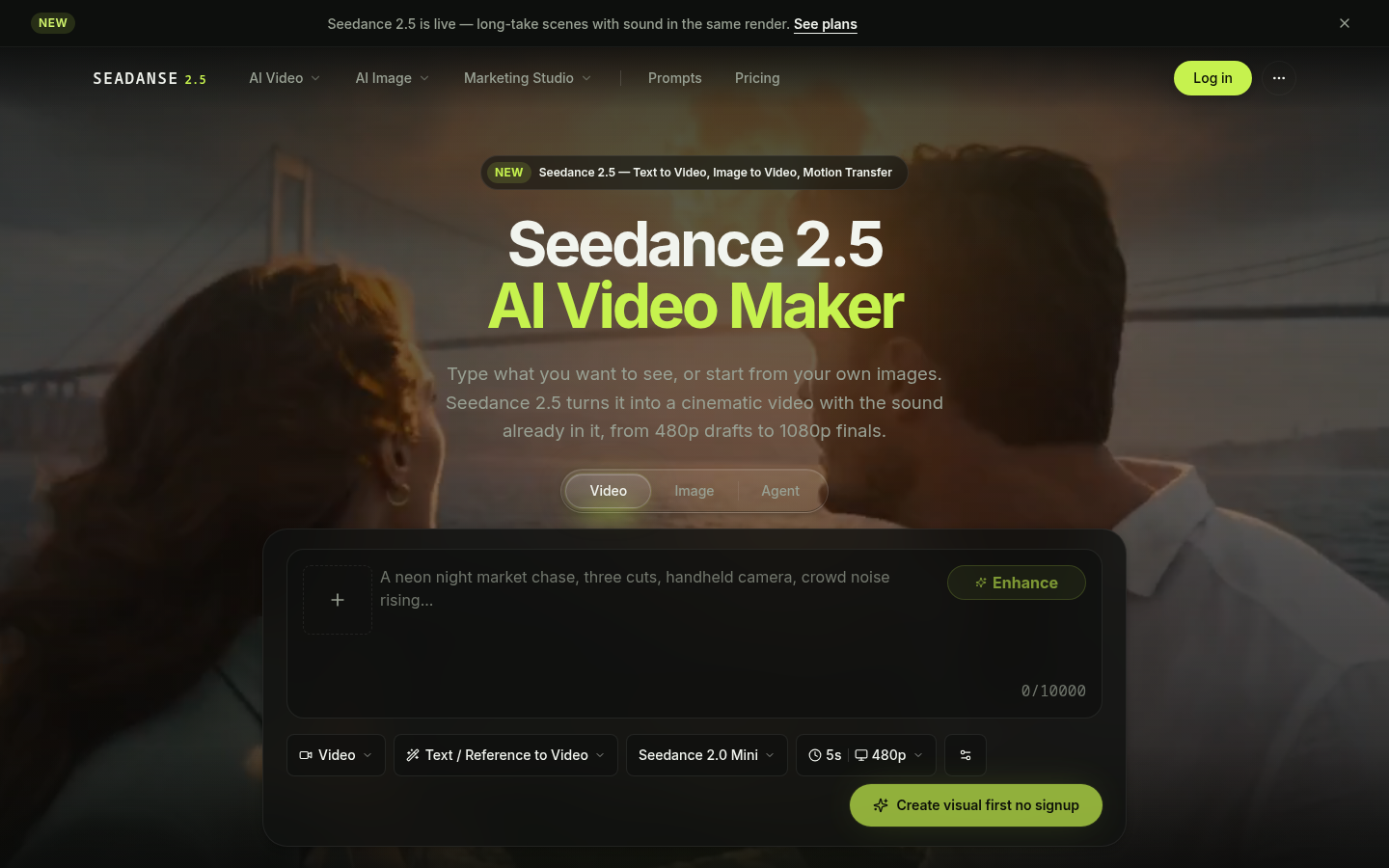
Screenshot archived from the listing page, for preview only.











