
SciFig
Free AI generator for publication-ready scientific figuresSketches, PDFs or text into editable charts
Highlights
What you can do with it
- Revise figure labels and layout without redrawing
- Export charts as PPTX for fine-tuning in slides
- Replace a manual figure workflow in a research lab
How to use it
- 1 Register and log in to receive free credits
- 2 Choose your input method, such as text, sketch, PDF or photo
- 3 Select the model for your use case
- 4 Generate the figure, then optimise text, font size and position
- 5 Export as PPTX or layered SVG, or keep editing in the canvas
Who it is for
Pros
- Free credits to start, including 400 on day one
- Editable output rather than a flat image
- Model choice matches paper, slide or daily use
- Multiple input formats including PDFs and sketches
Limitations
- Free credits are limited, so heavy use needs a paid plan
- Figures usually still need manual refinement before submission
- Choosing the right model takes some learning
- Journal requirements vary, so check that output meets your target venue
What SciFig is
SciFig is a free AI scientific figure generator built for researchers. It accepts many kinds of input, including text, sketches, references, PDFs and photos, and converts them into charts intended to meet publication standards. The important detail is that the output is not a flat image: labels and layouts remain editable, so you can change text, font size and position after generation, or regenerate a specific area. Several models are offered for different jobs, with GPT Image 2 as the default for journal papers, Nano Banana Pro for slides and posters, and Nano Banana 2 for daily chart work. Export comes as editable PPTX or layered SVG. New users receive 400 free credits on the first day and 200 free credits without a credit card.
What you can do with it
- Turn a sketch, PDF or photo into a chart
- Generate figures from a text description
- Edit labels, fonts and layout after generation
- Export as PPTX or layered SVG
- Switch styles between scientific, line, 3D, editorial, sketch and watercolor
Who it is for
- Researchers preparing figures for papers
- Graduate students building slides and posters
- Labs that redraw the same figures too often
- Anyone who finds manual figure software slow
What to watch out for
Free credits are limited, so a heavy submission cycle will need a paid plan. Figures usually still require manual refinement before they satisfy a journal, since automated layout rarely matches venue guidelines exactly, and requirements differ between publications. Picking the right model takes a little learning, so run a few tests before a deadline. Treat the generated chart as a strong first draft and check every label for accuracy, because an error in a figure undermines the whole paper.
FAQ
What is SciFig?
It is a free AI scientific figure generator that turns text, sketches, references, PDFs or photos into editable charts.
Are the figures editable?
Yes. Labels and layouts are editable, and you can export as PPTX or layered SVG.
Which model should I use?
GPT Image 2 is the default for journal papers, Nano Banana Pro suits slides and posters, and Nano Banana 2 is for daily chart work.
Is there a free trial?
New users get 400 free credits on the first day, plus 200 free credits without a credit card.
Why it is free
What the official page says: free credits
Free limits, trial length and features are decided by the official site and can change at any time.
Product preview
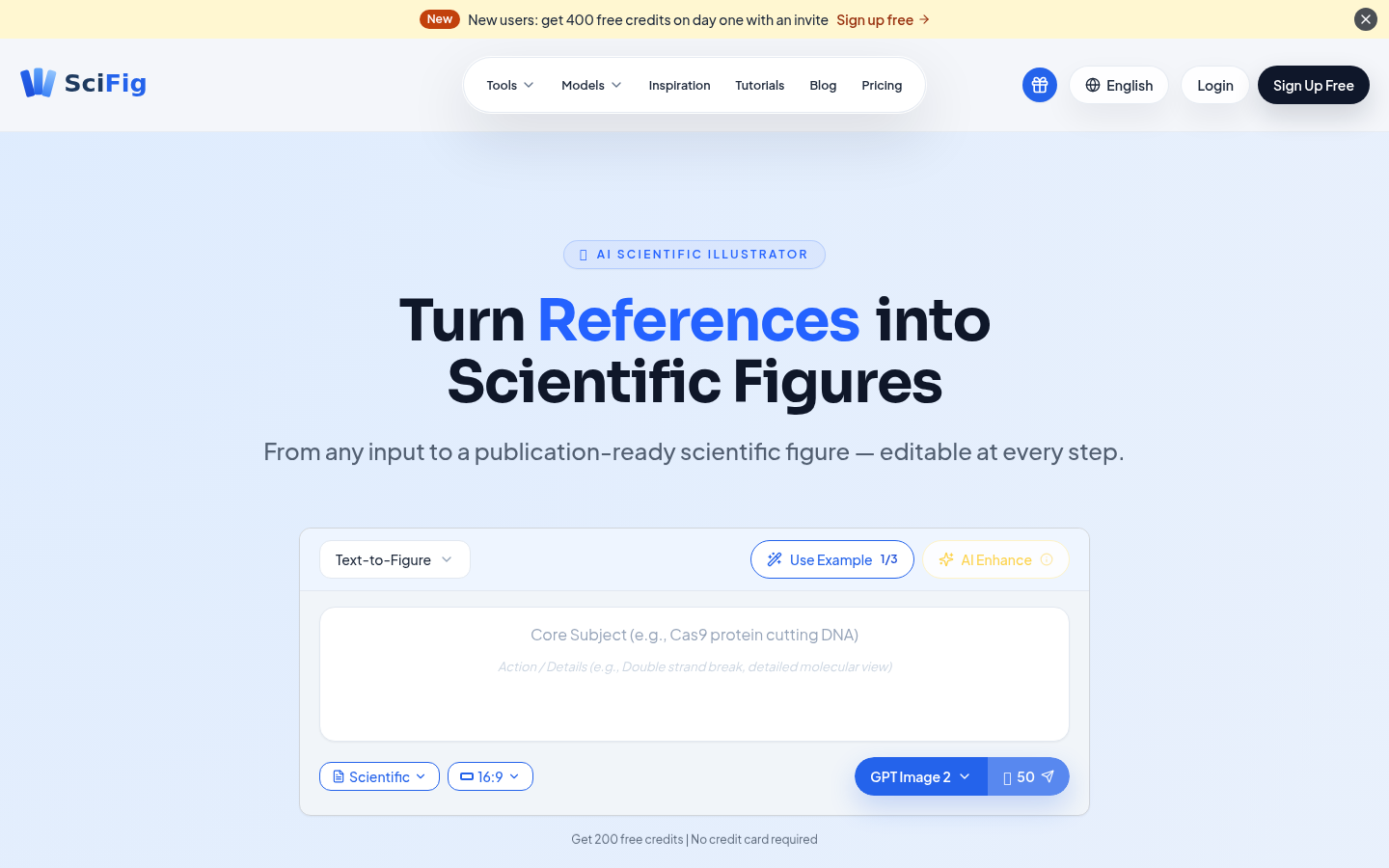
Screenshot archived from the listing page, for preview only.











