ScholarTurbo
Chat with your PDFsUpload a PDF, ask questions
Highlights
What you can do with it
- Students query textbooks and papers
- Researchers extract data from PDFs
- Educators prepare material from documents
How to use it
- 1 Open scholarturbo.com
- 2 Upload your PDF file
- 3 Type a question about the content
- 4 Read the answer and follow up
Who it is for
Pros
- Free tier with GPT-3.5 access
- Works across multiple languages
- Simple upload and ask flow
Limitations
- Free users get the weaker model
- Site availability was unstable during our check
- Answers can miss context or be wrong
What ScholarTurbo is
ScholarTurbo is an online PDF question answering tool powered by ChatGPT. You upload a document, then ask questions in natural language and get answers drawn from its content, which saves reading every page of a long file. It supports multiple languages and offers secure file storage, which matters if you handle private or sensitive documents. Free users work with GPT-3.5, while paying users get access to GPT-4, so answer depth and quality differ by plan. It is aimed at students, researchers, and educators who need to pull specific information out of PDFs quickly and check it against the source text.
What you can do with it
- Upload PDFs and query their content
- Extract information from long documents
- Work in multiple languages
- Store files securely for later questions
Who it is for
- Students studying from PDF textbooks
- Researchers reviewing papers and reports
- Educators preparing materials from documents
What to watch out for
The free tier uses GPT-3.5, so answer depth is lower than the paid GPT-4 tier and complex questions may get shallower answers. Our check found the site intermittently unavailable, so access is not guaranteed. AI answers can be incomplete or wrong, especially with complex or poorly scanned PDFs, so verify important claims against the source document. Review the storage and privacy terms before uploading sensitive files. Behavior may vary across browsers and devices, so test before production use and consult the help docs if errors appear. Features and interface details may change between versions, so review the latest notes on the page before you start. Name and archive exported files consistently so you can find and reuse them, and keep a backup copy of key data.
FAQ
What is ScholarTurbo?
A tool for asking questions about uploaded PDFs.
Which model do free users get?
GPT-3.5; paying users get GPT-4.
Does it support other languages?
Yes, it provides multilingual support.
Why it is free
What the official page says: for free
Free limits, trial length and features are decided by the official site and can change at any time.
Product preview
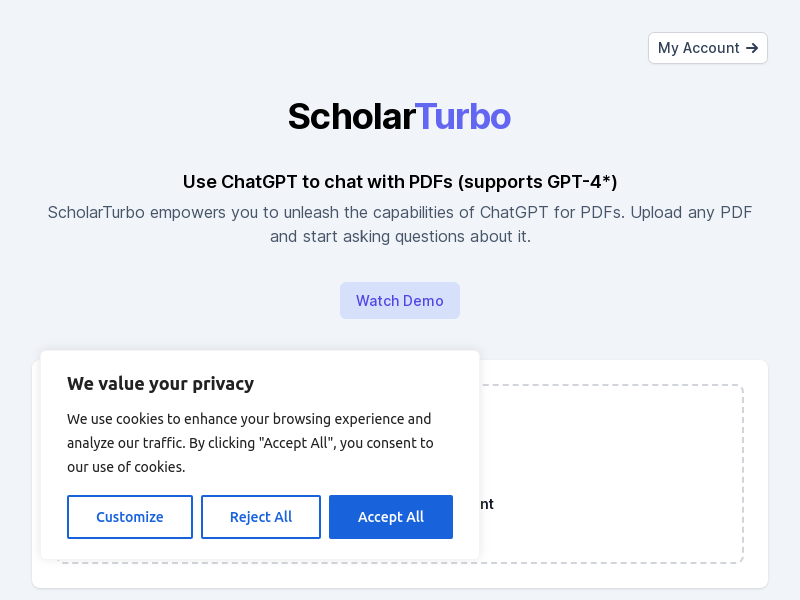
Screenshot archived from the listing page, for preview only.