
Highlights
What you can do with it
- Working with several AI models on one project
- Keeping documents and chat history in one context
- Collaborating with a team in a shared AI space
How to use it
- 1 Create an account and pick a personal or team plan
- 2 Import chat records and documents you work from
- 3 Switch between models such as ChatGPT, Claude, and Gemini
- 4 Connect your other applications to keep work in one flow
Who it is for
Pros
- Several major models in one workspace
- Keeps context complete across chats and documents
- App connections reduce copy-paste between tools
- Team plans support collaboration
Limitations
- Free and paid tiers differ, and free plan limits can change
- Uploaded documents may contain sensitive data, so check privacy terms
- Model access can shift when an upstream provider changes
- Connected apps can break when their APIs change
What Salad is
Salad AI is a multi-model AI collaborative workspace. It brings models such as ChatGPT, Claude, and Gemini together in one shared space so you can think and collaborate without juggling multiple AI tabs. The page lists three main advantages: it breaks the workflow limits of many open tabs and avoids rebuilding context, it supports importing chat records and documents to keep context complete, and it connects to various applications so information and actions stay in one flow. There are personal and team plans with different free and paid tiers, so a single user can start small and a team can move to a shared workspace later.
What you can do with it
- Use several AI models in one shared workspace
- Import chat history and documents for context
- Connect the workspace to your other applications
- Collaborate with teammates in the same space
Who it is for
- Professionals who switch between AI models often
- Teams that want one place for AI-assisted work
- Users tired of rebuilding context in new tabs
- Writers and analysts who keep long reference documents
What to watch out for
Free and paid tiers differ, and the limits of the free plan can change over time. Imported documents may contain sensitive data, so check the privacy terms before uploading anything confidential, and restrict team access where needed. Model availability can shift when an upstream provider changes access, and connected apps may break when their APIs change. With many models in one place, it takes time to learn which model suits each task, so start with the model you already trust and compare from there.
FAQ
What is Salad AI?
It is a multi-model AI collaborative workspace that brings models such as ChatGPT, Claude, and Gemini into one shared space.
Can I keep my context between models?
Yes. It supports importing chat records and documents so context stays complete.
Are there team plans?
Yes. There are personal and team plans with different free and paid tiers.
Does it connect to other apps?
Yes. The page says it connects to various applications for seamless integration.
Why it is free
What the official page says: 免费
Free limits, trial length and features are decided by the official site and can change at any time.
Product preview
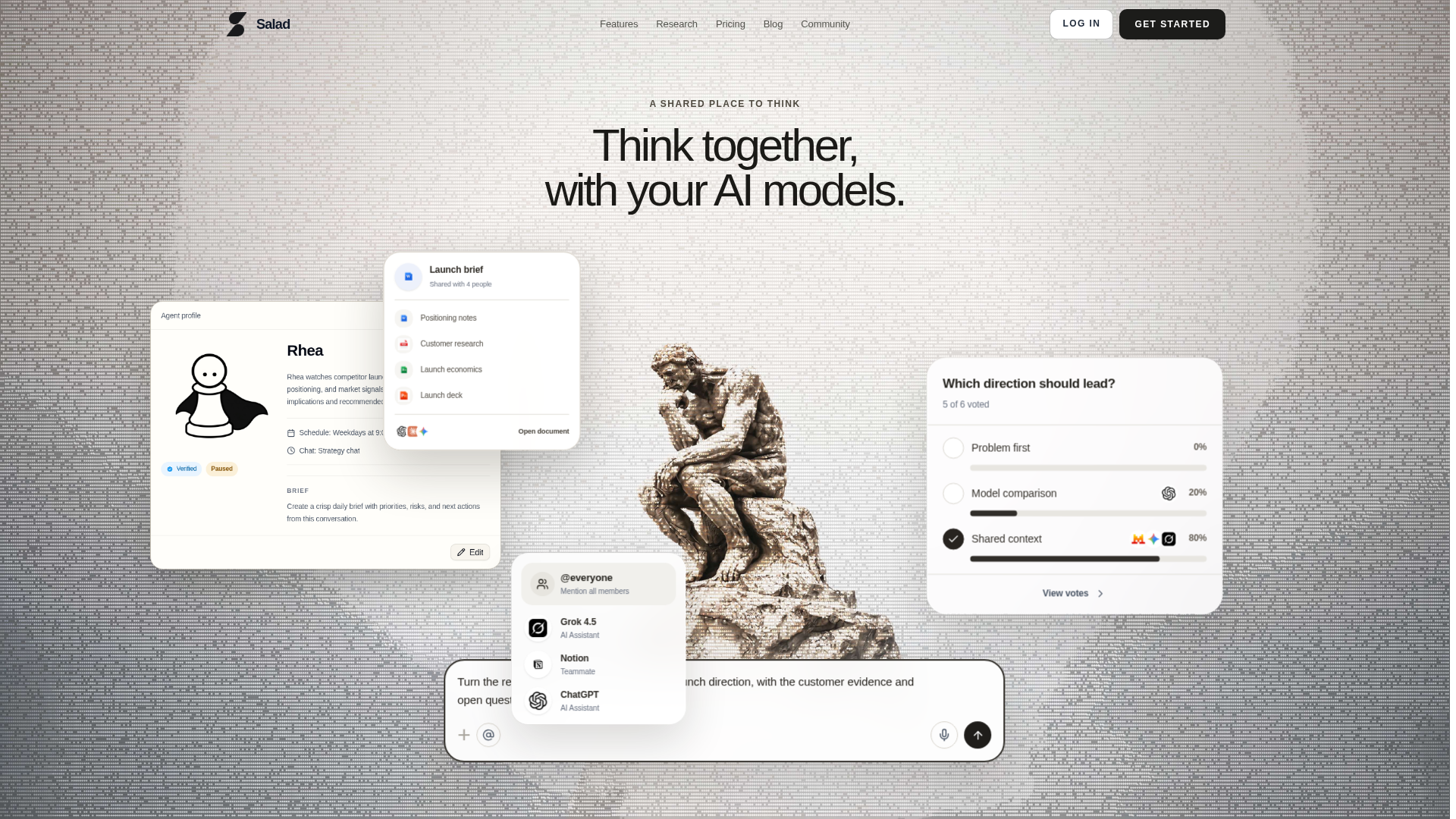
Screenshot archived from the listing page, for preview only.