
SafeNew AI
AI text humanization toolMake AI drafts read more naturally
Highlights
What you can do with it
- Rewrite a rough AI draft into smoother copy
- Adjust the tone of marketing copy before publishing
- Polish an academic draft for readability
How to use it
- 1 Go to safenew.ai and start for free.
- 2 Paste the AI generated text into the input box.
- 3 Click Humanize to process the text.
- 4 Read the rewritten output and adjust anything you disagree with.
- 5 Subscribe to a paid plan if you need a higher usage quota.
Who it is for
Pros
- Focuses on tone and readability, not just swapping words
- A private rewriting model per user is claimed
- Free trial lets you test the output on your own text
Limitations
- Using it to disguise AI written work may break school or platform rules, and the consequences fall on you
- Free trial only; paid plans are listed from $14.99 a month, or $9.99 a month on annual billing
- Output still needs a human read before you publish it
- Results vary with the source text, so stiff input can still read stiff
What SafeNew AI is
SafeNew is an AI text humanization tool. Its job is to take text that reads stiffly or mechanically and rewrite it so it sounds more like a person wrote it. The site says the model is trained on a large amount of human written material, which is what it credits for natural, fluent output that keeps your meaning. It also removes redundant content, corrects grammar, and improves clarity as part of the same pass. Each user gets a dedicated rewriting model rather than a shared one, so output is not uniform across accounts. Multilingual support is listed, and a free trial is available alongside paid plans.
What you can do with it
- Paste AI generated text and get a rewritten, more natural version.
- Reduce redundancy and fix grammar in the same step.
- Run iterative rewriting until the text reads smoothly.
- Adjust output to your own writing style across copy, academic work, or daily writing.
- Work in more than one language.
Who it is for
- Marketing professionals who need campaign copy with some warmth in it.
- Students and scholars who want a draft to read clearly before submission.
- SEO writers and content creators producing a high volume of text.
- Anyone who edits AI drafts by hand and wants that first pass automated.
What to watch out for
Be careful how you use it. Presenting rewritten AI text as your own work may break school rules, journal policies, or platform terms, and any consequences fall on you, not the tool. Check the rules that apply to your situation before you rely on it for graded or published work. Beyond that, the free trial is limited and paid plans start at $14.99 a month, or $9.99 a month on annual billing, so it is a recurring cost rather than a one off. The output is a draft: read it, edit it, and take responsibility for what you publish. Rewriting does not fact check anything, so claims still need verifying.
FAQ
Is it free?
A free trial is offered. Paid plans are listed on the site, with a monthly option and a cheaper annual rate.
What does it change in my text?
Wording, grammar, redundancy, and clarity, through iterative rewriting aimed at a more natural style.
Can I use it for school assignments?
Check your institution's rules first. Using a humanizer to hide that text was AI written may be treated as academic misconduct, and you carry the consequences.
Does it support other languages?
The page lists multiple language options including English, Chinese, Spanish, and Portuguese.
Why it is free
What the official page says: free trial
Free limits, trial length and features are decided by the official site and can change at any time.
Product preview
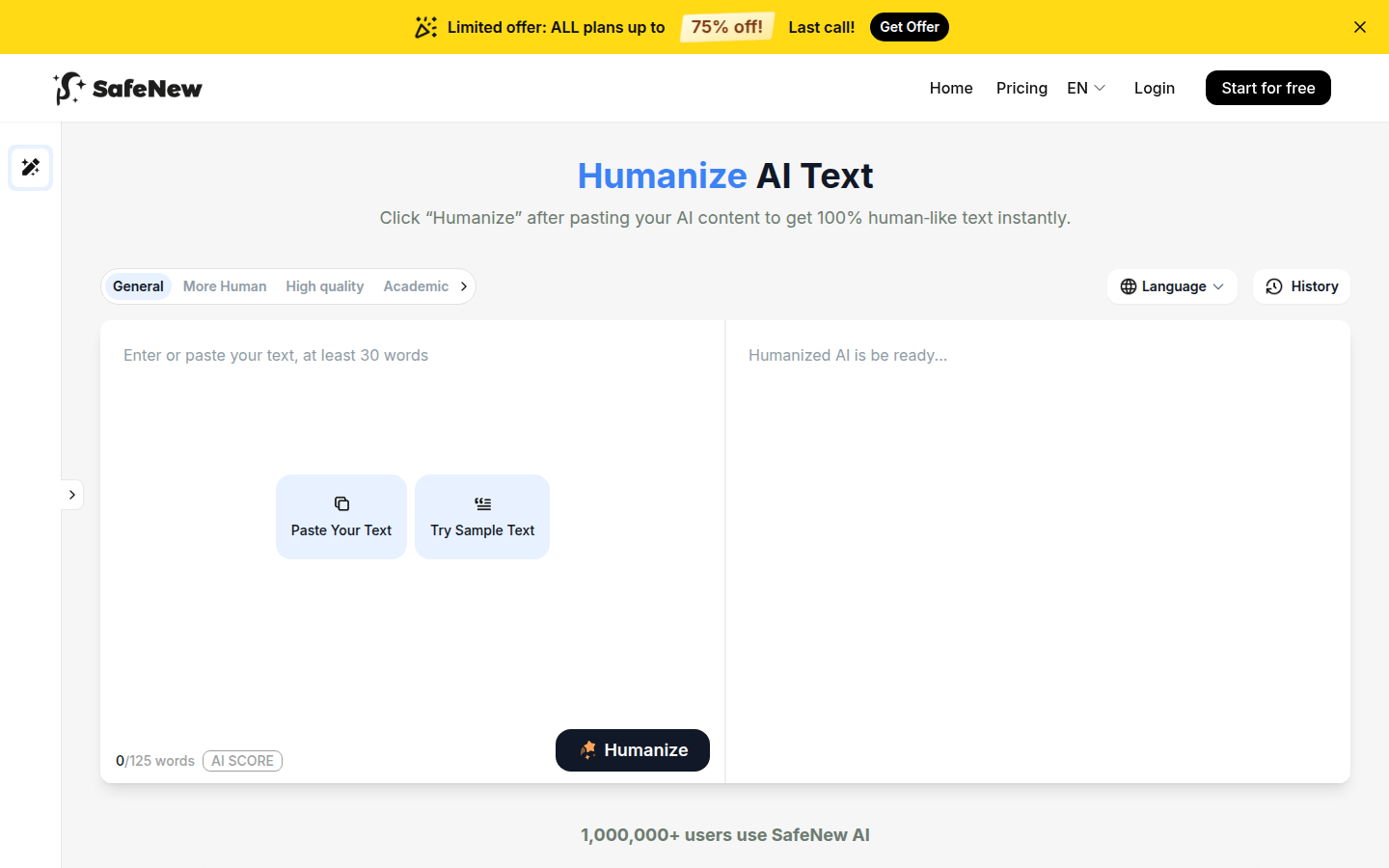
Screenshot archived from the listing page, for preview only.











