
Roomvana
AI interior design from a single room photoSee a room in 23 styles in about 30 seconds
Highlights
What you can do with it
- A homeowner previews kitchen styles before a remodel
- A renter plans a layout for an empty rental
- A real estate agent shows a home in several styles to buyers
How to use it
- 1 Upload a clear photo of the room.
- 2 Pick a style from the 23 options.
- 3 Wait about 30 seconds for the before-and-after result.
- 4 Download it, or buy a credit pack for more designs.
Who it is for
Pros
- Fast results, about 30 seconds per design
- Many styles to compare side by side
- Keeps the real layout so results stay plausible
- Credit packs never expire and have no subscription
Limitations
- Only three free designs, then you pay per credit
- Result quality depends on the photo you upload
- Free trial terms and credit pricing can change
- Designs are previews, not build-ready plans
What Roomvana is
Roomvana is an AI interior design tool aimed at homeowners and renters. You upload a single photo of a room, and in about 30 seconds it shows that space redesigned in up to 23 different styles, such as modern, minimalist, Scandinavian, and Japanese fusion. The point is to cut the time and cost of imagining a change. The AI keeps the walls, windows, and overall layout, so the redesigned room still looks like your room rather than a generic render. Beyond restyling, it can virtually furnish an empty room, remove furniture to reveal the bare space, and even work on exteriors like siding, doors, and roofs, plus courtyards. New users get three free design trials, and after that you can buy credit packs that never expire and carry no subscription.
What you can do with it
- Redesign a room in up to 23 styles from one photo.
- Keep the real walls, windows, and layout in the result.
- Virtually furnish an empty room before you move.
- Strip furniture to see the raw space for planning.
- Design exteriors and courtyards, and download in HD or 4K.
Who it is for
- Homeowners planning a remodel or a refresh.
- Renters arranging a rented space on a tight budget.
- Real estate agents presenting a home in several styles.
- Anyone who wants to preview a room before buying furniture.
What to watch out for
You only get three free designs, so exploring many options means buying credit packs, and that pricing can change over time. The quality of the result depends on the photo you upload, so a dark or cluttered image will give a weaker redesign. These are visual previews, not build-ready plans, so treat them as inspiration rather than instructions for a contractor. Test whether the style you want is included before you rely on it for a client or a sale, and confirm current credit prices and trial terms before you start a larger project.
FAQ
How many free designs do I get?
New users get three free design trials before needing credits.
How much does it cost after that?
Credit packs start at a low price, never expire, and have no subscription fee.
How long does a design take?
About 30 seconds for a before-and-after result.
Does it keep my room layout?
Yes, the AI keeps the walls, windows, and overall layout so results stay close to the real room.
Why it is free
What the official page says: 免费试用免费
Free limits, trial length and features are decided by the official site and can change at any time.
Product preview
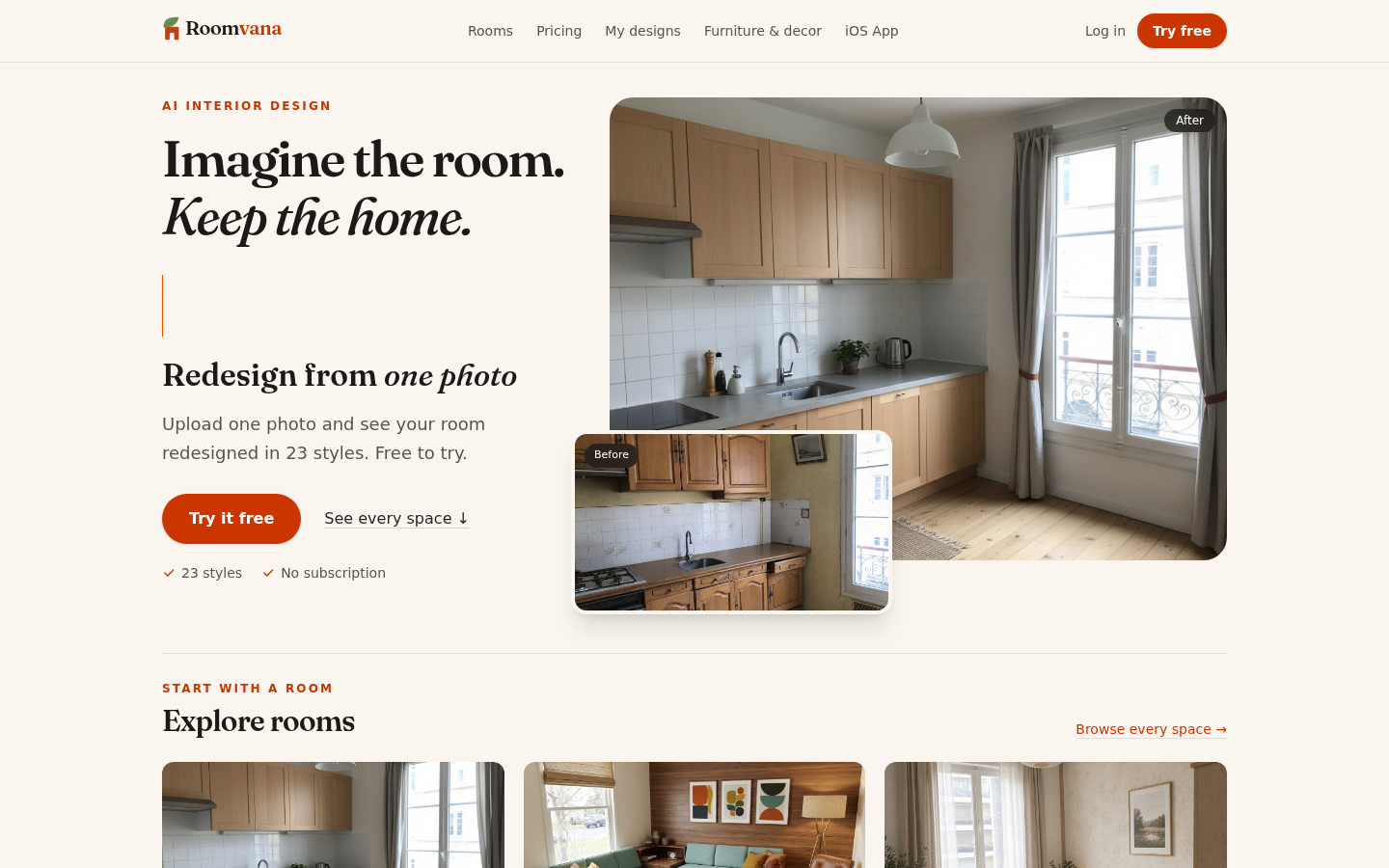
Screenshot archived from the listing page, for preview only.











