
Roomify.AI
AI interior design from a photoPhotograph a room, see new styles
Highlights
What you can do with it
- Preview a new look for a living room
- Compare style options before buying furniture
- Show a client a redesign concept quickly
How to use it
- 1 Open Roomify.AI and start the free trial
- 2 Upload a photo of the room
- 3 Let the AI identify the structure and layout
- 4 Browse the suggested styles
- 5 Customize the design you like
Who it is for
Pros
- A single photo is enough to start
- Several styles help you compare directions
- Results are adjustable rather than fixed
Limitations
- A free trial is offered, then paid plans apply
- Suggestions are visual, not buildable plans
- Photo angle and lighting affect accuracy
What Roomify.AI is
Roomify.AI is an AI interior design tool built around a simple action: upload a photo of a room. The system reads the structure and layout, then returns new style and design suggestions that you can customize further. A free trial is offered, and the paid tier adds advanced features such as 3D simulation and virtual reality experiences.
What you can do with it
- Turn a room photo into several styled design options.
- Compare directions before buying furniture or paint.
- Adjust a chosen design to fit your taste.
- Move to 3D or VR previews on the paid tier.
Who it is for
- Homeowners planning a room refresh.
- Renters who want to test styles without permanent changes.
- Designers and agents who need a fast concept visual.
What to watch out for
A design image is inspiration, not a plan. Scale, lighting, and real product availability are not guaranteed by the render, so measure the room and check dimensions before purchasing anything. The free trial ends, and the 3D and VR features sit behind payment, so decide whether you need them before subscribing. Results also depend on your photo: wide, evenly lit shots give the AI much more to work with than a dark corner. For team use, agree on naming and editing conventions in advance to avoid version conflicts or duplicated work. Name and archive exported files consistently so you can find and reuse them, and keep a backup copy of key data. Save a backup of the original file before large batch jobs, and keep an exported copy of key results in case the page or service becomes temporarily unavailable.
FAQ
How does Roomify.AI work?
You upload a room photo and the AI identifies the structure and layout, then suggests new styles.
Are advanced features free?
Features such as 3D simulation and virtual reality are for paid users, while a free trial is offered.
Can I change the design?
Yes, users can customize and adjust the design solutions.
Why it is free
What the official page says: free trial
Free limits, trial length and features are decided by the official site and can change at any time.
Product preview
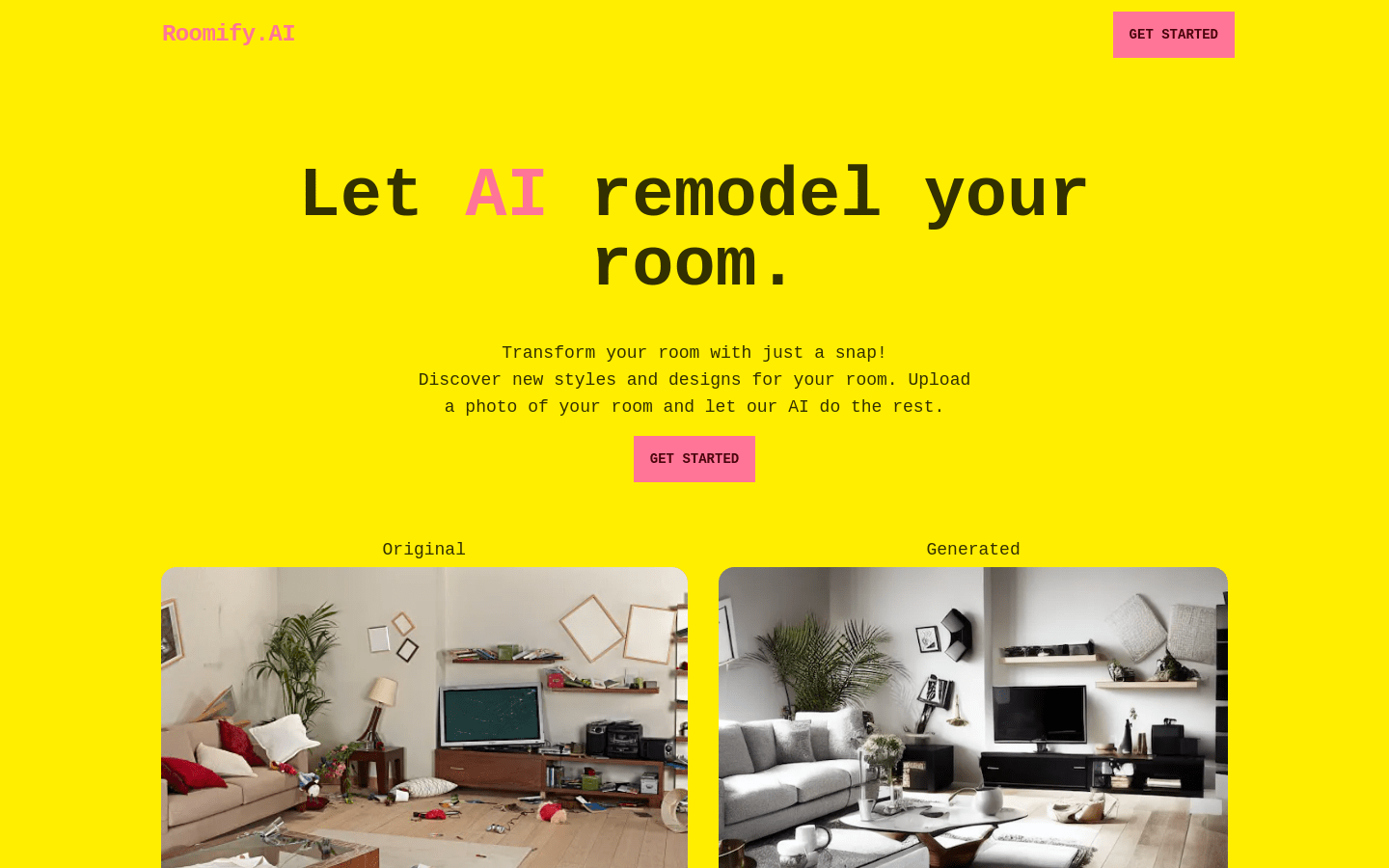
Screenshot archived from the listing page, for preview only.











