Reverse Video Search
Reverse search to trace a video sourceFind where a video came from
Highlights
What you can do with it
- Find unauthorized reuploads of your own videos
- Trace the original source and date of a viral clip
- Detect altered copies of a brand advertisement
How to use it
- 1 Add a clear video clip, a URL, or keywords
- 2 Let the system sample frames and analyse audio and text
- 3 Compare candidate results ranked by similarity and credibility
- 4 Verify the source links and save the evidence report
- 5 Set up monitoring if you want alerts on new copies
Who it is for
Pros
- Several search modes for different situations
- Deep search improves accuracy beyond frames alone
- Evidence reports support follow-up action
Limitations
- A free trial, then credit-based cost
- Accuracy depends on how unique the video is
- Results need manual verification before action
- Uploads are capped at 50MB and 20 minutes
What Reverse Video Search is
Reverse Video Search is an online tool designed to help you find the original source of a video and the pages related to it. You can upload a local video file, paste the public URL of a video, or search using keywords that describe what you saw. To improve accuracy, deep search options combine video keyframes with transcription, audio fingerprints, and watermark detection, which reduces false positives. The system can also generate an evidence report containing source links and notes, along with a notice template, and it can watch a video and email you when new copies appear.
What you can do with it
- Upload a clip, paste a URL, or search by keyword
- Use transcription, audio, and watermark analysis for deeper search
- Review candidate results ranked by similarity, date, and credibility
- Generate an evidence report with source links and notes
- Set up monitoring to get alerts when new copies appear
Who it is for
Creators who want to find unauthorized reuploads of their tutorials, films, or streams, journalists who need to trace the earliest source of a viral clip and check its date, and brands, agencies, and legal teams that monitor campaign and influencer content all benefit from Reverse Video Search. Researchers who need a searchable record of video provenance also find it useful. Anyone who works with video and needs to confirm where it came from can use it.
What to watch out for
Reverse Video Search offers a free trial and then charges credits per search, so it is not free long term. Accuracy depends on how unique the video is, because common or generic footage can produce many similar but unrelated results. You must verify candidate results yourself before taking any action, and any copyright or notice step you take is your own responsibility, so check the facts carefully. Uploads are capped at 50MB and 20 minutes, which limits very long source files.
FAQ
What is Reverse Video Search?
It is a tool that helps you find the original source of a video and related pages.
Is there a free trial?
Yes, there is a free trial, and each search uses credits.
What inputs can I use?
A video file, a public URL, or keywords describing the video.
What does deep search use?
Transcription matching, audio fingerprinting, and watermark detection.
Why it is free
What the official page says: free trial
Free limits, trial length and features are decided by the official site and can change at any time.
Product preview
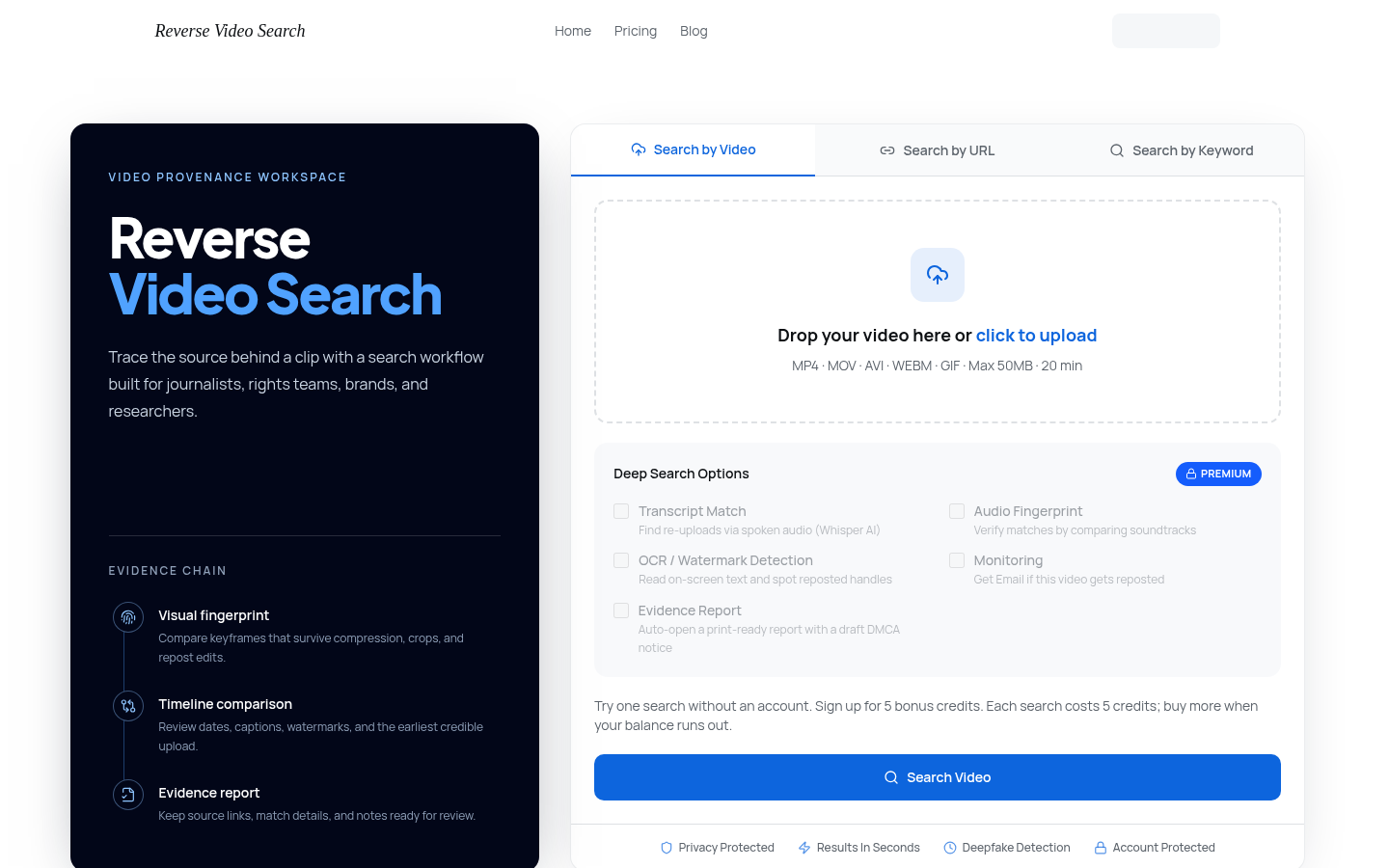
Screenshot archived from the listing page, for preview only.