
Replix.ai
GPT-4 assistant for ideas and repliesPut your thoughts into words faster
Highlights
What you can do with it
- Drafting replies and messages that sound like you
- Generating content ideas when you are stuck
- Polishing professional communication before sending
How to use it
- 1 Install the assistant and connect it to your workflow
- 2 Describe the idea or paste the draft you want to improve
- 3 Review the suggested wording and adjust before sending
Who it is for
Pros
- Free installation lowers the barrier to trying it
- GPT-4 backing gives flexible, fluent suggestions
- Works for both professional and personal communication
Limitations
- Free use is limited; the fuller feature set is paid
- Suggestions still need a human pass for tone and accuracy
- The public description is brief, so real limits are not obvious up front
What Replix.ai is
Replix.ai is a GPT-4 powered writing assistant built around one job: helping you express ideas. You bring a rough thought or a half-finished message, and the assistant shapes it into a clearer viewpoint, suggests content along the way, and smooths the result so it reads the way you intended. The positioning covers both professional communication, such as work messages, and personal writing. Installation is free, which keeps the barrier to trying it low, and a paid version exists for people who need more features and heavier usage.
What you can do with it
- Turn a rough idea into a clear, sendable viewpoint
- Get content suggestions while you draft
- Improve the flow and tone of professional and personal messages
- Move faster on replies that would otherwise take several rewrites
Who it is for
Professionals who spend a large part of the day writing messages and want cleaner drafts. Content creators who need a prompt to unblock an idea. Anyone who knows what they mean but struggles to put it into words quickly.
What to watch out for
The free installation is an entry point, not the whole product. The more capable features sit behind a paid version, and pricing and limits can change, so check current terms before you depend on it. The public description is short, so the exact boundaries of the free tier are not obvious until you try it. Like any assistant, the output is a draft: check facts, tone, and anything sensitive before you send it. Features and interface details may change between versions, so review the latest notes on the page before you start. For team use, agree on naming and editing conventions in advance to avoid version conflicts or duplicated work.
FAQ
Is Replix.ai free to install?
Yes. Installation is free, and a paid version offers more features.
What model does it use?
It is powered by GPT-4.
What does it actually do?
It helps express ideas, suggests content, and improves interactive writing.
Who is it for?
People who write often and want faster, cleaner drafts.
Why it is free
What the official page says: 免费
Free limits, trial length and features are decided by the official site and can change at any time.
Product preview
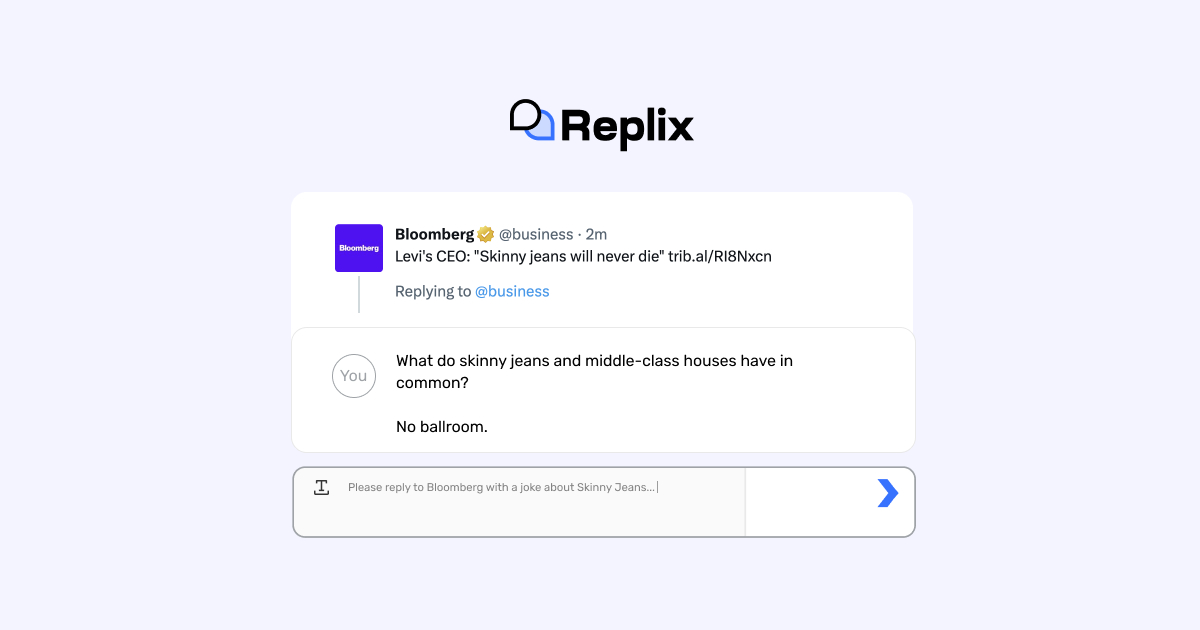
Screenshot archived from the listing page, for preview only.











