
RenoBrief
AI renovation planning briefsRoom photo to redesign, materials, and budget range
Highlights
What you can do with it
- Plan a living room remodel with a chosen style and budget
- Give a contractor a clear brief for an exterior job
- Draft a preliminary bedroom design to discuss with a client
How to use it
- 1 Open the site and click Start a brief
- 2 Upload a photo of the room or exterior
- 3 Pick a style and a budget band
- 4 Wait for the redesign, material list, and brief
- 5 Adjust settings, then save, share, or export the brief
Who it is for
Pros
- Visual redesign plus materials and budget in one output
- Brief is written so a contractor can act on it
- Easy to compare different styles and budget bands
Limitations
- A free trial is offered, then paid plans from $144 to $390 per year
- Budget ranges are estimates, not firm quotes
- Redesigns are concepts, not build-ready construction drawings
What RenoBrief is
RenoBrief is an AI website for home design and renovation planning. You upload a photo of a room or exterior, choose a style and a budget band, and it generates a redesigned image, a material list, a budget range, and a clear renovation brief. The brief is written so you can hand it straight to a contractor for easier communication. It offers three tool paths for interior renovation, exterior renovation, and landscape work, and you can adjust the style, budget, and notes to see how the plan changes. A free trial is offered, then subscriptions such as $144 per year for personal and $390 per year for professional.
What you can do with it
- Turn a room or exterior photo into a redesign concept
- Get a material list and a budget range for the plan
- Choose interior, exterior, or landscape paths
- Adjust style and budget to compare different plans
Who it is for
- Homeowners planning a remodel with a budget in mind
- Contractors who need a clear scope before quoting
- Interior designers drafting preliminary concepts
What to watch out for
A free trial is offered, then paid plans from $144 to $390 per year, and terms can change, so confirm current pricing. The budget ranges are estimates to help you plan, not firm quotes, and real costs depend on local labor and materials. The redesigns are visual concepts, not build-ready construction drawings, so a professional should verify anything structural. Use the brief as a starting point for contractor conversations rather than a final contract. For team use, agree on naming and editing conventions in advance to avoid version conflicts or duplicated work.
FAQ
What do I upload?
You upload a photo of a room or the exterior you want to renovate.
Does it give a budget?
Yes. It provides a budget range based on the band you choose, such as refresh, renovation, or refurbishment.
How much does it cost?
It offers a free trial, then plans such as $144 per year for personal and $390 per year for professional.
Why it is free
What the official page says: free trial
Free limits, trial length and features are decided by the official site and can change at any time.
Product preview
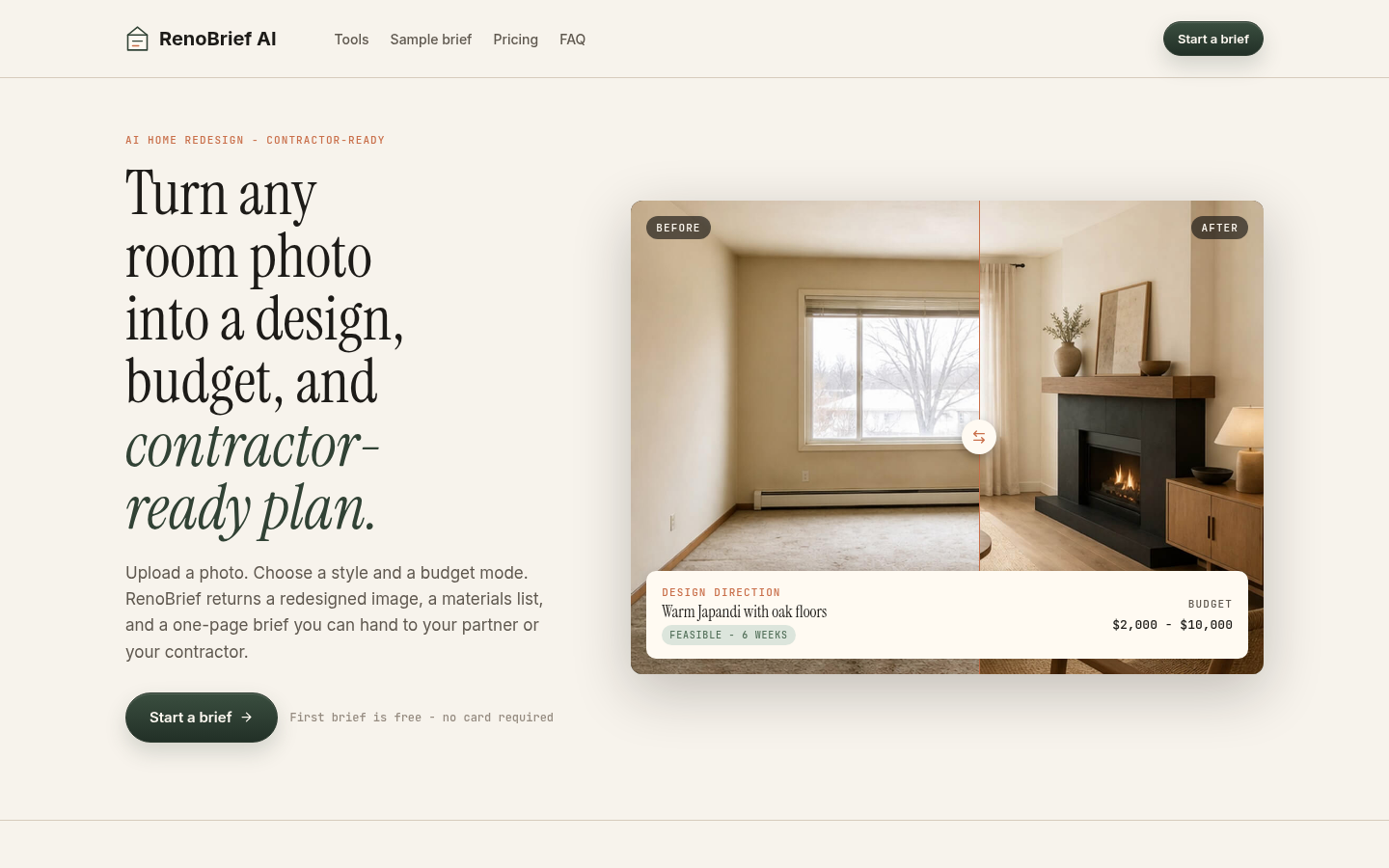
Screenshot archived from the listing page, for preview only.











