
RenamerX
Local-first AI batch file renaming with review-first safety and undo.Rename thousands of files safely, right on your machine.
Highlights
What you can do with it
- Photographers rename thousands of wedding photos by date, client, and event
- Freelancers turn messy invoice scans into searchable, sorted archives
- Video teams rename footage by project, scene, and camera position
- Admin staff clean shared drives with watched-folder automation
How to use it
- 1 Install the desktop client and choose the built-in local model or your own model service
- 2 Create a naming template defining the file name structure and fields to extract
- 3 Add files or folders; files stay local and unchanged before review
- 4 Review suggestions one by one, edit edge cases, and apply in batch
- 5 Undo any mistakes, or enable watched folders for continuous automation
Who it is for
Pros
- Files stay on your machine by default, protecting privacy
- Undo safety removes the fear of batch mistakes
- One-time lifetime license instead of a subscription
Limitations
- Desktop installation required, unlike browser tools
- Free tier's 50 monthly credits limit heavy batches
- Recognition accuracy varies with scan and photo quality
What RenamerX is
RenamerX is a local-first AI desktop application for batch renaming and file organization, built for people whose folders have drifted into chaos. Instead of guessing from file names, it reads the internal content of documents, spreadsheets, presentations, e-books, images, raw photos, and videos, then extracts fields such as dates, clients, amounts, subjects, and version numbers according to templates you define. The workflow is deliberately cautious: every suggestion is previewed and editable, renaming applies only after you confirm, and executed changes can be undone. A free core version includes 50 credits per month, and Pro is a one-time 36 dollar lifetime license rather than a subscription.
What you can do with it
- Batch rename entire folders into clear, searchable, consistent file names
- Move files into subject, type, or project folders while renaming
- Set up watched folders that wait for downloads to finish, then process new files automatically
- Choose between the built-in local model, your own local model service, or a compatible cloud API
Who it is for
- Individuals and families tidying downloads folders, photo libraries, and scans
- Freelancers and small teams organizing contracts, invoices, quotes, and client materials
- Photographers and video creators managing thousands of assets per shoot
- Administration, finance, and legal roles handling document-heavy archives with privacy requirements
What to watch out for
RenamerX is a desktop app, so it needs installation and works on one machine at a time, unlike browser tools. Recognition quality depends on your files: clean scans and sharp photos extract well, while blurry images or unusual documents may need manual edits during review. The free tier's 50 monthly credits suit light use, and Pro pricing or credit rules can change over time. Always keep backups of important archives; the undo feature is a safety net, not a substitute for good backup habits.
FAQ
Is RenamerX free?
There is a free core version with a monthly quota of 50 credits. The Pro version is a one-time 36 dollar lifetime license.
Are my files uploaded anywhere?
No. RenamerX is local-first: files stay on your machine by default, and you can use the built-in local model or connect your own model service.
What if a batch rename goes wrong?
Every suggestion is previewed and editable before applying, and executed renaming or organizing can be undone afterward to restore the original state.
Why it is free
What the official page says: 免费
Free limits, trial length and features are decided by the official site and can change at any time.
Product preview
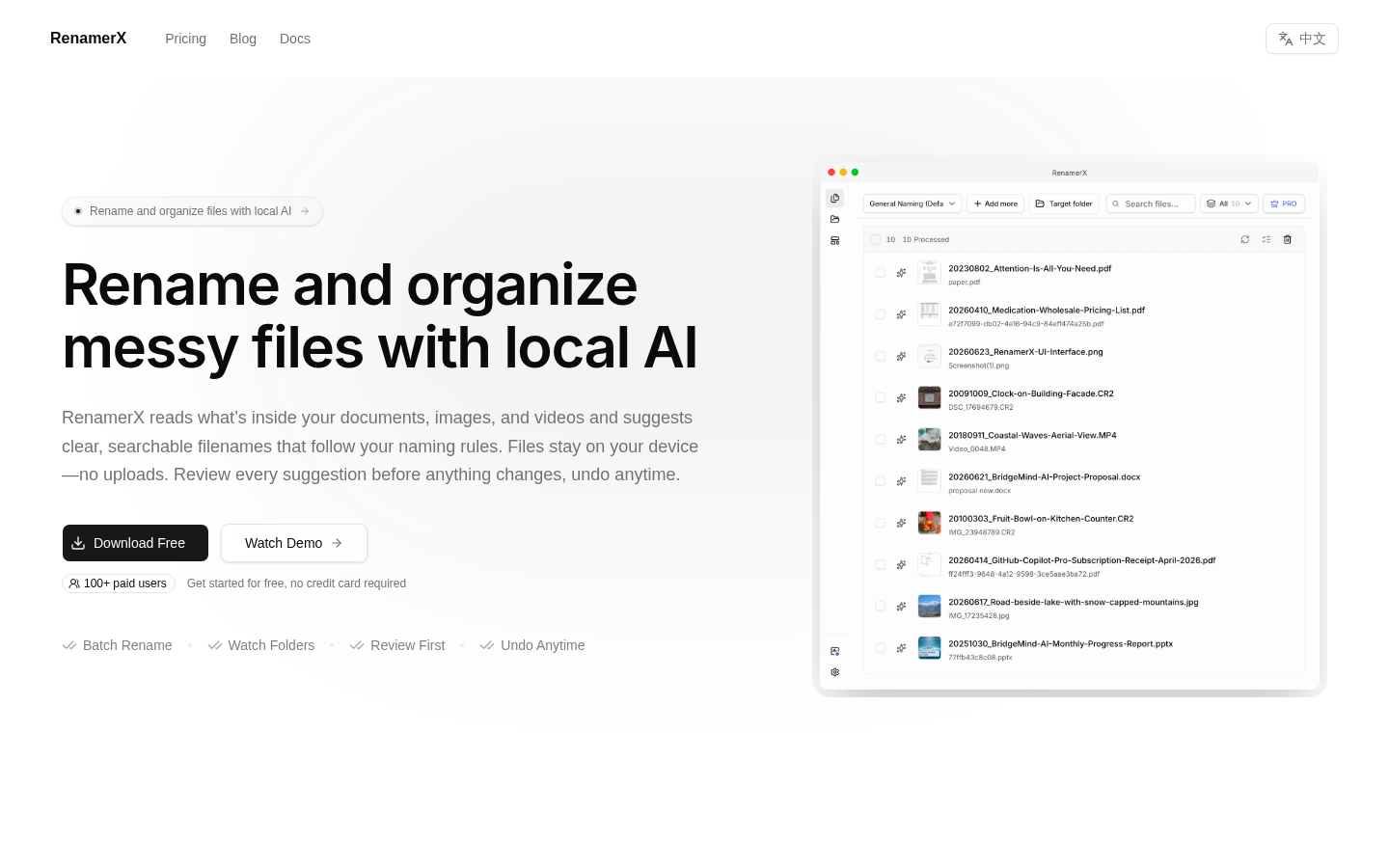
Screenshot archived from the listing page, for preview only.











