
Refero Design
UI/UX inspiration libraryWeb and iOS design references at scale
Highlights
What you can do with it
- Finding a similar interface style while designing a new app
- Checking shopping and payment flows before building an e-commerce site
- Collecting design data for training AI models that generate interfaces
How to use it
- 1 Open refero.design and log in or sign up with a Google account or email
- 2 Search by keyword or upload an image to find similar screens
- 3 Enter research mode and describe your design task for analysis and reasoning
- 4 Browse categories by page type, flow, UX pattern, or UI element
- 5 Apply the real product patterns you find to your own project
Who it is for
Pros
- Broad library that mixes web and iOS in one place
- Visual search saves time compared with manual browsing
- Research mode adds reasoning, not just links
Limitations
- No public price list, so what the free tier covers can change without notice
- Most content is a reference for other people's screens, so originality still depends on you
- Account sign-up is required before you can browse, which adds friction
What Refero Design is
Refero Design is a UI/UX inspiration platform organised around a large library of screens taken from real products. It covers both web applications and iOS applications, and it groups them by page type, flow, UX pattern, and UI element so you can find a specific pattern rather than a vague mood board. The library is described as large, and it spans screens, flows, and patterns, which makes it useful when you want to see how a familiar interaction is usually built. Refero does not publish a price list on its site. Access runs through a log in or sign up step, and the free listing on the page points to a free tier as the entry point rather than a paid-only product.
What you can do with it
- Search by image: upload or drag a screenshot and get designs that look similar
- Describe a task in research mode and receive analysis, references, and reasoning
- Browse real product flows such as pricing structures and notification inbox patterns
- Study screens across categories, from onboarding to checkout, for web and iOS
Who it is for
- Designers who need concrete references before opening a design tool
- Developers who want to see how established products structure key flows
- Product managers and AI developers who collect patterns at scale
What to watch out for
The value here is reference material, not finished assets. You still have to turn what you see into something original for your own product, and copying a competitor's screen too closely is a decision you own. Because the site does not publish pricing, the limits of the free tier can change at any time, and some material may sit behind the sign-up wall. Sign-up is required before you can browse, so it is worth deciding whether the library matches your current project before creating an account. Treat it as a research aid that speeds up the first hour of a project, not a substitute for design judgement.
FAQ
Is Refero Design free to use?
The page does not list prices, and the free listing points to a free tier. Access starts with a log in or sign up step, and what the free tier includes can change.
Can I search by image?
Yes. You can upload or drag a picture and the site returns designs that look similar.
What does research mode do?
You describe a task in plain language and it returns analysis, references, and reasoning to support a design decision.
Who is it for?
Designers, developers, product managers, and AI developers who need real screens as reference material.
Does it cover iOS as well as web?
Yes. The library covers web applications and iOS applications, including page types, flows, UX patterns, and UI elements.
Why it is free
What the official page says: 免费
Free limits, trial length and features are decided by the official site and can change at any time.
Product preview
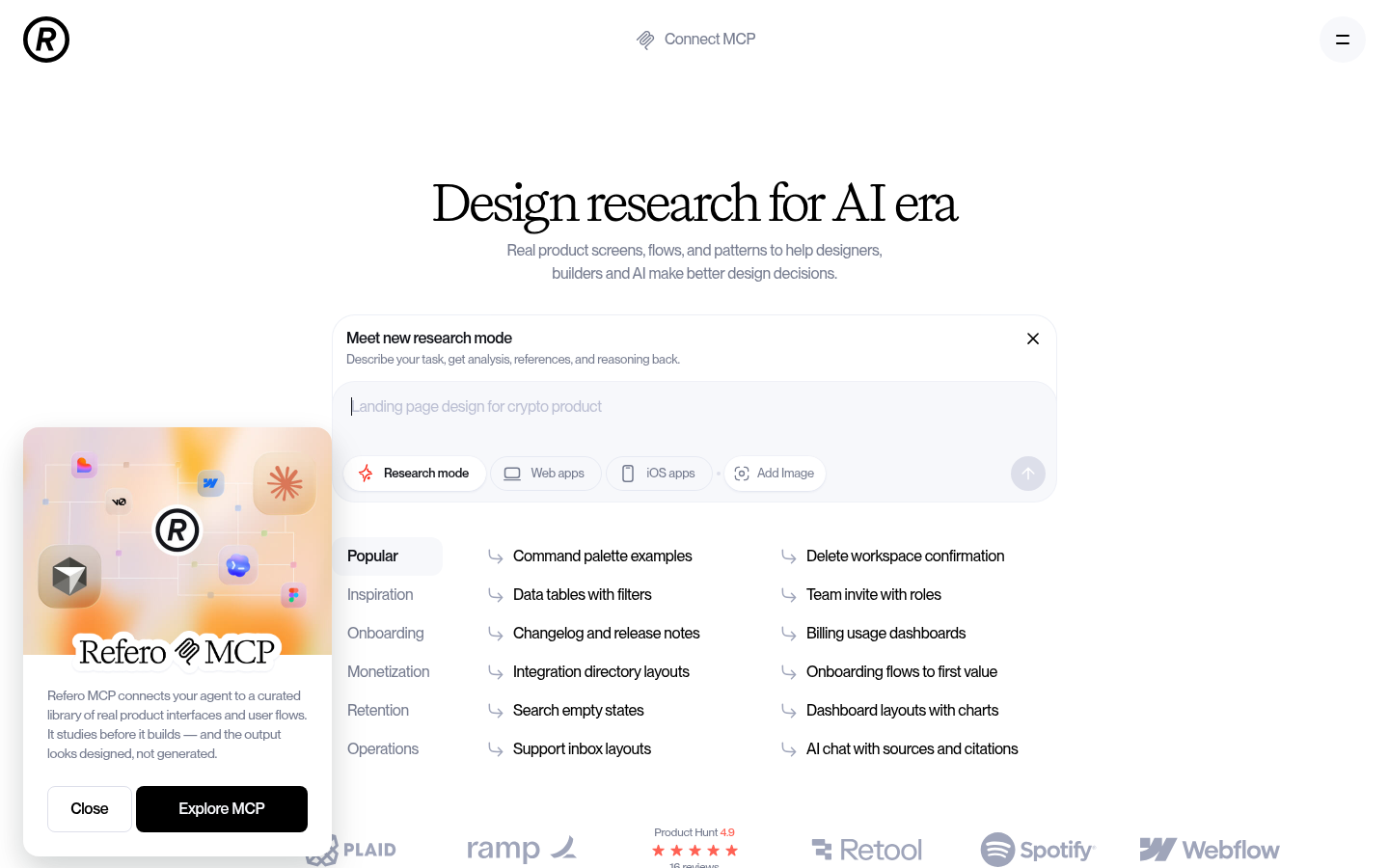
Screenshot archived from the listing page, for preview only.











