
ReceiptRecon
AI receipt scanning and expense trackingFrom receipt photo to QuickBooks entry
Highlights
What you can do with it
- A consulting firm scans travel receipts and matches them to bank transactions automatically
- A freelance designer tracks project income and marks deductible expenses before filing
- A startup spots expense trends early and adjusts operations
How to use it
- 1 Start the free trial from the website or download the app
- 2 Scan a receipt with the camera or upload a bank statement
- 3 Wait while the AI extracts, classifies, and organizes the data
- 4 Review the results on the expense dashboard and check any split line items
- 5 Sync to QuickBooks with one click, then export reports as PDF or CSV
Who it is for
Pros
- Covers both receipts and bank statements
- Direct QuickBooks integration
- Real-time dashboard instead of month-end surprises
- Free trial available
Limitations
- Stated accuracy is high but not perfect, so review is still required
- QuickBooks sync requires a QuickBooks account
- Full use requires payment after the trial
- Trial terms and pricing may change
What ReceiptRecon is
ReceiptRecon is an AI-driven financial management platform for small businesses and freelancers. It takes the manual work out of bookkeeping by scanning receipts, extracting data from bank statements in any format, classifying transactions, and matching them automatically. Receipts can be split into individual line items when you need that level of detail, and the AI flags deductible expenses so you do not miss savings at tax time. A dashboard presents expenses by day, month, or year so trends show up early instead of at year end, and reports export as PDF or CSV. The site states 99 percent accuracy and support for multiple banks. Data syncs to QuickBooks with one click, and a free trial is offered.
What you can do with it
- Scan receipts and capture the details without typing them
- Upload bank statements in any format and get classified transactions
- Split receipts into line items for detailed tracking
- See deductible expenses flagged as you go
- Sync everything to QuickBooks and export reports
Who it is for
- Small business owners who spend evenings on paperwork
- Freelancers who manage their own income and expenses
- Accounting staff processing large document volumes
- Anyone who wants deduction candidates identified before filing
What to watch out for
The stated accuracy figure is high, but automated extraction still makes mistakes on unusual layouts, faded receipts, and handwritten notes, so a review pass before data reaches QuickBooks is essential. QuickBooks sync requires an active QuickBooks account and correct permissions, which adds a dependency. Full use requires payment after the free trial, and trial terms and pricing can change. Finally, the tool organizes data; it does not replace advice on how your expenses should be treated for tax purposes.
FAQ
How accurate is the extraction?
The site states 99 percent accuracy. In practice you should still review captured values before they reach your accounting system.
Does it work with my bank?
The site states support for multiple banks and says statements can be uploaded in any format, with the AI extracting transaction data.
Can it split a receipt into items?
Yes. It automatically scans receipts and splits them into individual line items for detailed expense tracking.
Is there a free trial?
Yes, you can start a free trial from the website or the app before choosing a plan.
Why it is free
What the official page says: free trial
Free limits, trial length and features are decided by the official site and can change at any time.
Product preview
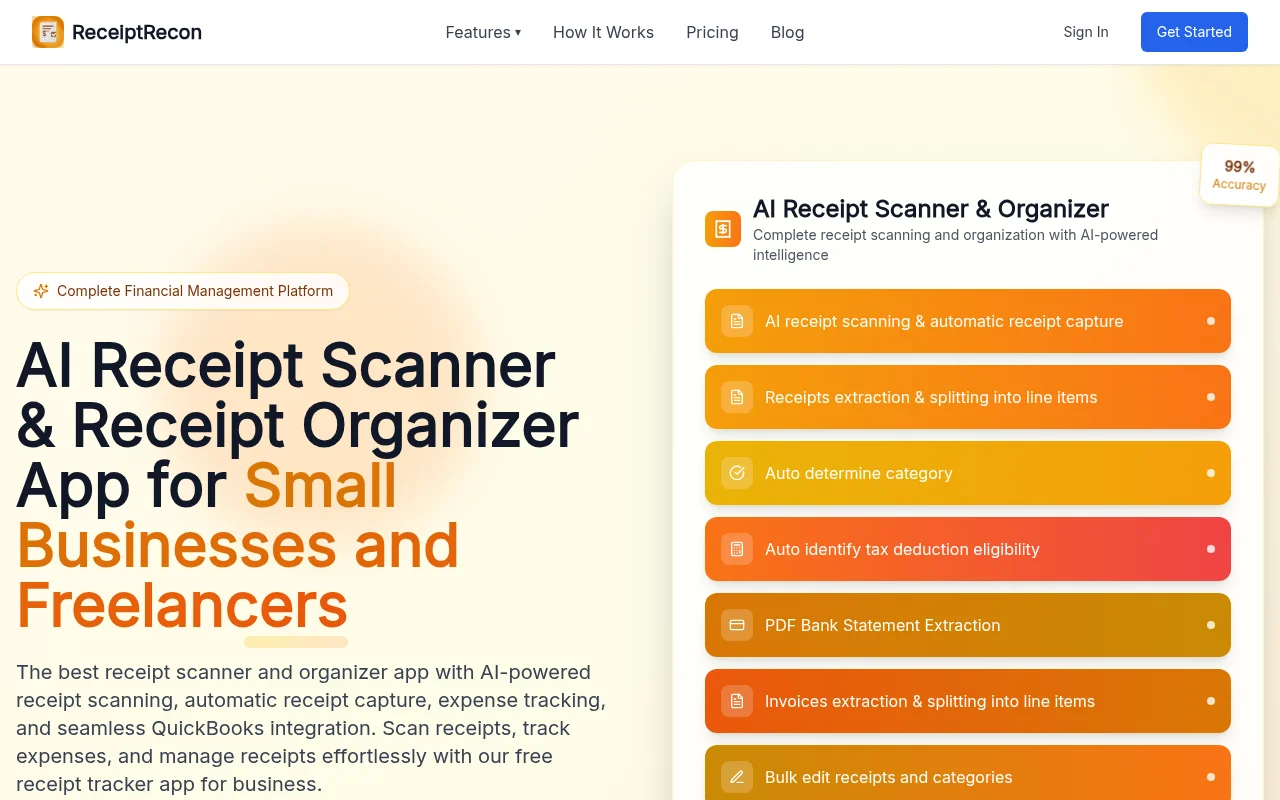
Screenshot archived from the listing page, for preview only.











