
PSYCHE AI
AI video with avatarsType text, get an AI video
Highlights
What you can do with it
- An institution creates a virtual teacher for online courses
- A creator produces daily video content for a personal brand
- A company makes product introduction videos for social media
- Someone localising a message with different voices
How to use it
- 1 Open PSYCHE AI and start a project
- 2 Type the text you want the character to say
- 3 Choose an AI character and voice
- 4 Adjust appearance and voice characteristics
- 5 Select a background and generate the video
- 6 Preview, then download or publish
Who it is for
Pros
- Large library of characters and voices
- No camera, lighting, or editing skills required
- Customisation covers appearance and voice
- Low per video cost compared with a shoot
Limitations
- Voice cloning can be misused and may break platform rules
- Synthetic presenter video can mislead viewers if unlabeled
- Free trial limits apply before per video pricing
- Quality varies with the script and the chosen character
What PSYCHE AI is
PSYCHE AI is a tool for generating realistic AI videos from text. The listing describes the core flow as typing text, selecting a background, and getting finished video content without any editing experience. The library is the headline feature: over 100 AI characters and 120 AI voices are listed, with advanced customisation for the character's appearance and voice characteristics, so the same script can be delivered by very different presenters. Two further capabilities are named. HoloBox integration supports holographic display to increase immersion, and voice cloning lets a user replicate their own voice characteristics into an AI character. Pricing is stated as two to three dollars per video, which the description frames as far cheaper than traditional production, and a free trial is offered to lower the entry barrier.
What you can do with it
- Turn a written script into a video with an AI presenter.
- Choose from a large library of characters and voices.
- Adjust appearance and voice to fit a brand.
- Output holographic display content through HoloBox integration.
Who it is for
- Course creators who need a consistent virtual presenter.
- Solo creators producing video content on a schedule.
- Marketing teams making short product or explainer videos.
- Anyone who needs video output but has no camera or crew.
What to watch out for
Voice cloning and synthetic presenter video are easy to misuse. Cloning a voice you do not own, or producing a video that implies a real person said something they did not, can breach platform rules, consumer protection law, and in some places specific deepfake statutes, and the consequences fall on the person who published it. Many platforms now require synthetic media to be labeled, so disclose that a video is AI generated wherever you post it. The free trial is an entry point rather than a free plan, and per video pricing adds up quickly for daily output. Quality still depends on the script: awkward phrasing produces awkward delivery, and lip sync and gesture realism vary by character. Review every render before it goes out.
FAQ
What does PSYCHE AI do?
It generates realistic AI videos from text, with a choice of AI characters and voices.
How many characters and voices are there?
The listing says over 100 AI characters and 120 AI voices.
What does it cost?
The description states two to three dollars per video, with a free trial available.
Does it clone voices?
Yes, voice cloning is listed, letting users replicate their own voice into an AI character. Only clone a voice you have the right to use.
Why it is free
What the official page says: free trial
Free limits, trial length and features are decided by the official site and can change at any time.
Product preview
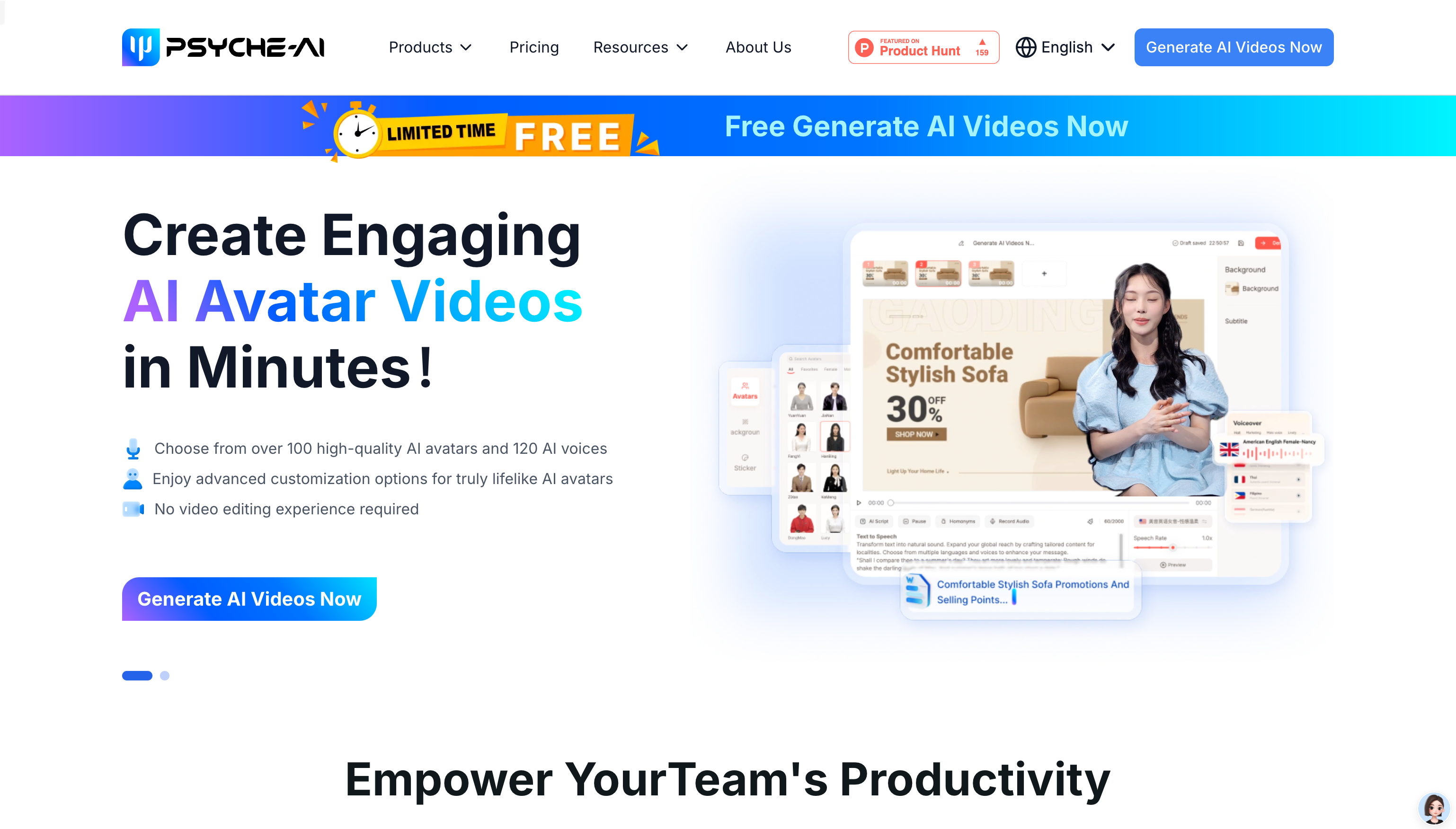
Screenshot archived from the listing page, for preview only.











