Project Starlight
AI video enhancement modelUpscale and repair old footage
Highlights
What you can do with it
- Restore old home videotapes to high definition
- Improve low-resolution footage before posting to social media
- Repair damaged film material during post-production
How to use it
- 1 Go to the Topaz Labs site and open the Project Starlight page
- 2 Click the free trial link and upload the video you want to enhance
- 3 Select enhancement options such as resolution or noise reduction
- 4 Wait for processing to finish
- 5 Download or view the enhanced video and use it in your edit
Who it is for
Pros
- Free trial to test on your own footage
- Handles several quality problems in a single workflow
- Automatic processing means no tuning expertise needed
Limitations
- 4K export is planned, not confirmed as available now
- Enhancement is computationally heavy, so long clips take time
- Results depend on how damaged the source is; heavy artifacts may remain
What Project Starlight is
Project Starlight is an AI video enhancement model from Topaz Labs. It targets footage that is low-resolution or damaged, and it applies diffusion model technology to super-resolution, noise reduction, deblurring, and sharpening. The detail that separates it from a simple upscaler is temporal consistency: frames are processed with reference to their neighbors, so motion stays smooth instead of flickering between frames. The listing says no manual parameter adjustment is needed, so the workflow is upload, choose what you want improved, and wait. A free trial is available, and 4K export is described as a plan for the future rather than something available today.
What you can do with it
- Upscale low-resolution video to higher definition
- Reduce noise, blur, and softness in damaged footage
- Keep frame-to-frame motion consistent during enhancement
- Run enhancement without tuning parameters by hand
- Feed the result into a further edit or use it directly
Who it is for
The use cases are restoring old home videotapes for family archives, improving low-resolution online video before posting it to social media, and repairing damaged film footage during post-production. That points at families preserving memories, editors working with weak source material, and post-production teams salvaging footage that would otherwise be unusable. The pitch is aimed at users and organizations that need high-quality repair rather than casual viewers, since the compute cost only makes sense when the footage matters.
What to watch out for
Enhancement is computationally heavy. Long clips take real time, and the listing gives no indication of speed or file size limits, so test with a short section before committing an hour of footage. Results depend on how damaged the source is: a soft but clean clip improves dramatically, while heavily compressed or artifacted video may keep visible problems no matter what the model does. The 4K export is a stated plan, not a confirmed feature, so verify before you rely on it. Pricing beyond the trial is not described, and the trial itself will be limited in duration or output.
FAQ
Is Project Starlight free?
There is a free trial. Longer-term pricing is not described in the listing.
What does it fix?
Low resolution, noise, blur, and softness, while keeping motion consistent.
Do I need to adjust settings?
No manual parameter adjustments are needed; processing is automatic.
Can I export in 4K?
4K export is listed as a future plan, so check the current status on the site.
Why it is free
What the official page says: free trial
Free limits, trial length and features are decided by the official site and can change at any time.
Product preview
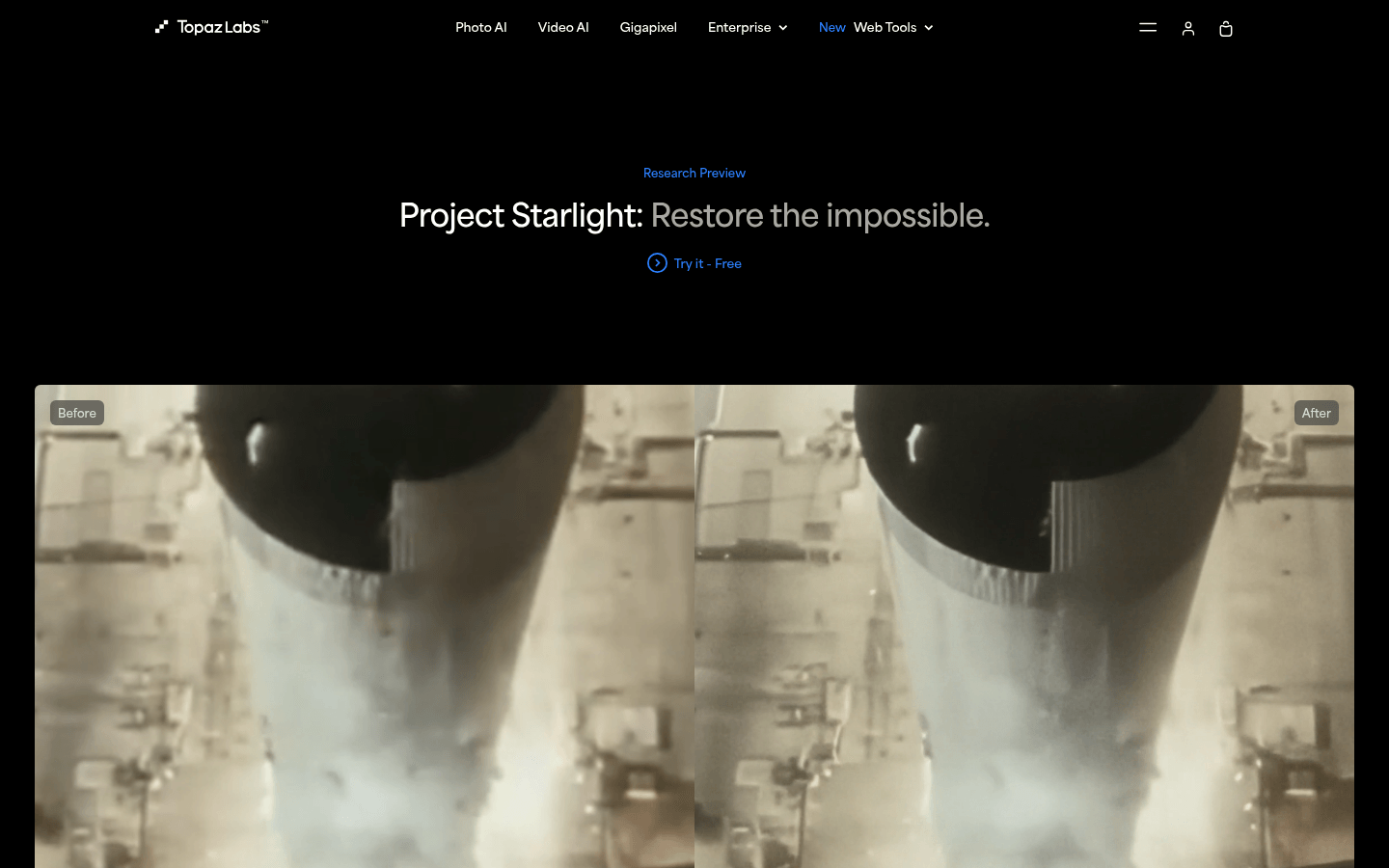
Screenshot archived from the listing page, for preview only.