Presentr Analyze
Transcribe, subtitle and translate mediaAudio and video to text, subtitles and translations
Highlights
What you can do with it
- A podcaster turning an episode into a transcript and chapters
- A video team localising a video with multilingual subtitles
- A researcher extracting text from PDFs and scanned pages
How to use it
- 1 Connect a built-in information such as RSS, cloud storage, URL, Webhook or API
- 2 Run reusable templates for transcription, marking and chaptering
- 3 Review the transcribed text, markers and chapters in the app
- 4 Deliver the approved output to a Webhook, storage, API or dashboard
Who it is for
Pros
- One flow covers transcription, subtitles, translation and extraction
- Automation handles repeatable media workflows
- A review step sits before delivery, so errors can be caught
- Free tools let you test the core functions first
Limitations
- Early-adopter pricing is promotional and will change
- Automated transcription needs review for names and jargon
- Workflow automation adds setup effort for one-off jobs
- Extraction quality depends on scan and image quality
What Presentr Analyze is
Presentr Analyze is a media processing tool covering the whole path from an audio or video file to a deliverable text product. Transcription produces timestamped text that exports as TXT, SRT, VTT and other formats. Subtitles can be generated as publishable SRT and VTT files for YouTube, broadcast or any content system that supports them. Translation works across 30 languages and can re-time subtitles, so a video can be localised rather than merely captioned. A repair function deals with subtitles that drift or lose sync. Beyond media, text extraction pulls structured content out of PDFs and images, including slides and scanned pages. Ingestion works from RSS, cloud storage, URL, Webhook or API, processing runs through reusable templates, and results can be reviewed in the app before automatic delivery. Free tools are offered, with early-adopter pricing for the rest.
What you can do with it
- Transcribe podcasts and videos into timestamped text
- Generate publishable SRT and VTT subtitle files
- Translate into 30 languages and re-time subtitles
- Repair subtitles that drift or lose sync
- Extract text from PDFs, slides and scanned images
Who it is for
- Podcast and audio creators who need transcripts and chapters
- Video and media teams localising long-form content
- Operations staff standardising large media libraries
What to watch out for
Early-adopter pricing is promotional, so the price you lock in now is not the long-term price, and free tools may be narrower than the paid tiers. Automated transcription still needs a human pass for proper nouns, technical terms and overlapping speech, because errors there are the ones an audience notices. The automation pipeline is worth the setup for repeatable work but is overhead for a single file. Finally, extraction from scans depends heavily on image quality, so poor source material will produce poor text.
FAQ
Is Presentr Analyze free?
The vendor says free tools are available, including YouTube and TikTok transcription, subtitle repair and PDF or image text extraction. Other features sit under early-adopter pricing.
How many languages can it translate?
Translation supports 30 languages, and subtitles can be re-timed so the translation still lines up with the media.
Can it fix out-of-sync subtitles?
Yes. The repair function adjusts subtitles that drift or have timing problems so they match the actual media timing.
Why it is free
What the official page says: 免费
Free limits, trial length and features are decided by the official site and can change at any time.
Product preview
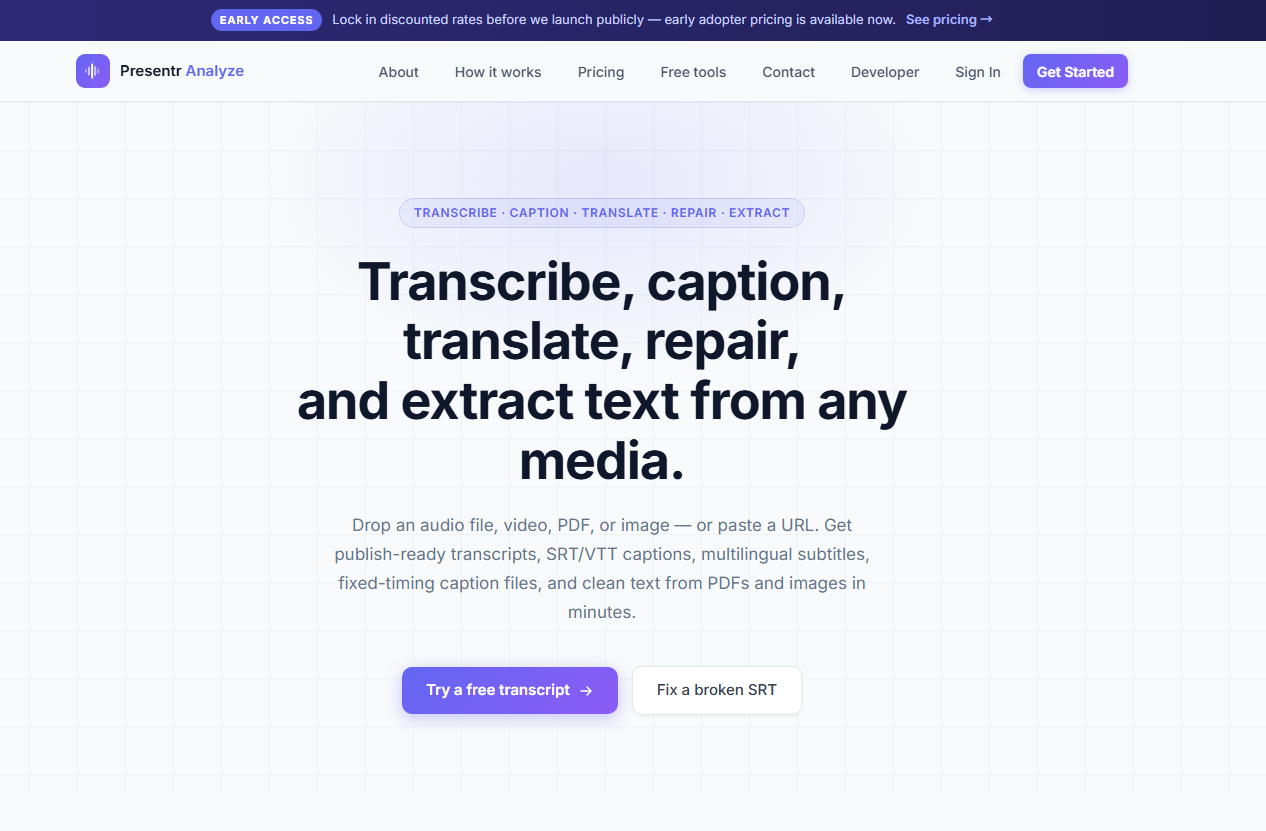
Screenshot archived from the listing page, for preview only.