
Premation
Free open-source motion effect editorAfter Effects style editing, free and open source
Highlights
What you can do with it
- A web developer builds a loading animation with WebGPU and SVG features.
- A marketer produces a product promo video with key-frame and 2.5D animation.
- A designer creates app interface animations with the graphic and Lottie editors.
How to use it
- 1 Download the release from the project's GitHub releases page.
- 2 Install the package for your OS such as Windows, macOS, or Linux.
- 3 Open Premation and review the menu, toolbar, timeline, and viewport.
- 4 Create a project or import images, video, and SVG files.
- 5 Set key frames to animate movement, rotation, and scale, then edit graphics.
- 6 Preview in the viewport and adjust until the animation looks right.
Who it is for
Pros
- Free and open source, so there is no license cost
- Familiar After Effects keyboard and layer model
- Same GPU engine for viewport and export prevents mismatches
- Covers key-frame, Lottie, SVG, WebGPU, and 2.5D work
Limitations
- As an open-source project, updates and support depend on the community
- There is a learning curve if you are new to layer-based motion tools
- Being newer, it may lack some advanced After Effects features
- Free and open-source status can change with the project's direction
What Premation is
Premation is a free and open-source desktop editor for motion effects. It is built for people who want After Effects style control without paying for a subscription. To ease the switch, it copies the keyboard shortcuts and layer model that After Effects users already know, so you do not have to relearn the basics. Its viewport and exporter run on the same GPU engine, which means what you preview is what you export, avoiding the mismatch you get when preview and render use different engines. It covers key-frame animation, a graphic editor, WebGPU motion effects, Lottie and SVG animation, and 2.5D work.
What you can do with it
- Animate movement, rotation, and scale with key frames on a familiar timeline.
- Edit shapes, colors, and transparency in the built-in graphic editor.
- Create Lottie and SVG animations for web and UI projects.
- Use WebGPU motion effects and 2.5D tools for smoother, richer visuals.
Who it is for
- Motion effect designers who already know After Effects and want a free option.
- Web developers who need loading animations and SVG motion for pages.
- Independent creators and students who want capable tools without a license cost.
What to watch out for
As an open-source project, updates and support depend on the community, so progress can be uneven. If you are new to layer-based motion tools, there is still a learning curve. Being a newer tool, it may not match every advanced After Effects feature, so test it against your real workflow. The project's free and open-source status can change with its direction, so keep your own backups of project files. Start with a small sample to confirm the output meets your expectations before processing the full batch.
FAQ
Is Premation really free?
Yes. It is a free and open-source desktop motion effect editor.
Will After Effects users feel at home?
It adopts the After Effects keyboard and layer model to reduce the learning cost.
Does preview match the export?
Yes. The viewport and exporter use the same GPU engine for consistent results.
Can it edit Lottie and SVG?
Yes. It can act as a Lottie editor and handle SVG animation.
Why it is free
What the official page says: 免费
Free limits, trial length and features are decided by the official site and can change at any time.
Product preview
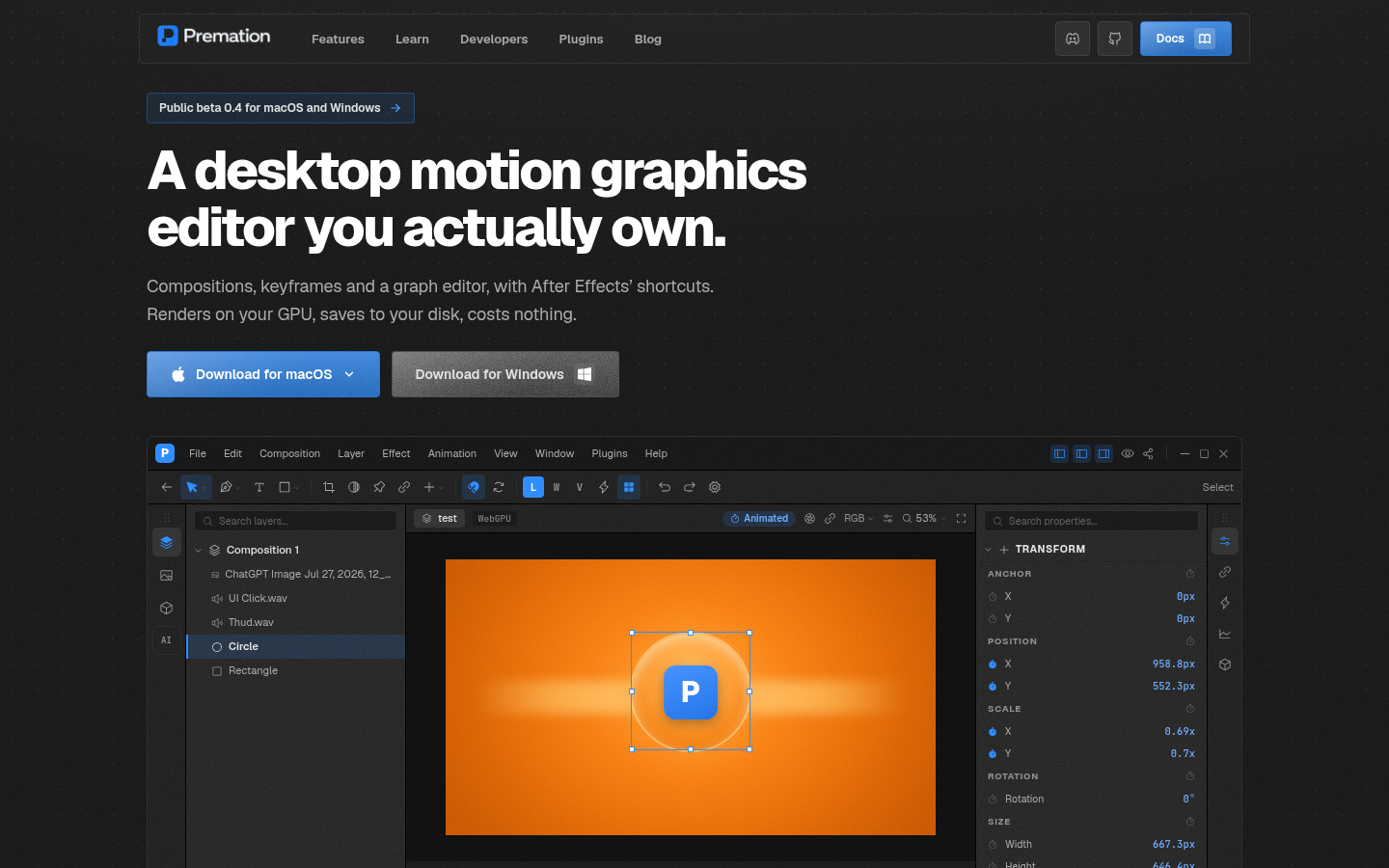
Screenshot archived from the listing page, for preview only.











