Prava
Payment infrastructure built for AI appsOne-click checkout for AI agents
Highlights
What you can do with it
- An AI shopping app completes checkout through a tokenized card in one click
- An AI assistant requests a payment token and the user authorizes it by biometrics
- An AI booking app offers several payment providers for hotels and flights
How to use it
- 1 Register at playground.prava.space or fill in the onboarding form at prava.space/join
- 2 Connect your card and set biometric authentication as the pass
- 3 Integrate Prava into your application with the four lines of code from the docs
- 4 Have the AI request a payment token locked to a merchant and amount
- 5 Authorize the request with biometrics and let the payment complete
Who it is for
Pros
- The AI never handles raw card numbers
- Spending limits keep transactions inside what you allow
- Works with any payment service provider
- A free sandbox is available for testing
Limitations
- Production pricing is not published, so costs need a conversation with the vendor
- The sandbox is for testing, not for live traffic
- Integration work is still required on your side
- Compliance scope varies by region and by your own obligations
What Prava is
Prava is payment infrastructure designed for AI applications. The problem it addresses is that many AI products only discover items and then push the user out through a redirect link to complete a purchase. Prava turns that redirect into a one-click purchase button inside the AI experience. Payments run through tokenized cards and wallets, which means the AI application never directly touches raw card data, and each purchase is confirmed by biometric authorization such as Face ID or a fingerprint. Users set financial guardrails so the AI cannot spend beyond an allowed range. The company holds PCI DSS Level 2 certification and works with a PCI DSS Level 1 certified data custodian. A free sandbox is available for testing, while production pricing is not stated in the documentation.
What you can do with it
- Turn a product link into a one-click purchase inside your AI app
- Accept tokenized card and wallet payments without handling raw card numbers
- Set spending limits and require biometric approval for each transaction
- Connect to the payment service provider of your choice
Who it is for
- Developers building AI shopping applications
- Teams building AI assistants that need to take payment
- Developers of AI booking applications for hotels, flights, and services
- Product teams that want checkout without sending users away
What to watch out for
Production pricing is not published, so you need to talk to the vendor before you can forecast costs. The sandbox is meant for testing and should not carry live traffic, which means you still have to complete a commercial agreement before launch. Integration is described as short, but you still have to wire the token flow, the authorization step, and your own error handling into your app. Finally, compliance obligations such as PCI scope, consumer protection rules, and regional payment law remain yours as the operator, and they differ by market.
FAQ
How does Prava keep card data away from the AI?
Payments use tokenized cards and wallets, so the AI application never directly accesses the user's card details.
Can I limit what the AI spends?
Yes. Built-in financial guardrails let users set limits on the funds the AI can use, and the AI cannot exceed the range you set.
How hard is integration?
The site describes integration as about four lines of code, with the exact code in the documentation.
Is there a free way to test it?
Yes, a free sandbox is available at playground.prava.space. The documentation does not state production pricing.
Why it is free
What the official page says: 免费
Free limits, trial length and features are decided by the official site and can change at any time.
Product preview
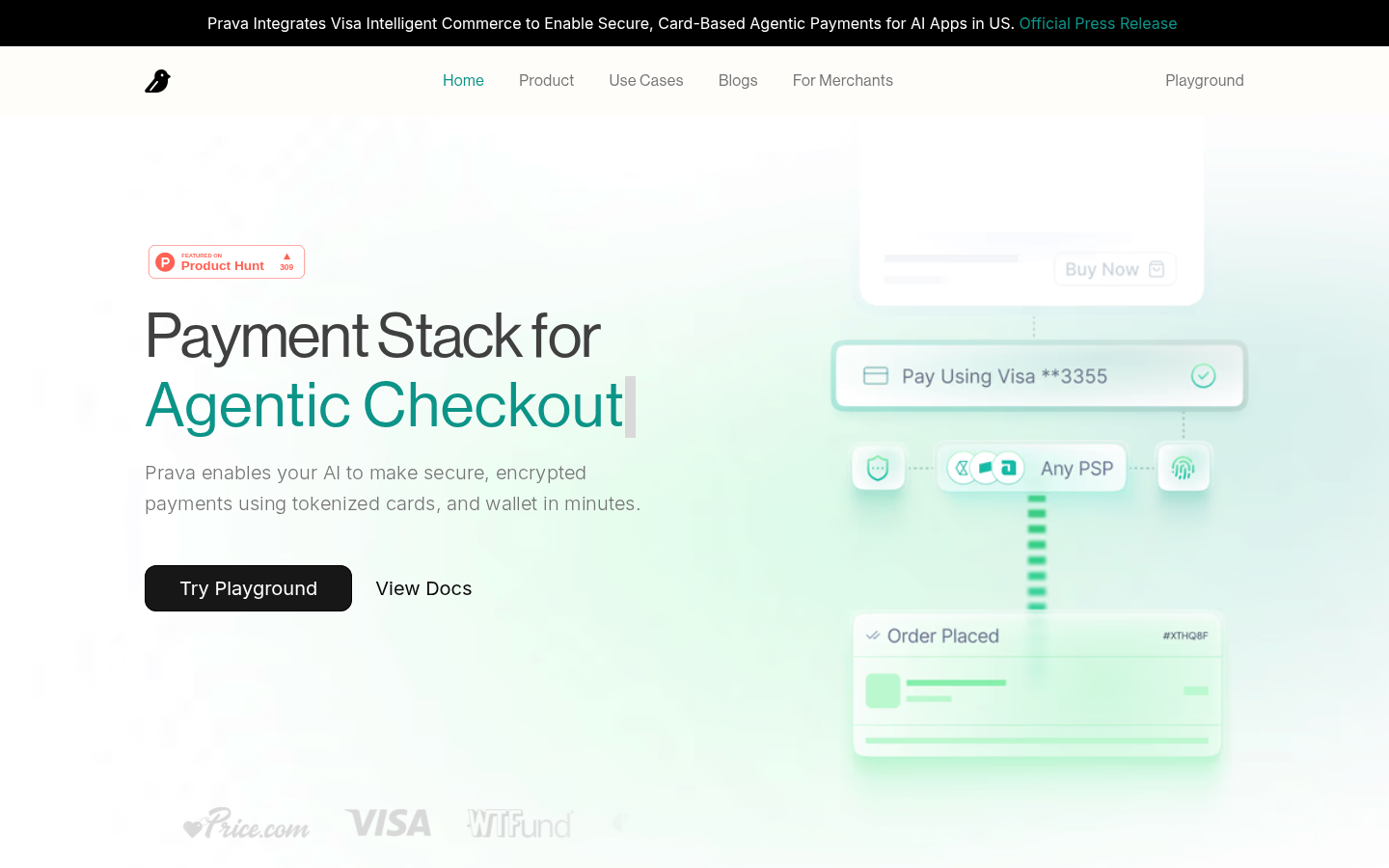
Screenshot archived from the listing page, for preview only.