Ponder AI
AI thinking space for deep exploration of ideasExplore, connect and grow ideas instead of collecting answers
Highlights
What you can do with it
- A researcher turns a pile of literature into a connected insight structure
- A student converts dense course content into a clear knowledge map
- An analyst combines multi source information into a strategic view
How to use it
- 1 Pick a starting point: a question, an uploaded document, or the knowledge space
- 2 Let Ponder AI build a thinking path around that starting point
- 3 Expand, connect and organise ideas, and ask follow up questions
- 4 Run cross material analysis to find patterns and associations
- 5 Export the result as a report, mind map or Markdown file
Who it is for
Pros
- Free trial available
- Works across multiple material formats in one space
- Export options make the output reusable elsewhere
Limitations
- Built for deep thinking, so it is slower than a quick answer tool
- Free trial has limits and paid details sit on the pricing page
- Needs your own material imported to be useful
What Ponder AI is
Ponder AI is a knowledge and research tool designed around the way people think. Most AI tools are built to hand back an answer quickly. Ponder AI instead builds a space where a question, an uploaded document or a single note becomes a starting point that branches, connects and grows. Materials in multiple formats can be imported and worked on in the same place, follow up questions happen naturally, and the Ponder Agent runs through questioning, analysis, sorting and organisation, including pointing out blind spots in your thinking. It also compares across materials to spot patterns and structural links, and exports the outcome as a structured report, a mind map or a Markdown file. A free trial is offered.
What you can do with it
- Start from a question, a document or the knowledge space itself
- Branch, connect and organise ideas without linear note limits
- Ask follow up questions and explore further possibilities
- Compare across multiple materials to find patterns
- Let the Ponder Agent help with analysis, sorting and blind spots
- Export results as reports, mind maps or Markdown
Who it is for
- Researchers turning large volumes of literature into structure
- Students converting dense course material into a clear map
- Knowledge workers sorting reports and data efficiently
- Analysts combining multi source information into a strategic view
What to watch out for
This is a deep thinking tool, so it asks more of you than a quick answer chatbot and rewards patience. The free trial has limits, and the paid details live on the pricing page rather than in the listing. It needs your own material imported before it becomes useful, so there is setup work up front. Do not expect it to summarise a long paper in one click and be done; the value comes from working inside the space over time.
FAQ
How is Ponder AI different from a chatbot?
It is built as a space for exploring and connecting ideas over time, rather than a tool that aims to return a single fast answer.
Can I import my own files?
Yes. It supports importing materials in multiple formats and thinking across them in the same space.
What can I export?
Thinking content can be exported as structured reports, mind maps or tidy Markdown documents.
Why it is free
What the official page says: free trial
Free limits, trial length and features are decided by the official site and can change at any time.
Product preview
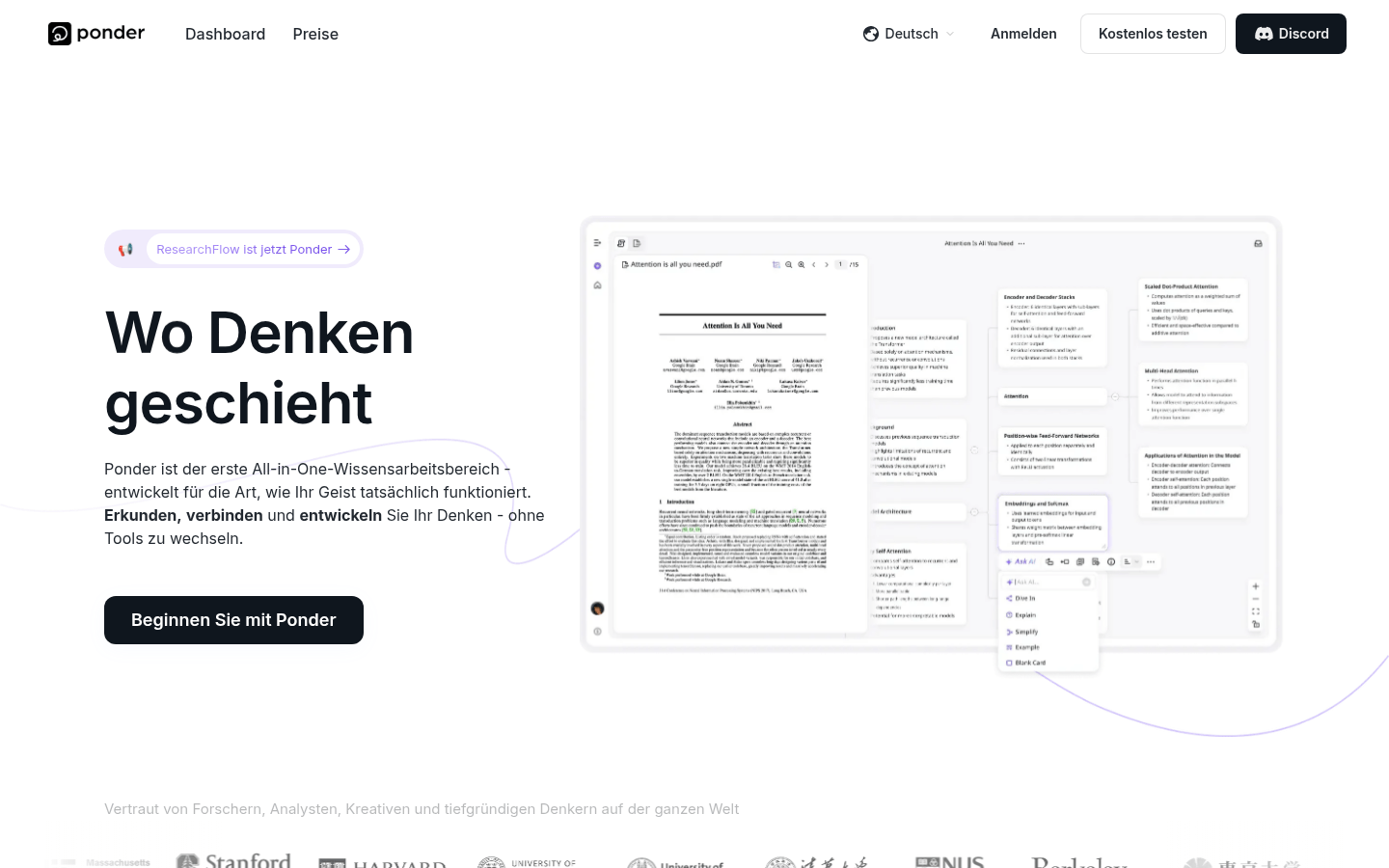
Screenshot archived from the listing page, for preview only.