
Polycam
Turns real objects into 3D models by phone scanningScan reality with LiDAR and photogrammetry, export 3D models
Highlights
What you can do with it
- Scanning a room or object to build a quick 3D model for a design project
- Capturing measurements and geometry for architecture or interior work
- Creating 3D assets from real items for art and product mockups
How to use it
- 1 Install Polycam on an iPhone, iPad, or Android device.
- 2 Open the app and start a new scan of the object or space.
- 3 Move around the subject so LiDAR or photogrammetry can capture its shape.
- 4 Use the editing and measurement tools to clean up the model and take measurements.
- 5 Export the finished 3D model, or open it later on the web version.
Who it is for
Pros
- A free version is offered alongside the paid plan
- Scanning works on common phones, not only specialist hardware
- Editing and measurement tools are included in the same app
Limitations
- The best features and larger export sizes sit behind the paid version
- Scan quality depends on the device sensor and on lighting conditions
- LiDAR scanning is limited to devices that have the sensor
- Free rules and export limits can change as the product updates
What Polycam is
Polycam is a 3D scanning app that uses LiDAR scanning and photogrammetry to capture real world objects and turn them into 3D models. The site says it supports 3D scanning and model download on iPhone, iPad, Android, and the web, so work started on a phone can be continued on a computer. Inside the app you get visual editing and measurement tools, which means you can tidy up a capture and take measurements without moving to a separate program. The product is pitched at users who need 3D scanning and modeling, including architects, designers, and artists. A free version is available, and a paid version adds more advanced features plus larger model export sizes.
What you can do with it
- Scan a room, a product, or an object and turn it into a 3D model.
- Take measurements and adjust geometry with the built in editing tools.
- Move between phone and web so a scan can be finished on a bigger screen.
- Export models for design, art, or presentation work, with larger sizes on the paid plan.
Who it is for
- Architects and interior designers who need fast capture of real spaces.
- Designers and artists who build 3D assets out of physical objects.
- Hobbyists and makers who want to turn everyday items into 3D models from a phone.
What to watch out for
The most useful extras and bigger export sizes sit behind the paid version, so the free tier is best treated as a way to test the workflow. Scan quality depends on the device sensor and on lighting, and LiDAR only works on hardware that includes the sensor, so older phones fall back to photogrammetry. Because the app relies on phone cameras and sensors, results vary from object to object, and detailed or reflective surfaces can be harder to capture cleanly. Free limits and export sizes may also change as the product updates, so check current details before you plan a project around them.
FAQ
What devices support Polycam?
The site lists iPhone, iPad, Android, and the web for 3D scanning and model download.
Is there a free version?
Yes. Polycam offers a free version and a paid version, with the paid one adding advanced features and larger export sizes.
What kind of scanning does it use?
It uses LiDAR scanning and photogrammetry to capture real world objects and generate 3D models.
Why it is free
What the official page says: 免费
Free limits, trial length and features are decided by the official site and can change at any time.
Product preview
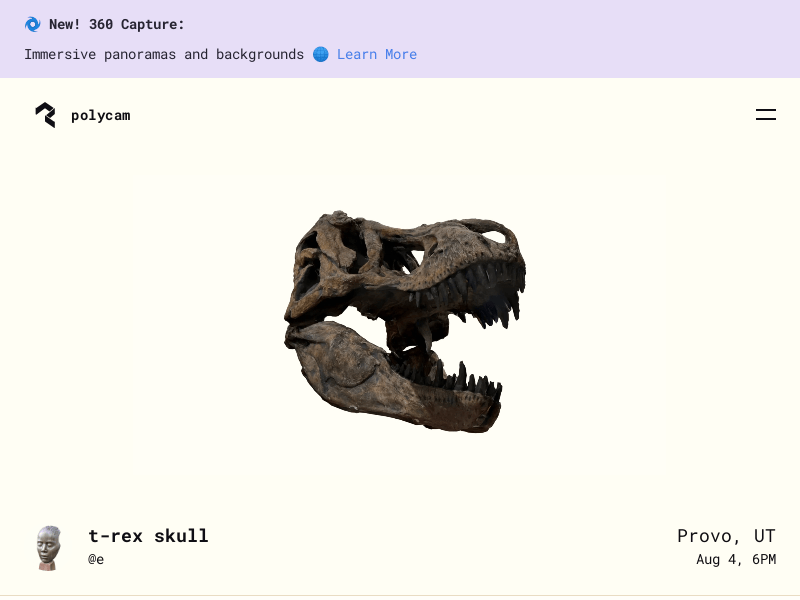
Screenshot archived from the listing page, for preview only.











