
Pixlr
Free online photo editor with AIEdit photos and generate images online
Highlights
What you can do with it
- Retouch and enhance photos online
- Generate new images with AI
- Edit many images at once with batch tools
How to use it
- 1 Open Pixlr in your browser
- 2 Upload a photo or start an AI generation
- 3 Apply edits, filters, or enhancements
- 4 Use batch tools if you have several files
- 5 Save or export the finished image
Who it is for
Pros
- Free version covers core editing and AI generation
- Batch editing saves time on many files
- Runs in the browser with no install
Limitations
- Advanced features and resources require the paid version
- Free version limits can change over time
- Less powerful than desktop software for complex work
What Pixlr is
Pixlr is a free online photo editor and design tool that also includes AI image generation. It runs in the browser, so you can open it on most computers without installing anything. The editor handles everyday photo work such as cropping, retouching, and enhancement, and it adds AI tools for generating new images from a prompt. Beyond single edits, it offers batch editing so you can apply changes to many files at once, plus animation design for simple motion work. There is a free version that covers the core features, and a paid version that adds more advanced tools and resources for people who need deeper functionality and larger output.
What you can do with it
- Edit and enhance photos in the browser
- Generate new images with AI
- Process multiple files with batch editing
- Create simple animations
Who it is for
- Anyone who needs a quick photo edit without installing software
- Social media users producing regular visual content
- Small teams handling routine image processing
What to watch out for
The free version is useful but limited, and the more advanced features and resources sit behind the paid version, with pricing and limits that can change. It is not as powerful as professional desktop software for heavy retouching or complex layered design, so demanding projects may still need a full editor. Because it runs online, you also need a stable internet connection, and it is wise to keep copies of your originals before applying batch edits that you may not be able to undo. Free tiers and usage limits can change, so check the current rules on the official page before relying on it long term.
FAQ
Is Pixlr free?
Pixlr has a free version with core photo editing and AI image generation, plus a paid version with more advanced features.
What can I do with it?
You can edit and enhance photos, generate images with AI, do batch editing, and create animations.
Do I need to install it?
No. Pixlr runs online as a browser-based editor and design tool.
Why it is free
What the official page says: 免费
Free limits, trial length and features are decided by the official site and can change at any time.
Product preview
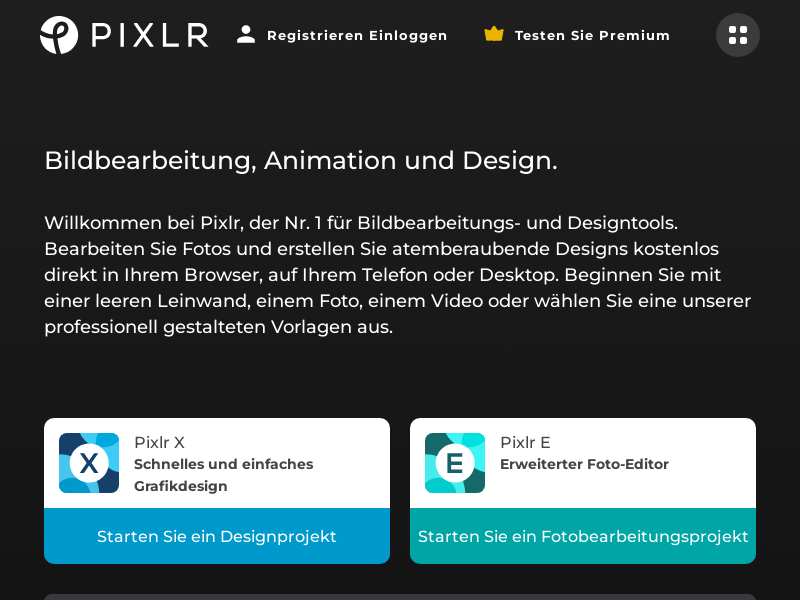
Screenshot archived from the listing page, for preview only.











