
Pixelshot
AI product photo generatorTurn product photos into pro shots fast
Highlights
What you can do with it
- Small fashion brands generate professional clothing photos for websites and social media
- E-commerce kitchenware sellers create different photo styles for various platforms
- Freelance beauty bloggers produce makeup photos that match their personal style
How to use it
- 1 Go to pixelshot.ai and click Try it free, no credit card required
- 2 Upload your product photo
- 3 Pick a template or write a custom prompt describing the scene you want
- 4 Click Generate and wait about 10 seconds for the result
- 5 Edit with simple language, such as changing the background or re-lighting
- 6 Choose an aspect ratio, save the photo, and use it commercially
Who it is for
Pros
- Generates professional-looking product photos in about 10 seconds
- Large template library plus custom prompts for brand-specific scenes
- Simple language editing and one-click background removal
Limitations
- The free trial is limited and paid plans use credits, so heavy use costs money
- AI output may not always match the exact look you describe
- Best suited to product photography rather than complex art direction
What Pixelshot is
Pixelshot is an AI product photography tool. You upload an ordinary product photo, choose a template or describe the scene you want, and the AI returns a professional-looking image in about 10 seconds. It is built for businesses and individuals who need quality product photos without hiring a photographer or renting a studio. A free trial is available and no credit card is required to start. Paid plans, if you need more volume, run from $9 to $99 per month depending on the number of credits included.
What you can do with it
- Turn plain product photos into polished marketing shots in seconds
- Choose from over 100 templates covering skincare, cosmetics, fashion, and kitchenware
- Write custom prompts to set background, style, lighting, props, and mood
- Remove backgrounds with one click, upscale images, and export in 1:1, 16:9, or 9:16
Who it is for
- Small businesses and startups without a photography budget
- E-commerce sellers who need a steady stream of product images
- Freelance creators and bloggers producing on-brand visuals
- Marketing teams preparing ads, listings, and social posts
What to watch out for
The free trial is a starting point rather than a permanent free tier. Paid plans meter usage through credits, so frequent generation adds cost over time. AI results depend on the input photo and the prompt, and you may need several attempts to get the exact look you want. Complex creative direction may still be easier with a real photographer, so treat generated images as strong supporting assets rather than a full replacement for a shoot. Features and interface details may change between versions, so review the latest notes on the page before you start.
FAQ
Is Pixelshot free to try?
Yes, Pixelshot offers a free trial and says no credit card is required to start.
What do the paid plans cost?
The listed plans are Starter at $9 per month with 100 credits, Growth at $29 per month with 400 credits, and Pro at $99 per month with 1400 credits.
Can I use the photos commercially?
The site describes saving generated photos for commercial use, so product and marketing images are the intended purpose.
Why it is free
What the official page says: free trial
Free limits, trial length and features are decided by the official site and can change at any time.
Product preview
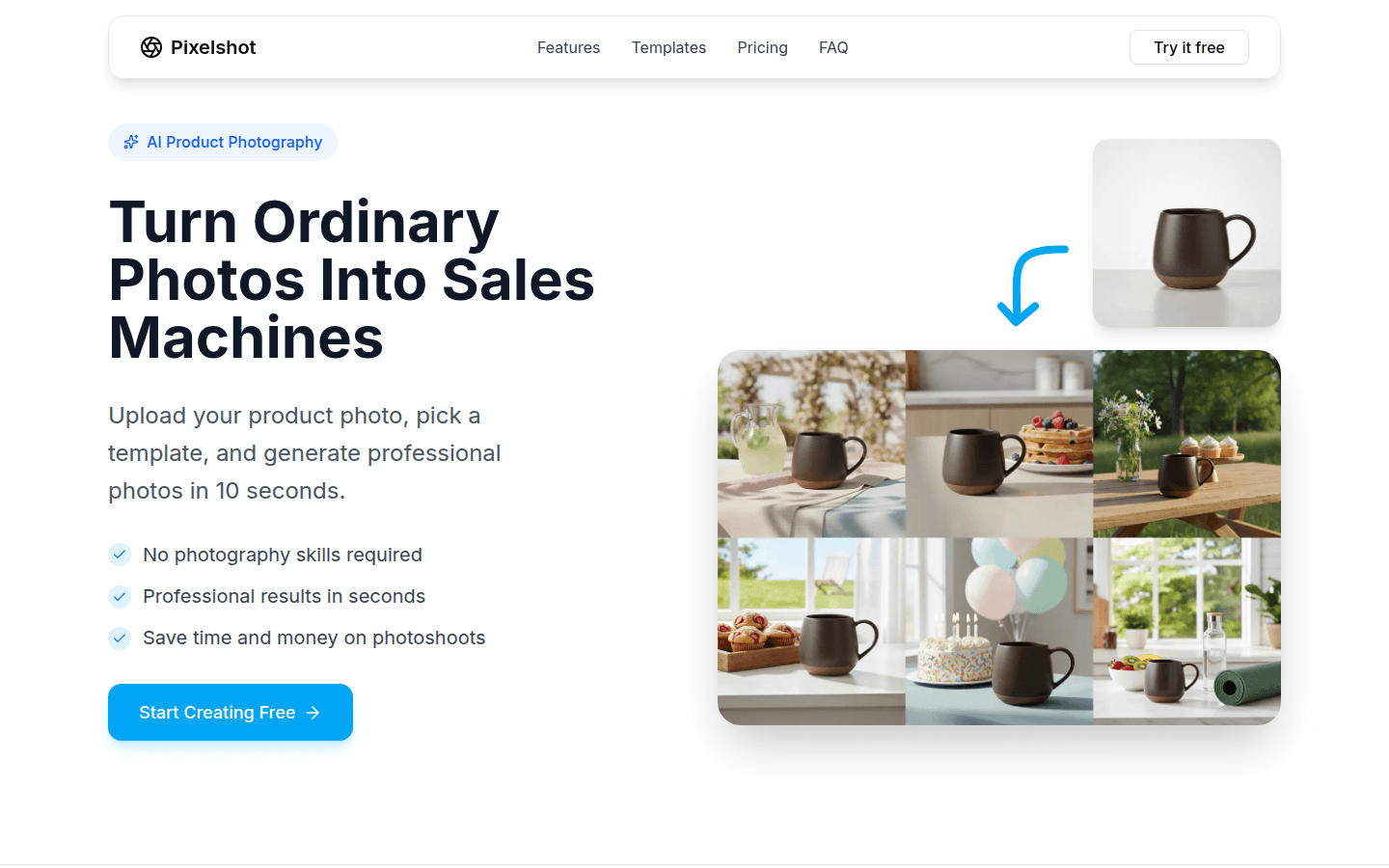
Screenshot archived from the listing page, for preview only.











