PippinsHelp
Job search assistant browser toolFind jobs faster with a GPT assistant
Highlights
What you can do with it
- Search for jobs that fit your goals
- Get company and salary details before applying
- Optimize your resume and prepare for interviews
How to use it
- 1 Add the Pippin Chrome extension to your browser
- 2 Set your job search goals and preferences
- 3 Browse recommended jobs and company details
- 4 Use resume and interview tools to prepare
Who it is for
Pros
- Free and paid versions to choose from
- Combines search, advice, and prep in one tool
- Personalized recommendations save time
Limitations
- Free version limits can change over time
- Recommendations depend on data that may be incomplete
- Pair it with your own judgment on job fit
What PippinsHelp is
PippinsHelp is a job search assistant in the form of a Pippin Chrome extension powered by GPT technology. It helps users quickly find suitable jobs and provides relevant job information, company information, and salary ranges. Through intelligent recommendation algorithms, Pippin can suggest jobs that fit your job search intentions and give personalized advice. It also supports resume optimization and interview preparation. It offers flexible pricing plans, including free and paid versions.
What you can do with it
- Quickly search for suitable jobs
- View job, company, and salary details
- Get personalized job search advice
- Optimize your resume and prepare for interviews
Who it is for
- Job seekers looking for relevant openings
- Professionals changing roles or industries
- Anyone who wants resume and interview help
What to watch out for
It offers free and paid versions, but free version limits and pricing can change over time. Recommendations depend on available data, which may be incomplete or out of date. Job and salary details should be confirmed before you rely on them. The tool supports your search, but final decisions on fit should come from your own judgment. Name and archive exported files consistently so you can find and reuse them, and keep a backup copy of key data. When quality matters, export a small draft first to confirm the result before producing the final file. Features and interface details may change between versions, so review the latest notes on the page before you start. For team use, agree on naming and editing conventions in advance to avoid version conflicts or duplicated work. Free tiers and usage limits can change, so check the current rules on the official page before relying on it long term.
FAQ
What is PippinsHelp?
It is a job search assistant, offered as a Pippin Chrome extension powered by GPT technology.
Is it free?
It offers flexible pricing plans, including free and paid versions.
What does it help with?
It helps you find jobs, view company and salary details, optimize your resume, and prepare for interviews.
Why it is free
What the official page says: 免费
Free limits, trial length and features are decided by the official site and can change at any time.
Product preview
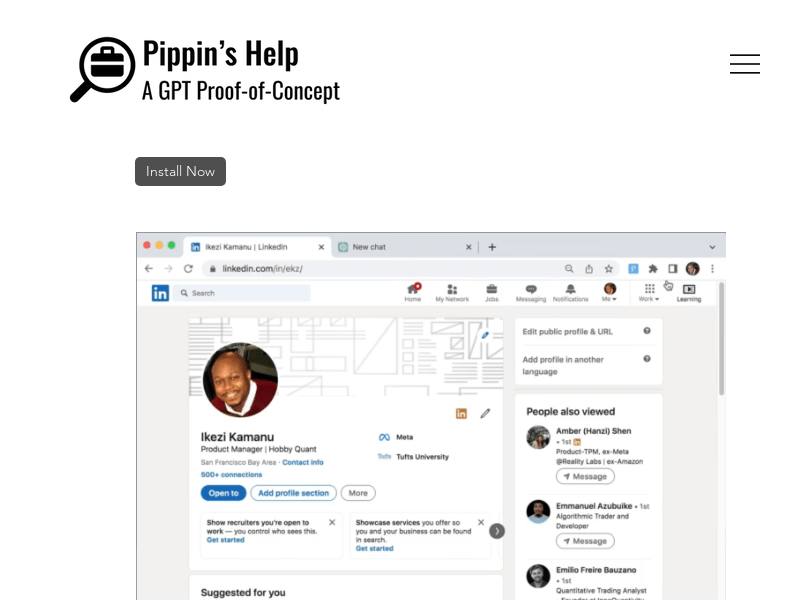
Screenshot archived from the listing page, for preview only.