
PinMe
Static site hosting toolUpload a folder and go live instantly
Highlights
What you can do with it
- Publish AI-generated art pages fast
- Launch product landing pages
- Share open-source project front ends
How to use it
- 1 Install via npm or open the PinMe site
- 2 Upload a folder or run the upload command
- 3 Confirm the published address
- 4 Log in to save publishing history if needed
Who it is for
Pros
- Instant publishing without server setup
- Content verified by encryption
- Free tier to start
Limitations
- Hosting depends on IPFS network availability
- Advanced features require paid upgrades
- Terminal workflow needs basic command-line comfort
What PinMe is
PinMe is a publishing tool for front-end websites. You upload a folder or run a single command, and the site goes live immediately without setting up a server or a cloud account, which removes the usual deployment steps. It also supports drag-and-drop upload in the browser for people who prefer not to use a terminal. Content integrity is verified by encryption, and the site runs on IPFS, a decentralized peer-to-peer network, so it keeps working even if some nodes drop off. Basic use is free, with optional paid upgrades for more capacity, and logged-in users can save their publishing history for later management. It suits developers and creators who want to ship a page in seconds.
What you can do with it
- Publish a site from the terminal with npm and one command
- Drag files into the browser to publish without a CLI
- Host landing pages, demos, and AI-generated art pages
- Save publishing history after logging in
Who it is for
- Developers who deploy prototypes and project pages
- AI developers who need to show generated results online
- Entrepreneurs launching simple marketing pages
What to watch out for
Because it runs on IPFS, access speed and availability depend on the network and gateways, which can differ from traditional hosting. The free tier covers basic use, but larger or busier sites may need paid plans. The command-line path assumes you are comfortable with npm and terminal commands. Check how long files stay available under the current plan before relying on it for production work. Generated suggestions are for reference only, so verify anything that affects professional judgment or important data.
FAQ
What is PinMe?
A tool that publishes front-end websites instantly using IPFS.
Do I need a server?
No, it works without cloud configuration or servers.
Is it free?
Basic use is free, with optional paid upgrades.
Why it is free
What the official page says: 免费
Free limits, trial length and features are decided by the official site and can change at any time.
Product preview
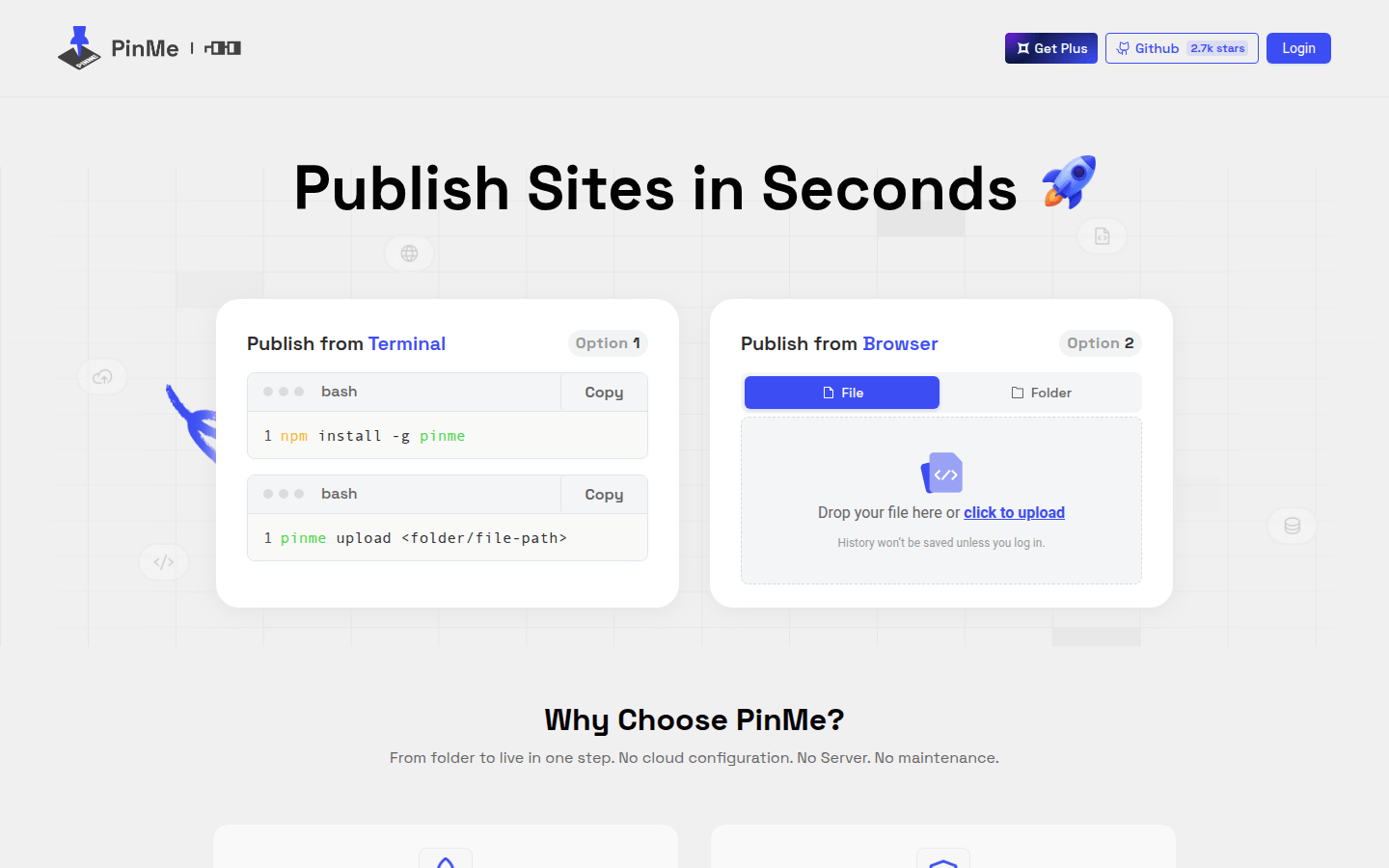
Screenshot archived from the listing page, for preview only.











