
Pebblely Babyli
AI product image tool for e-commerceOne click product scene images for online shops
Highlights
What you can do with it
- Small shops generate listing images for a product
- Agencies produce campaign visuals for several products
- Designers create scene images for social media posts
How to use it
- 1 Open the Pebblely site and sign in
- 2 Upload a photo of your product
- 3 Choose a default theme or set a custom background
- 4 Generate the scene image and review it
- 5 Download it for your listing or social post
Who it is for
Pros
- 40 free scene images each month is a real starting allowance
- 20 themes plus custom backgrounds cover common needs
- Output is aimed at listings, so it fits e-commerce directly
Limitations
- 40 free images per month is a cap, and heavier use needs a paid plan
- Product edges and reflections can look artificial on close inspection
- Results depend on the quality of the product photo you upload
What Pebblely Babyli is
Pebblely Babyli is an AI image generation tool built specifically for e-commerce. With one click it generates scene images for your products, and the site presents those images as ready to use on marketplaces and social platforms rather than as rough drafts. It offers 40 free scene images per month, comes with 20 default themes and also supports custom backgrounds, so you can either start from a preset or place the product in a scene of your own. It is aimed at small business owners, advertising agencies and designers who need creative visuals for any scenario, and the site claims it raises work efficiency and lowers cost. The practical appeal is product imagery without a studio, a photographer or a shoot day.
What you can do with it
- Generate a scene image for a product in one click
- Start from one of 20 default themes
- Set a custom background for the product
- Produce listing and social media images for several products
Who it is for
- Small business owners selling on marketplaces and social platforms
- Advertising agencies producing product campaign visuals
- Designers who need quick scene options for a product
- Sellers who cannot afford a studio photo shoot
What to watch out for
The 40 free scene images per month are a cap, and heavier catalogues will need a paid plan, so check what the current limits are before you plan a full product range. Generated scenes can look artificial on close inspection, especially around product edges, reflections and shadows, so review each image before it goes live. Results depend heavily on the product photo you upload, which means a clean cut out gives a much better scene than a cluttered snapshot. Marketplace rules on retouched images also vary, so check the platform's own guidelines.
FAQ
How many free images do I get?
The site states 40 free scene images per month.
What themes are included?
It comes with 20 default themes and also supports custom backgrounds.
Who is it for?
Small business owners, advertising agencies and designers who need product visuals.
Why it is free
What the official page says: 免费
Free limits, trial length and features are decided by the official site and can change at any time.
Product preview
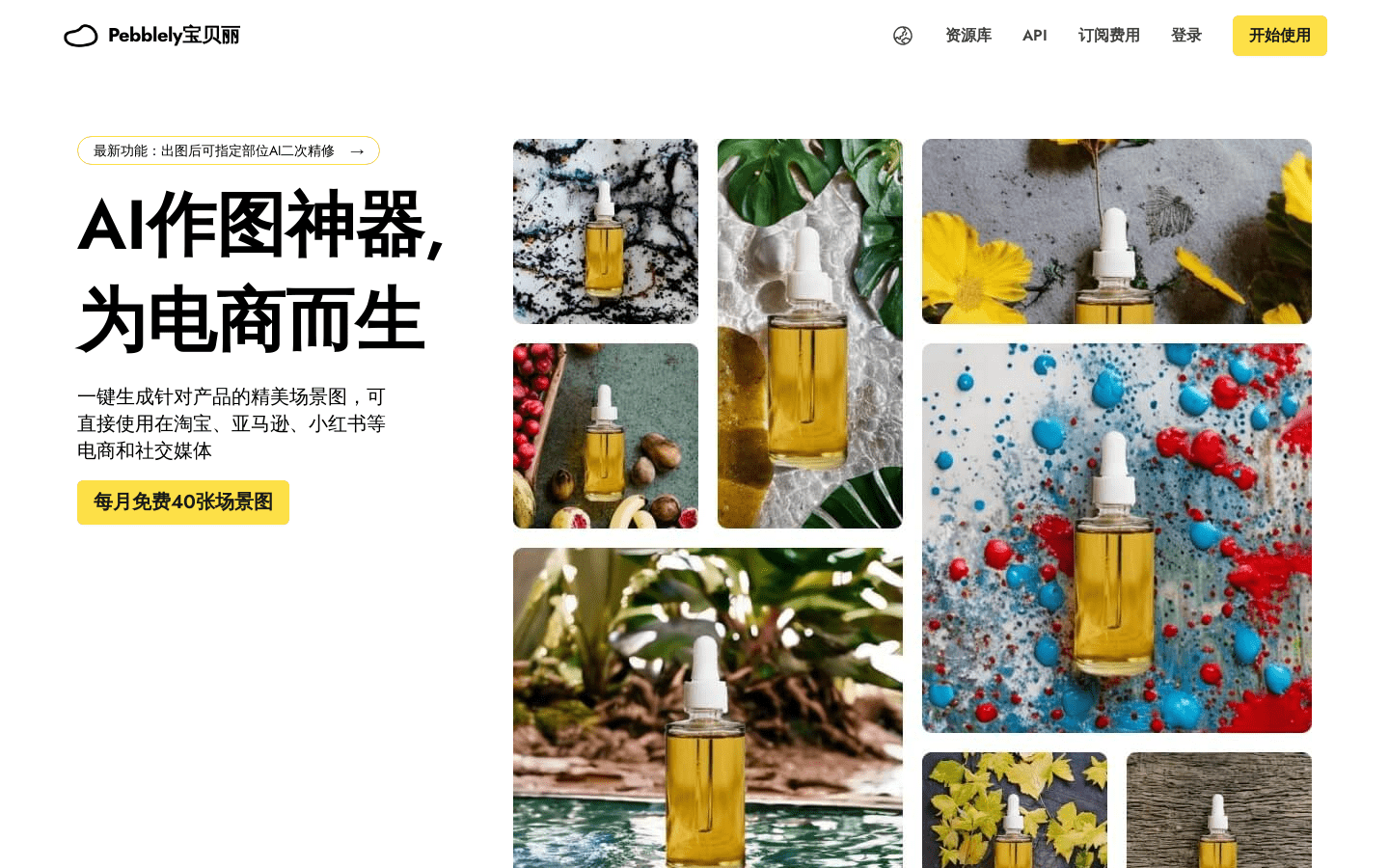
Screenshot archived from the listing page, for preview only.











