Parallax AI
An orchestration layer for reliable multi-agent AI systems.Consensus, voting, and confidence scoring for AI agents.
Highlights
What you can do with it
- Multiple agents review content and decide compliance by vote
- Code review agents vote on whether code passes
- Data extraction agents filter results by confidence score
How to use it
- 1 Read the Parallax docs to learn the basics
- 2 Install it locally or in Docker or Kubernetes
- 3 Model the workflow with YAML or the visual builder
- 4 Configure agent runtime settings and start the system
- 5 Watch execution and logs, then tune thresholds and fallbacks
Who it is for
Pros
- Free open-source core to start with
- Consensus, voting, and confidence checks improve reliability
- No lock-in to a single model runtime or provider
Limitations
- Enterprise features need a paid commercial license
- It is developer-focused, so there is a real learning curve
- Running agents in Docker or Kubernetes adds operational overhead
What Parallax AI is
Parallax AI is an orchestration layer for AI agents, built to help you design reliable multi-agent systems that run stably in production. It provides consensus and voting so several agents can agree on a result, and confidence scoring so you can set thresholds and only accept outputs that clear the bar. You model consensus, voting, merging, and verification with YAML or a visual builder, and you can run and manage CLI agents in a local Docker environment or a Kubernetes cluster. Reliability features include confidence thresholds, retries, and fallback strategies, and it does not lock you into one model runtime or provider. The open-source core is free, and enterprise features require a commercial license.
What you can do with it
- Build consensus and voting across multiple agents
- Score outputs with confidence and gate results by threshold
- Model workflows with YAML or a visual builder
- Run and monitor agents in Docker or Kubernetes
Who it is for
- Developers who want a free, open-source core to customize
- Enterprises building reliable multi-agent systems
- Researchers exploring agent orchestration and consensus
What to watch out for
Enterprise features need a paid commercial license, so the free core has limits for larger deployments. It is developer-focused, so expect a real learning curve around YAML, runtimes, and orchestration. Running agents in Docker or Kubernetes also adds operational overhead, so factor in the infra work beyond the tool itself. Generated suggestions are for reference only, so verify anything that affects professional judgment or important data. Start with a small sample to confirm the output meets your expectations before processing the full batch. Free tiers and usage limits can change, so check the current rules on the official page before relying on it long term.
FAQ
Is it free?
The open-source core is free, while enterprise features require a commercial license.
What does it do?
It orchestrates multiple agents with consensus, voting, and confidence scoring for reliable outputs.
Where can it run?
It can start and manage CLI agents locally or in Docker and Kubernetes environments.
Why it is free
What the official page says: 免费
Free limits, trial length and features are decided by the official site and can change at any time.
Product preview
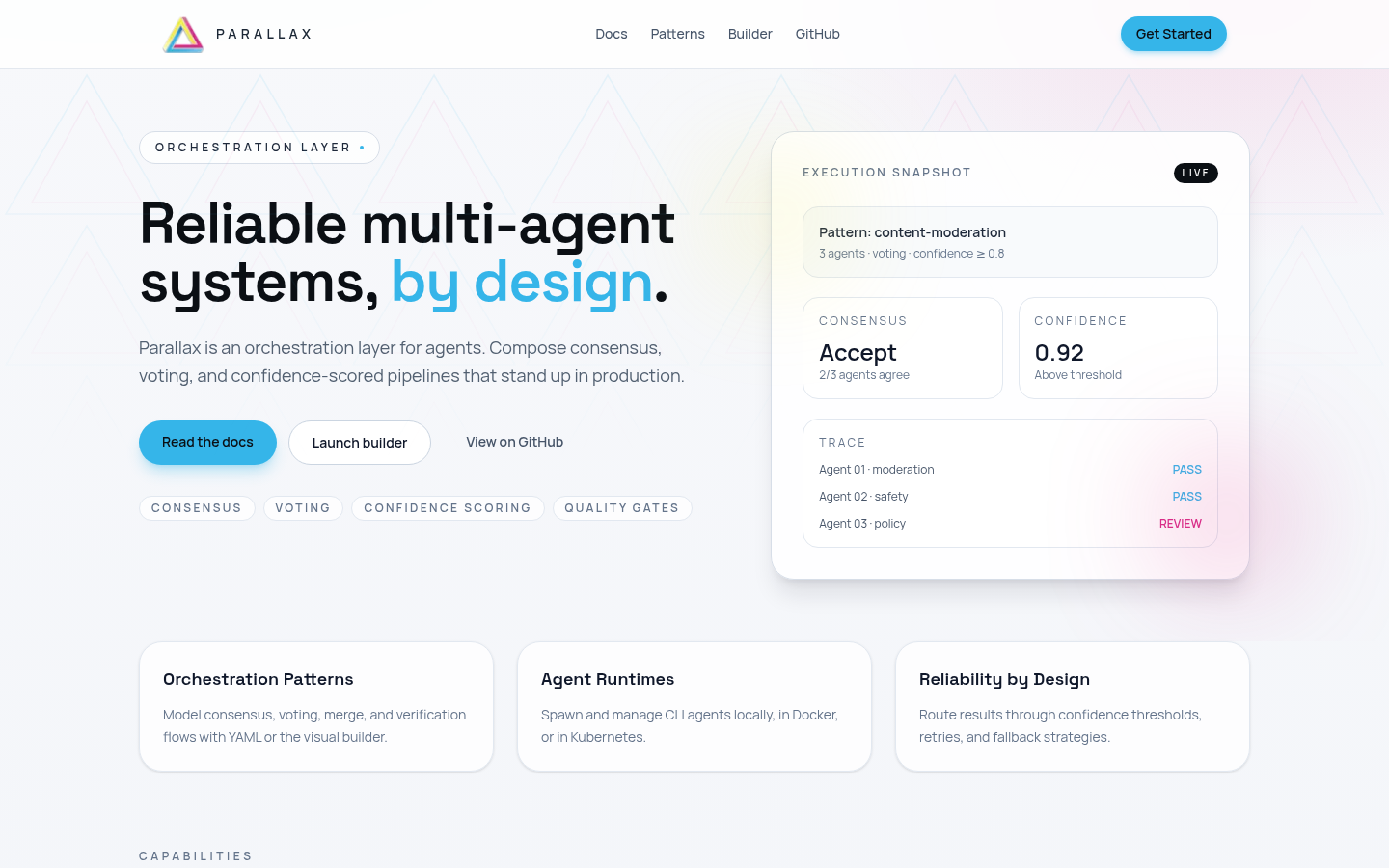
Screenshot archived from the listing page, for preview only.