
Panda Office
Office template libraryTemplates and AI for office work
Highlights
What you can do with it
- Find a work summary PPT template and fill it with AI writing
- Build lesson plans and courseware with education templates
- Source cut-out elements and backgrounds for a poster design
How to use it
- 1 Open the site and log in via QR code, QQ, or mobile
- 2 Search keywords such as PPT template or work summary
- 3 Use the AI writing or AI PPT entry for generated content
- 4 Download materials, completing any payment or conditions
- 5 Use file conversion or image tools if needed
Who it is for
Pros
- Wide range of templates and materials in one place
- AI tools cover writing, slides, images, and resumes
- Free resources are available alongside paid options
Limitations
- Some materials need payment or conditions to download
- Login runs through WeChat, QQ, or mobile, which suits some users more than others
- Template quality varies across a very large library
What Panda Office is
Panda Office is a website dedicated to creative design templates and office materials. It covers a wide range of office templates such as PPT, Word, and Excel files for work summaries, reports, and education, along with cut-out elements, background image libraries, illustrations, video materials, fonts, and sound effects. Alongside the library it bundles AI services: AI writing for documents like work summaries and teaching plans, AI PPT for slide generation, text-to-image creation, an online resume maker, PDF conversion, and image tools for one-click cutout, enlargement, and sharpening. Some resources are free, while advanced functions or high-quality materials may require payment or certain conditions. It is aimed at office workers, educators, and creative designers.
What you can do with it
- Download PPT, Word, and Excel templates across many scenarios
- Use AI writing to draft summaries, plans, and documents
- Generate slides with AI PPT and images with text-to-image
- Build a resume online with the AI resume function
- Convert files online and process images with cutout and enlargement
- Source cut-out elements, backgrounds, video, fonts, and audio
Who it is for
- Office workers who create reports, plans, and business documents
- Educators preparing lesson plans and courseware
- Creative designers who need materials and inspiration
It works as a one-stop shelf for the files that office and teaching work depends on.
What to watch out for
Free resources exist, but some materials and advanced functions require payment or specific conditions, so the free tier only covers part of the library. Login runs through WeChat, QQ, or mobile number, which is convenient for some users and a barrier for others. With a very large template library, quality varies between files, so preview before you build a presentation around one. Usage counts shown for tools like the resume maker and PDF converter are the site's own figures and will keep changing, and download conditions can change over time.
FAQ
Is Panda Office free?
There are free resources, and some advanced functions or high-quality materials may require payment.
What AI tools does it include?
AI writing, AI PPT, AI text-to-image, an AI resume maker, PDF conversion, and AI image processing.
Who is it for?
Office workers, educators, and creative designers who need templates and office materials.
Why it is free
What the official page says: 免费
Free limits, trial length and features are decided by the official site and can change at any time.
Product preview
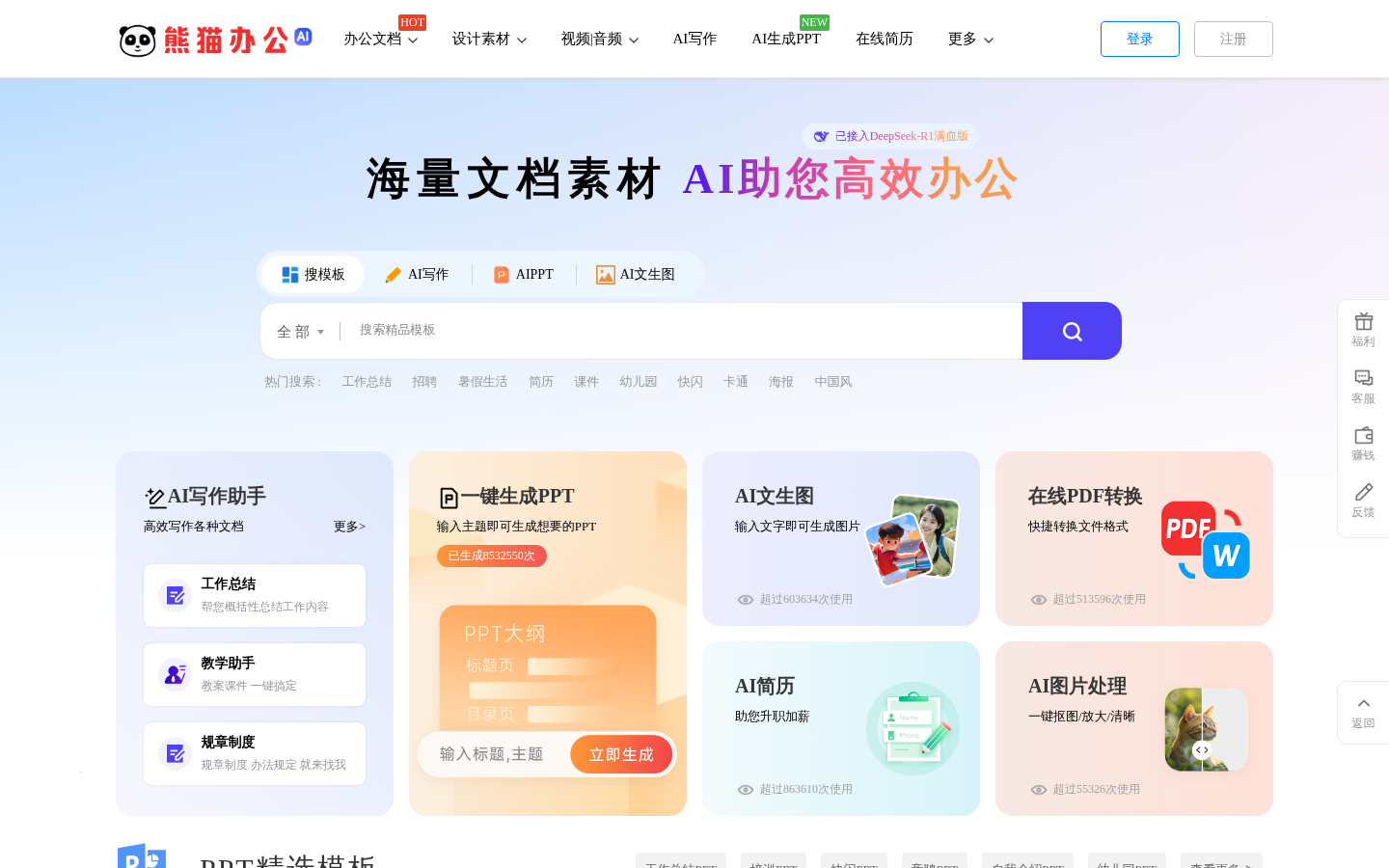
Screenshot archived from the listing page, for preview only.











