
OptiClean
Fast AI image cleanup toolClean up photos and art in seconds
Highlights
What you can do with it
- A photographer cleans artifacts from a scanned photo
- An artist tidies an AIGC image before publishing
- A user fixes a cartoon frame without opening a full editor
How to use it
- 1 Open the OptiClean site and start the trial
- 2 Upload the image you want cleaned
- 3 Let the AI process it
- 4 Review and save the cleaned result
Who it is for
Pros
- Very simple upload and clean workflow
- Offline operation protects sensitive files
- One time purchase instead of a subscription
Limitations
- The trial is short, so test quickly
- Cleanup quality depends on the source image
- Complex retouching still needs a real editor
- Purchase terms and pricing can change
What OptiClean is
OptiClean is an AI image cleanup tool at opticlean.io. You hand it a photograph, cartoon, or AI generated image, and it processes the file in seconds to clean up flaws. One notable point is that the page says it supports offline operation, which matters if you work with sensitive material you would rather not upload anywhere. Pricing follows a seven day free trial and then a one time purchase, not a recurring subscription, which is friendlier than another monthly bill for occasional use.
What you can do with it
- Clean up photographs quickly without opening a full editor
- Tidy AI generated images before sharing or publishing them
- Process files offline when privacy matters more than convenience
- Test everything during the trial before paying once
Who it is for
- Photographers cleaning scans and older images
- Artists and designers working with AIGC output
- Anyone who wants a fast fix instead of manual retouching
What to watch out for
The trial lasts only seven days, so run your real files through it early rather than saving the test for the last day, and keep notes on what it actually fixes. Cleanup quality depends on the source: heavily damaged images will not become perfect, and artifacts can remain in busy areas. Serious retouching still belongs in a proper editor, so treat this as a quick pass rather than a full workflow. Pricing and purchase terms can change, and offline support may vary by version, so confirm details before buying. When quality matters, export a small draft first to confirm the result before producing the final file. Generated suggestions are for reference only, so verify anything that affects professional judgment or important data.
FAQ
What images can OptiClean handle?
The page lists photographs, cartoons, and AIGC images.
Does it need an internet connection?
The site says offline operation is supported, which helps with sensitive files.
How is it priced?
A seven day free trial is offered, followed by a one time purchase rather than a subscription.
Why it is free
What the official page says: free trial
Free limits, trial length and features are decided by the official site and can change at any time.
Product preview
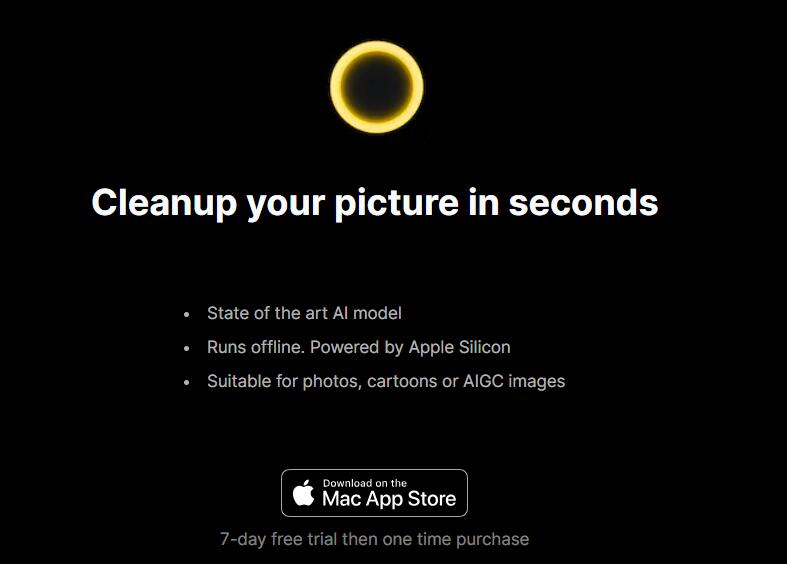
Screenshot archived from the listing page, for preview only.











