
Omni Video AI
AI video generator from text prompts or reference imagesIdeas into cinematic clips in a few clicks
Highlights
What you can do with it
- Create product advertising videos for social media
- Turn teaching images into educational explanation videos
- Produce game trailers from a story description
How to use it
- 1 Visit aiomnivideo.app and log in to receive 5 credits per day
- 2 Choose text-to-video or image-to-video and provide the material
- 3 Pick a style such as cinematic, anime or realistic
- 4 Set the aspect ratio and duration for your platform
- 5 Generate, preview, then download or share the clip
Who it is for
Pros
- A free version is available with daily credits
- Style and format options cover most platforms
- Image-to-video gives stills a second life
- Simple export and sharing after generation
Limitations
- The free version is limited to 5 credits per day
- Clips are short, so long-form video is out of scope
- Prompt quality strongly affects the result
- Paid tiers are needed for regular production volume
What Omni Video AI is
Omni Video AI is an AI video generator that works from text prompts or reference images. In text-to-video mode you describe a scene in natural language and the system builds a short clip with motion, lighting and visual detail. In image-to-video mode you upload a reference image and describe how it should move, which brings a still to life. Style presets cover cinematic, anime, realistic, artistic and minimalist looks, and the output format is flexible, with horizontal, vertical and square clips plus aspect ratio presets tuned for different platforms. The free version is available for trial, and a free login provides 5 credits per day, with paid tiers for more volume.
What you can do with it
- Turn a written description into a short video clip
- Animate a reference image with a described movement
- Switch between cinematic, anime, realistic and other styles
- Export in the right shape for YouTube, TikTok or Instagram
- Draft social posts, campaign ideas, product videos and trailers
Who it is for
- Video creators who need quick turnaround
- Marketers producing advertising and product clips
- Educators making explanation videos
- Game developers and brand designers cutting trailers
What to watch out for
The free version is limited to 5 credits per day, which is enough to test ideas but not to sustain a publishing schedule, so regular work needs a paid plan. Clips are short by design, so this is not a tool for long-form video. Results track the quality of your prompt closely, so vague descriptions produce vague footage. Preview carefully before you publish, and check that generated visuals match your brand and claims.
FAQ
Is Omni Video AI free?
There is a free version, and logging in gives 5 credits per day. Paid plans unlock more.
What input methods are supported?
Text-to-video and image-to-video, where you upload a reference image and describe its movement.
Which styles and formats are available?
Styles include cinematic, anime, realistic, artistic and minimalist, with horizontal, vertical and square formats.
Who is it for?
Video creators, marketers, educators, game developers and brand designers.
Why it is free
What the official page says: free version
Free limits, trial length and features are decided by the official site and can change at any time.
Product preview
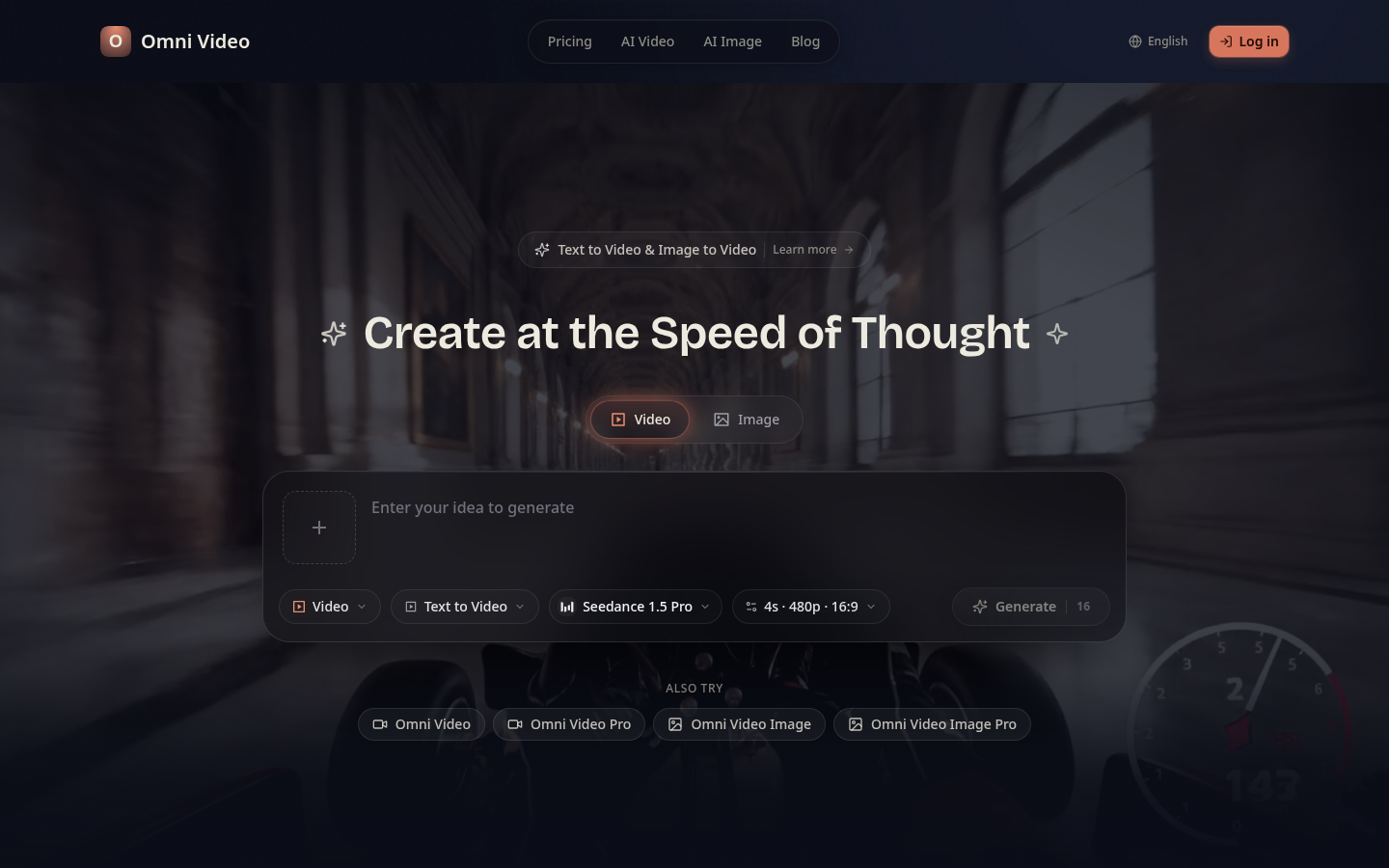
Screenshot archived from the listing page, for preview only.











