Omni Flash
Multimodal AI model explorerExplore multimodal AI models as a team
Highlights
What you can do with it
- Evaluating multimodal models before choosing one
- Prototyping real-time text, audio, or video features
- Comparing latency and quality trade-offs as a team
How to use it
- 1 Open the site and try the free APIMART text model demo
- 2 Explore the unified interface across modalities
- 3 Adjust latency and quality settings for your use case
- 4 Join the waitlist if you need broader multimodal API access
Who it is for
Pros
- Covers text, audio, image, and video in one place
- Built for low-latency, real-time evaluation
- Free text model demo needs no commitment
- Fast prototyping helps teams learn model behavior
Limitations
- Only the APIMART text model demo is free; wider API access needs a waitlist
- Waitlist approval is not guaranteed
- Pricing for broader access is not listed on the page
- Model behavior can change as upstream models are updated
What Omni Flash is
Omni Flash is an interactive multimodal AI model explorer built for teams. It is designed to evaluate low-latency text, audio, image, and video workflows in one place. The page lists a unified exploration interface that covers several modalities, optimized low-latency inference for real-time applications with flexible trade-offs between latency and quality, and fast prototyping and testing so teams can understand model behavior. Right now there is a free APIMART text model interaction demo, while broader multimodal API access requires joining a waitlist. That makes it a place to compare models before you commit engineering time to one of them.
What you can do with it
- Explore text, audio, image, and video models in one interface
- Test low-latency inference for real-time use cases
- Adjust the balance between latency and quality
- Prototype quickly before committing to a build
Who it is for
- Teams evaluating multimodal AI models
- Developers prototyping real-time applications
- Researchers comparing latency and quality trade-offs
- Product managers checking model behavior before a build
What to watch out for
Only the APIMART text model demo is free; broader multimodal API access is behind a waitlist, so approval is not guaranteed. The page does not list pricing, so costs for wider access are unclear. Model behavior can change as upstream models are updated, and evaluation results may not transfer directly to production. Treat the demo as a way to understand the models and their latency profile, not as a guaranteed service level, and ask about pricing and access terms before you plan a project around it. Free tiers and usage limits can change, so check the current rules on the official page before relying on it long term.
FAQ
What is Omni Flash for?
It is an interactive explorer that helps teams evaluate low-latency text, audio, image, and video workflows.
Is there a free part?
Yes. A free APIMART text model interaction demo is currently available.
How do I get multimodal API access?
Broader multimodal API access requires joining a waitlist.
Can I tune latency and quality?
Yes. The page lists flexible configuration of latency and quality trade-offs.
Why it is free
What the official page says: 免费
Free limits, trial length and features are decided by the official site and can change at any time.
Product preview
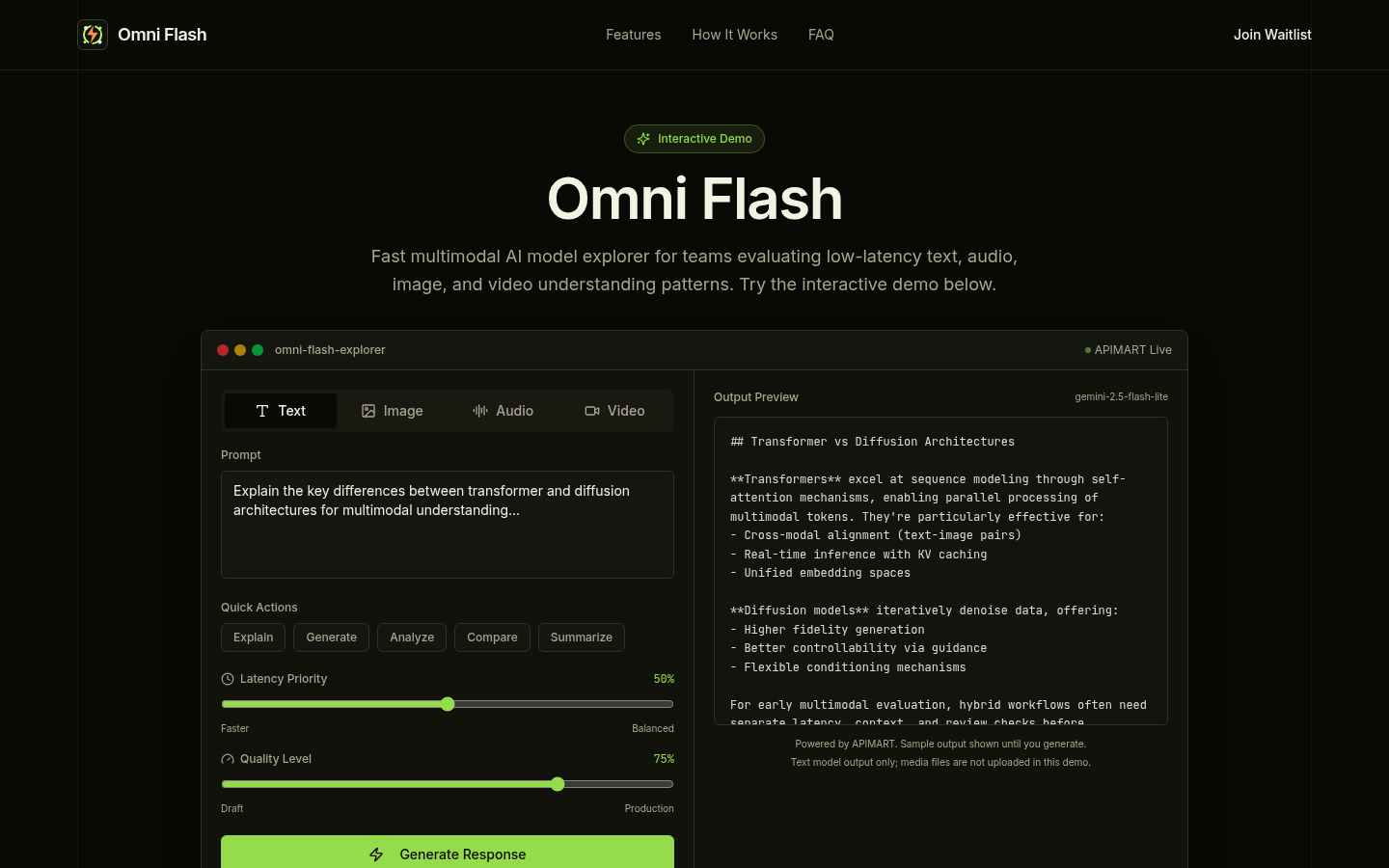
Screenshot archived from the listing page, for preview only.